[Issue Type] Content
[Frequency] Almost every time
[Priority] Low
[Environment] Windows 10 Education N, Chrome 96.0.4664.110
[Actions Preformed]
1. Open the Board page.
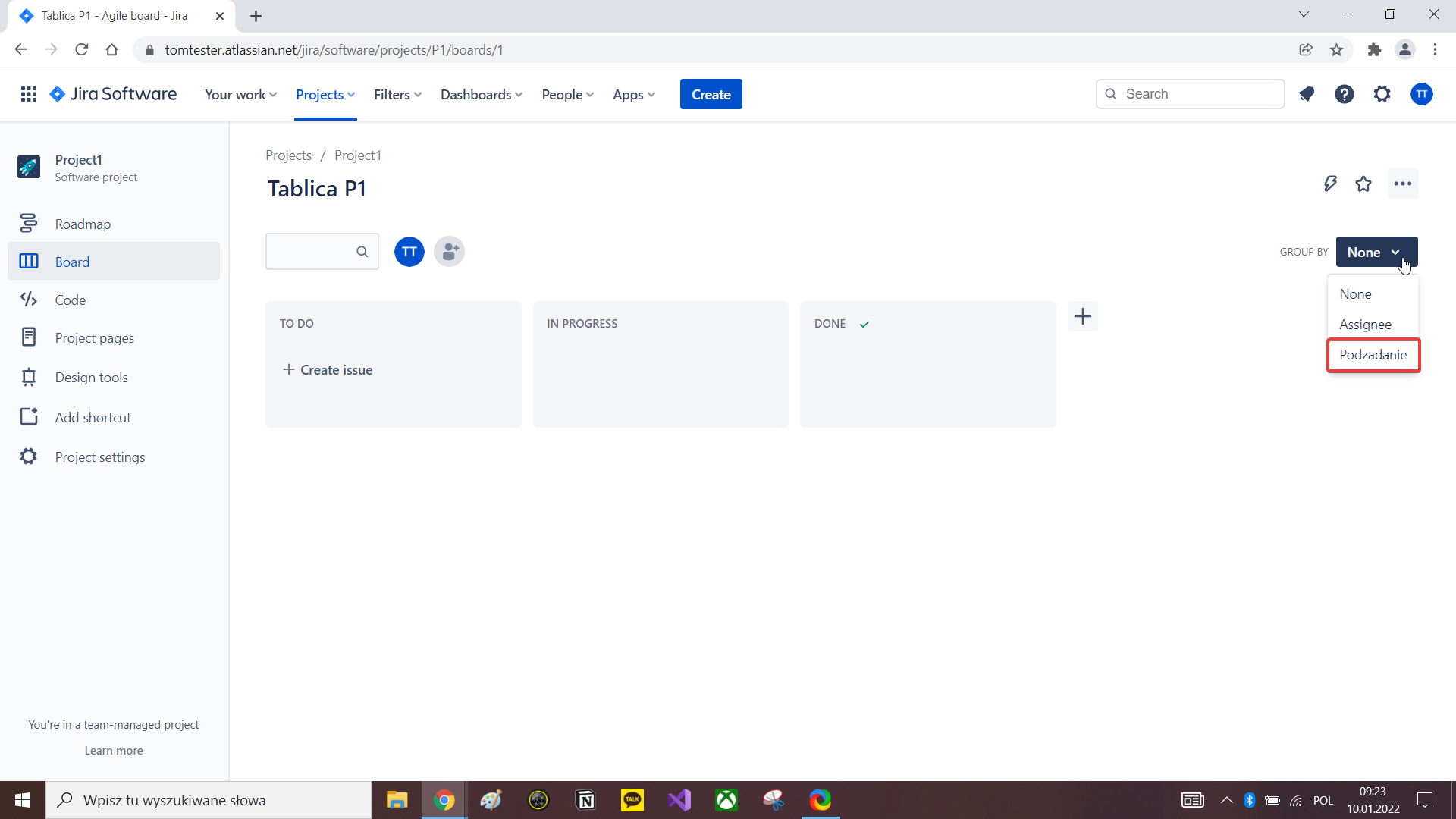
2. Click on the Group by dropdown list.
3. Click on the profile icon in the top right corner.
4. Select "Account settings".
5. Select "Account Preferences".
4. In the Language section change the current language to a different language.
5. Navigate back to Jira Software tab.
6. Refresh the page.
7. Click on the Group by dropdown list.
[Expected Results] After changing the language in the Account settings all options should be translated into the newly selected language.
[Actual Result] After changing the language in the Account settings on the Board page in the Group by dropdown list the Subtask option isn't translated.
[Attachments]