Bug
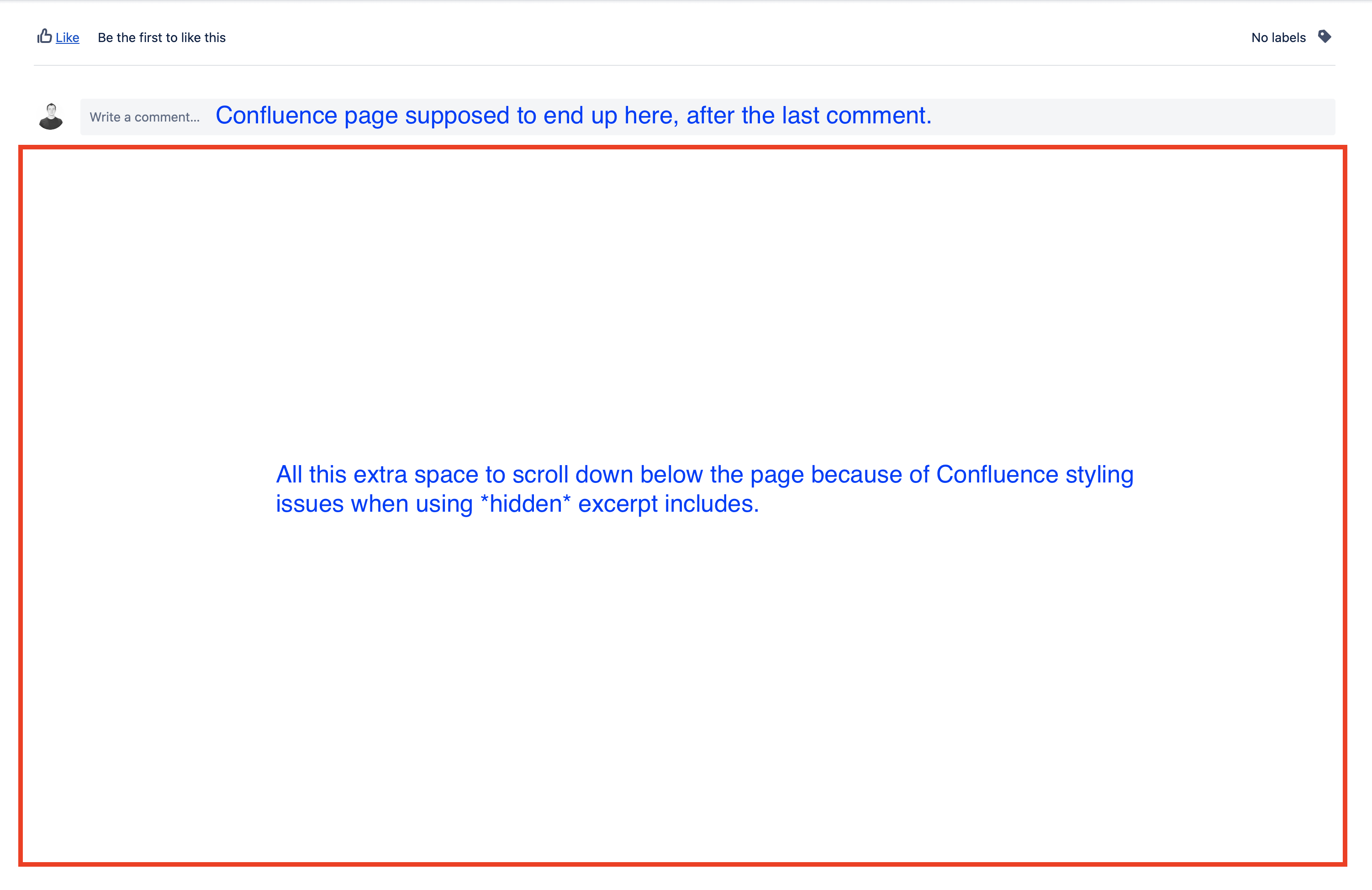
Using hidden excerpts on your page, in this case at the bottom of the page, adds hidden height to the page and causes a long scroll for the sum height of all your hidden excerpts.
EDIT:
Upon further testing, it may be more related to the use of the Expand macro with lengthy content rather than the use of excerpts. My use case is Expand macros that contain lengthy excerpt include macros.
EDIT 2:
The bug seems to occur only after publishing the page. If you did a hard refresh the bug would not occur. Meaning, there is some correlation between Expand macros and the height of the page after publishing.
Steps to reproduce
- Create several lengthy excerpts at the bottom of your page. For each excerpt, marking it as hidden and giving them distinct names.
- Publish the page. Re-edit the page. Add a couple "Excerpt include" macros at the top of the page inside of an Expand macro. Referencing the same excerpts you just created.
- Publish the page.
- You will see a big empty space and lots of scrolling distance below the comment section.
Root cause analysis
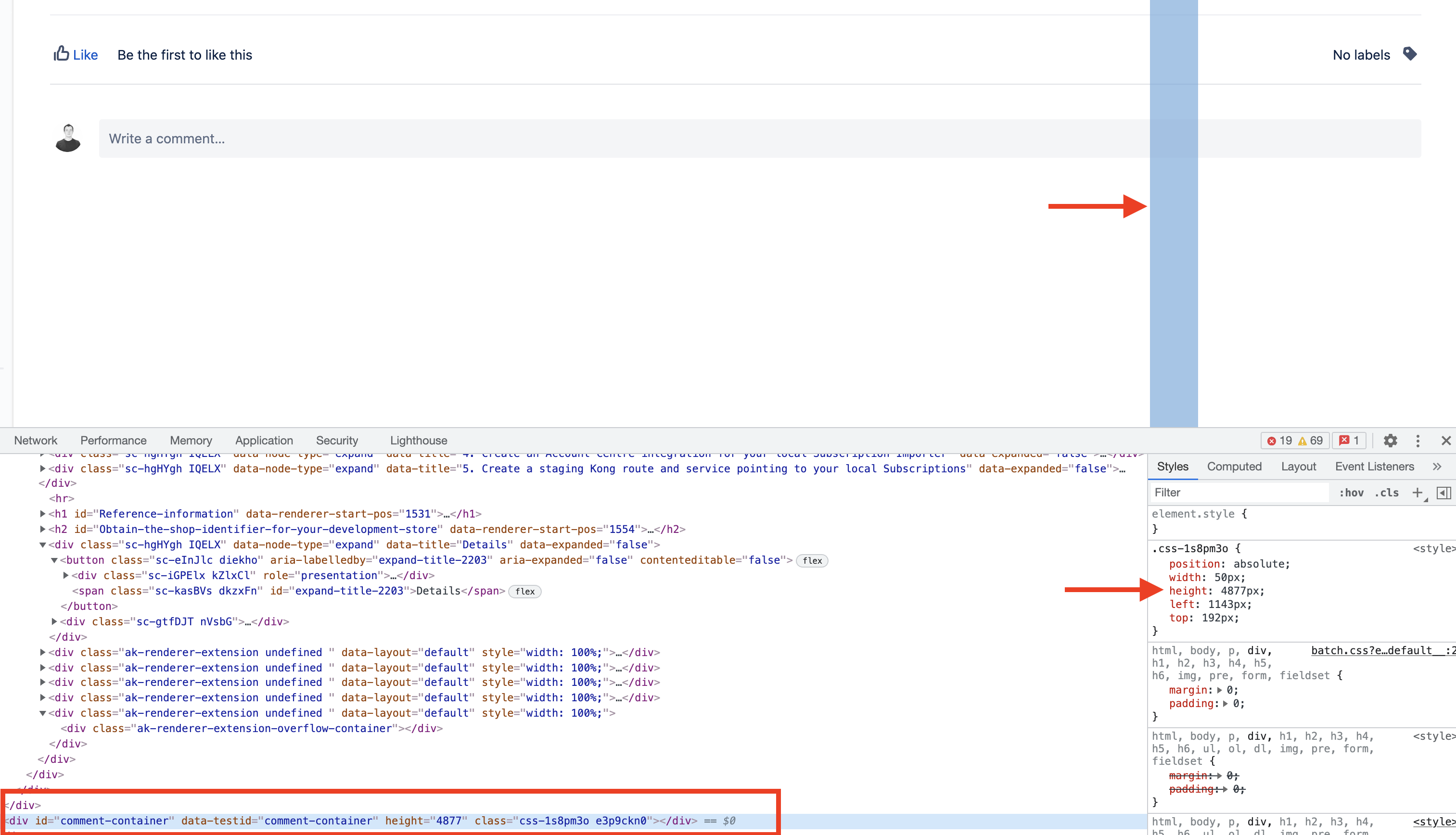
When using hidden excerpts it appears that the #comment-container div gets a calculated height to it that is longer than it should be. I theorize that there is some frontend logic for calculating height of the comment block that is not taking into account hidden excerpts. EDIT: It may be more related to the use of Expand macro and not excerpts. It's hard to say. When you close an Expand macro, I notice the height at the bottom of the page increases. When I open all my expand macros, the height is proper at the bottom of the page. EDIT 2: It is further narrowed down to the use of Expand macros only after just publishing the page. When the accordions are open, the height is broken. When they are closed, the height is proper - after publishing.