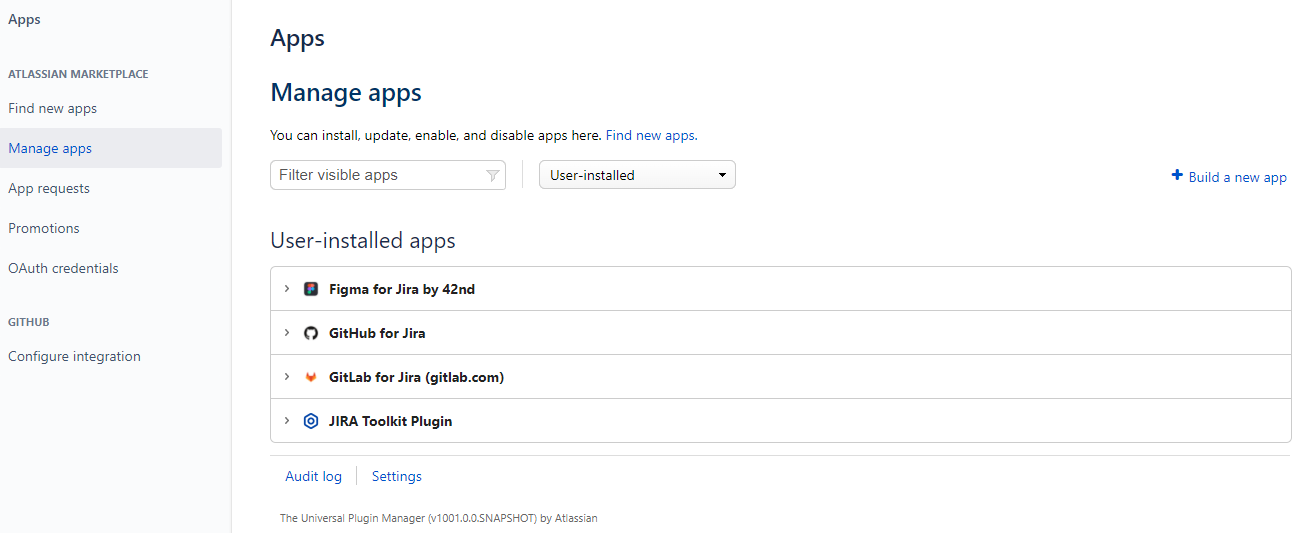
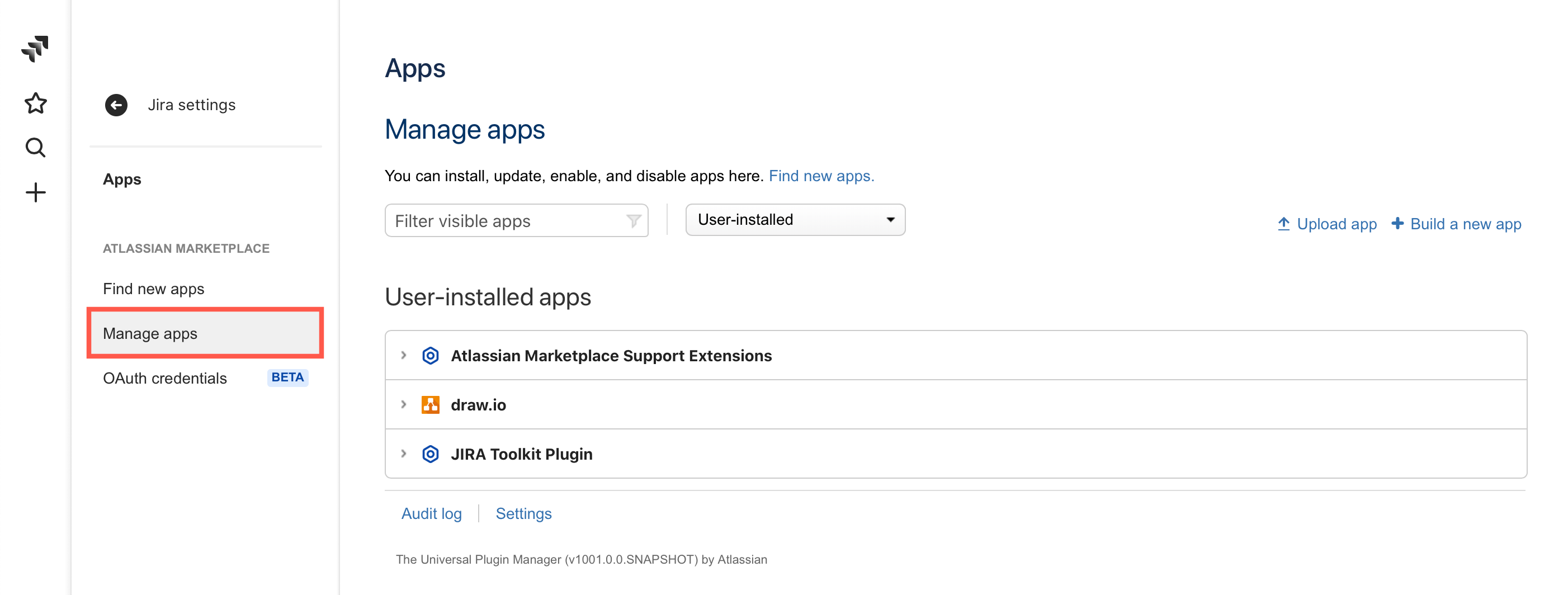
I followed the instructions below to Install App in Jira. But I could not find the "Install" section or the "Upload App" link.
3. Install app
Note: You must have administrative rights to install an app.
- Open your Atlassian application and log in.
- Navigate to the administration section. You may need to log in again (we're super secure).
- Choose "Apps", then navigate to "Manage Apps" (the "Install" section in older versions).
- Click the "Upload App" link and upload this file.
This is my screenshot.