Adding a flag to an issue is a cool way to say it is blocked. Also, you can add a comment as part of the same action from a board. But what if you want to do the same from the issue detail view?
This article will guide you through the usage of flags and will provide a native solution to emulate the feature of adding a flag along with a comment from the issue detail view.
In this article
- The two native ways to add a flag
- What makes flags so cool?
- Blocked status vs adding a flag
- Building a solution to flag & comment from the issue detail view
The two native ways of adding a flag
First things first, how can you add a flag to an issue?
Natively, there are two ways of adding a flag to an issue.
Adding a flag from the issue detail view
For adding a flag from the issue detail view, just click on the ellipsis button [...] > Add flag on the top-right corner:
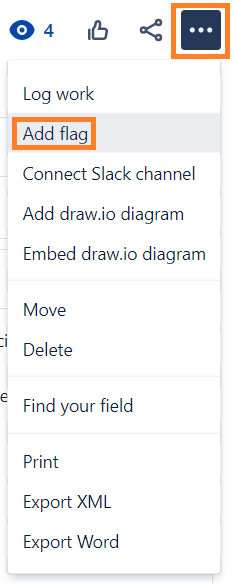
This will just add a flag with no way of adding a comment as part of the same action, unlike when you add a flag from a board.
Adding a flag from a board
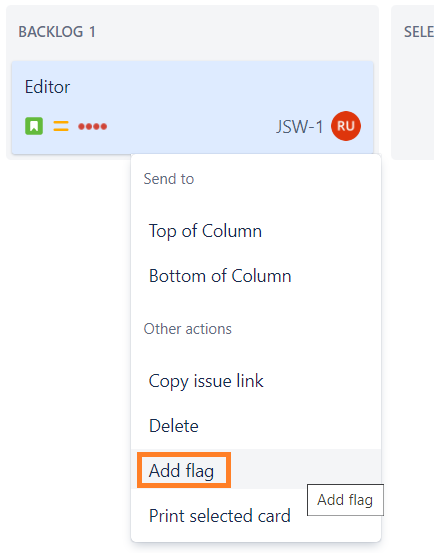
For adding a flag from a board, either a Kanban or a Scrum one, right-click a card > Add flag:
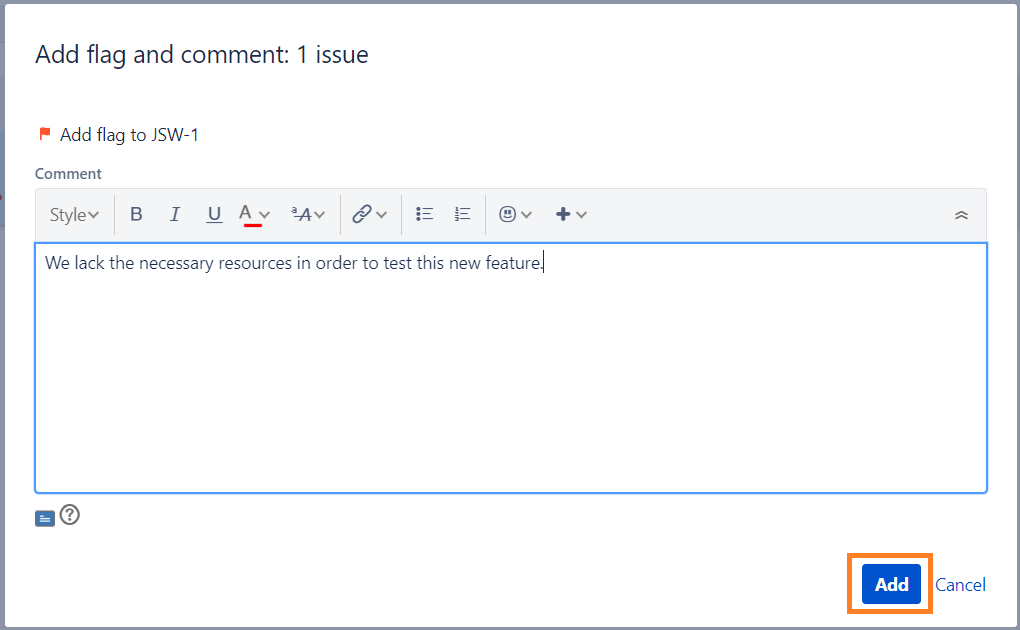
Note this time a dialog will pop-up so that you can also add a comment along with the flag, explaining why the issue is blocked:
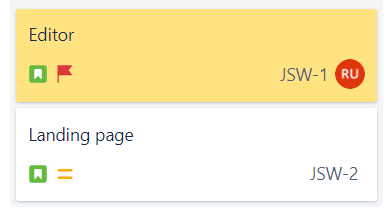
A flagged issue is highlighted to easily detect it among unflagged issues:
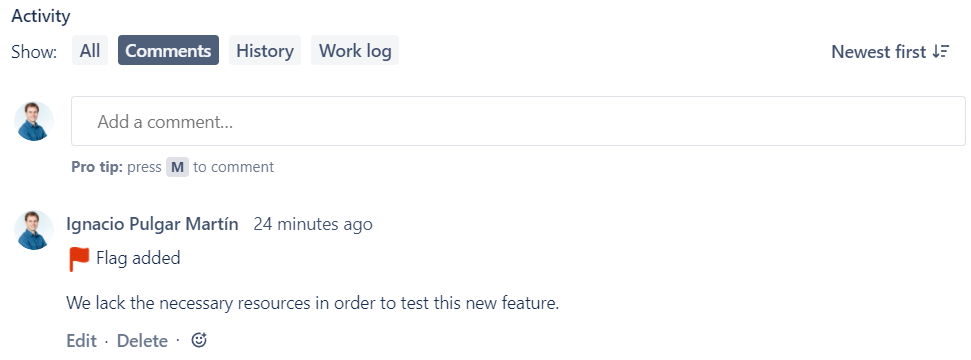
But hey! That's not all! The comment added through the previous dialog is also included to the issue detail view and is also marked with a flag at the begining of the comment:
What makes flags so cool?
Flagging an issue is a cool way to say it is blocked:
- Flags look great on a board and the card gets a convenient background color which makes them highlighted and easier to detect, so that someone takes action to remove this impediment.
- Adding a flag from a board allows to add a comment which will also be marked with a flag. Suggesting to add a comment improves the chances that the user explains why the issue is blocked.
- Flagged issues are searchable in JQL:
flagged = Impediment
And this is for finding issues without a flag:
flagged is EMPTY
Not to confuse with flagged != Impediment wich always returns no issues!
This is because in != means "with a value distinct from", and there is no value in that field for unflagged issues; it is empty instead.
- Flags allow to quickly see the status where an issue became blocked.
Blocked status vs adding a flag
Blocked status advantages
Reporting the time an issue was blocked is an easier task if you use the Blocked status instead of a Flag.
Furthermore, the Jira native field Status also supports powerful JQL operators like WAS and CHANGED, which are useful for several use cases.
Flag advantages
On the other hand, flagging an issue does not produce its status to change, so you can still quickly see where in the workflow the issue became blocked.
This fact provides the advantage that you can know which of your blocked issues is more likely to be completed with less additional effort.
Besides of that, it also means that you need one less column on your board, reducing the likelihood that you have to use the horizontal scrollbar.
From the Jira Admin perspective, the usage of Flags is better than transitioning to the Blocked status, since the very same workflow will then be valid both for users who want to mark issues as blocked as well as for users who don't.
Conclusion
The Blocked status advantages rely on configuring anything else.
You get the Flag advantages merely by using them, with no need for configuring anything else.
Also, I have noticed quite oftenly than a Blocked column tends to be set aside, so that those blocked issues don't disturb the vision of issues in which users can continue working, with the risk of forgetting about them.
Blocked issues should be highlighted to see if there is anything that could be done to unblock them.
In my opinion, Flags are better than transitioning to the Blocked status unless there's a very specific requirement to think otherwise.
Building a solution to flag & comment from the issue detail view
The step by step solution is described in this article!
Thanks for reading!


![Photo of Jack Nolddor [Sweet Bananas]](https://us.v-cdn.net/6038660/uploads/avatars/b3/a6/nb3a6df9986a0e0eba72ad4e75c0a61f5.png)


