We achieved great results in visualizing what teammates are working on and planning their work ahead even across projects. But the thing we were still missing to get full power is the Workload View that we’re super happy to announce!
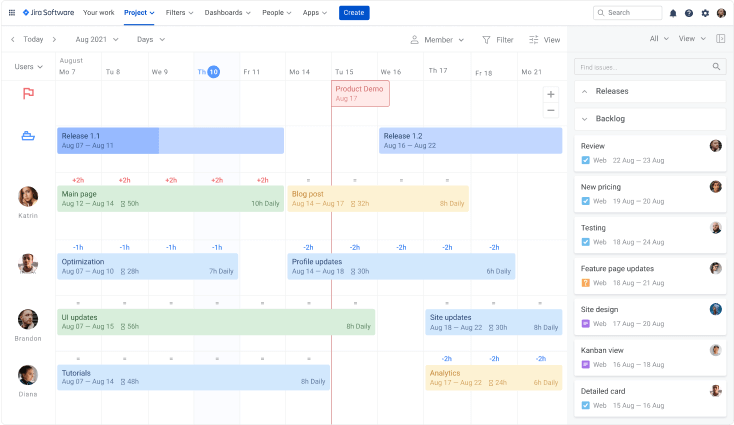
What is the Workload View for?
The workload is an ideal match for those looking for a way to easily allocate work based on the maximum daily capacity so that you can make sure you don’t overwhelm people or, on contrary, underload them.
How does it work?
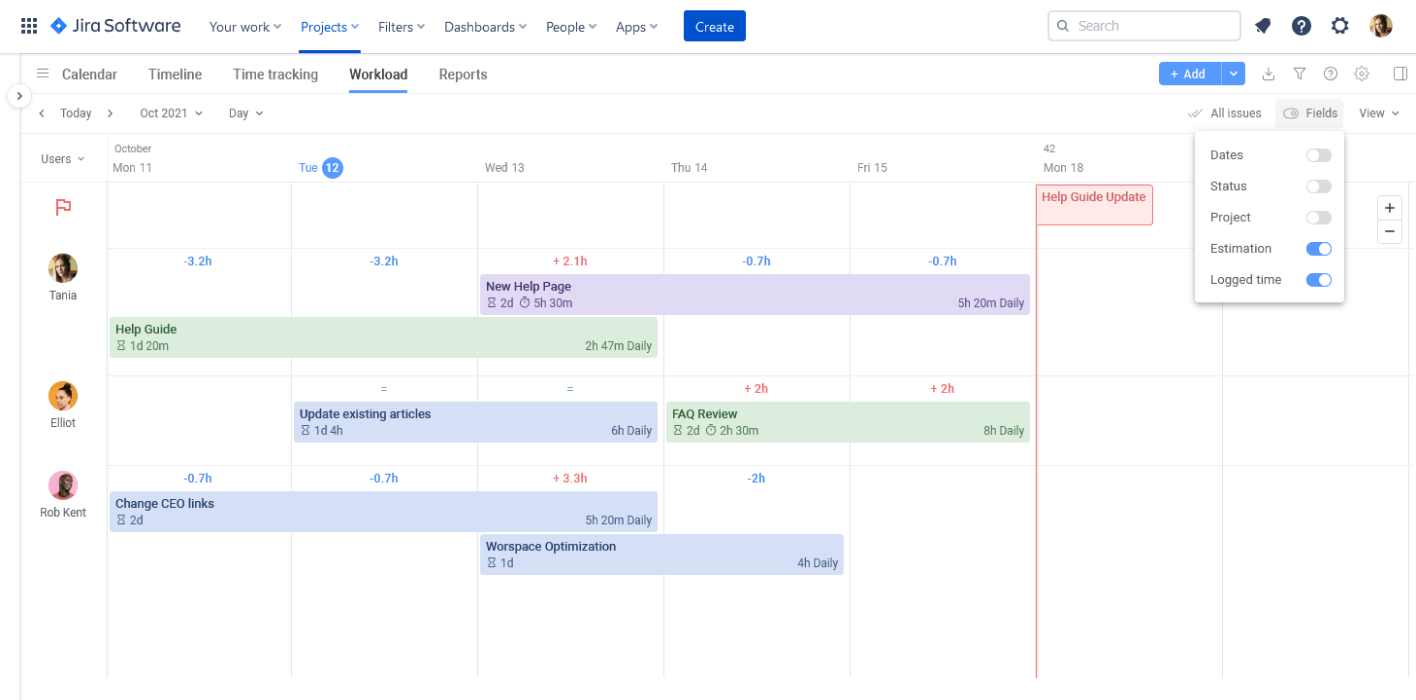
Once the Workload View is on, you get the workload indicators above Jira issues. Based on the estimation, daily capacity, and task duration, the indicators change showing whether you’re exceeding the maximum daily capacity, have more working hours to fill, or if they perfectly fit.
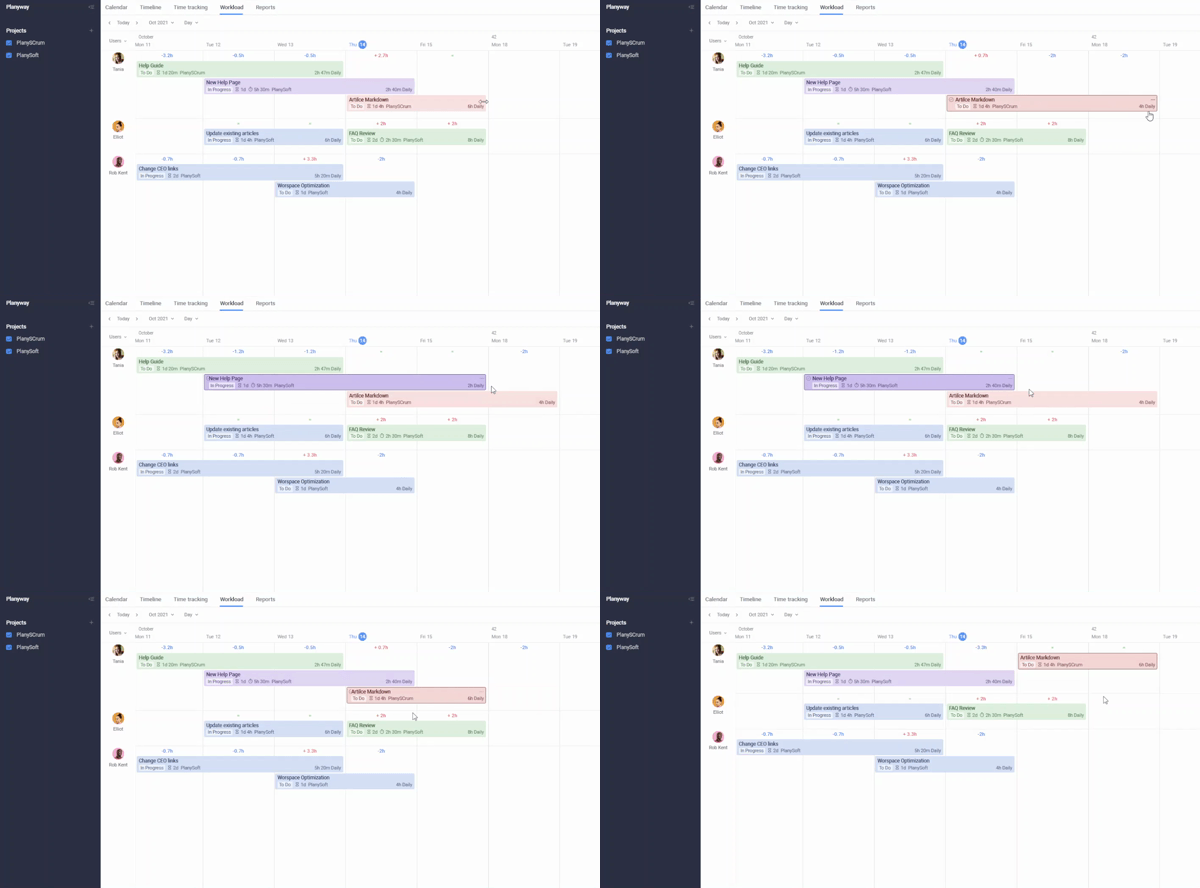
But all the magic is about simplicity. By stretching an issue for more days or rescheduling work to other days, you can easily balance your team workload and optimize it the best way.
How to set it up?
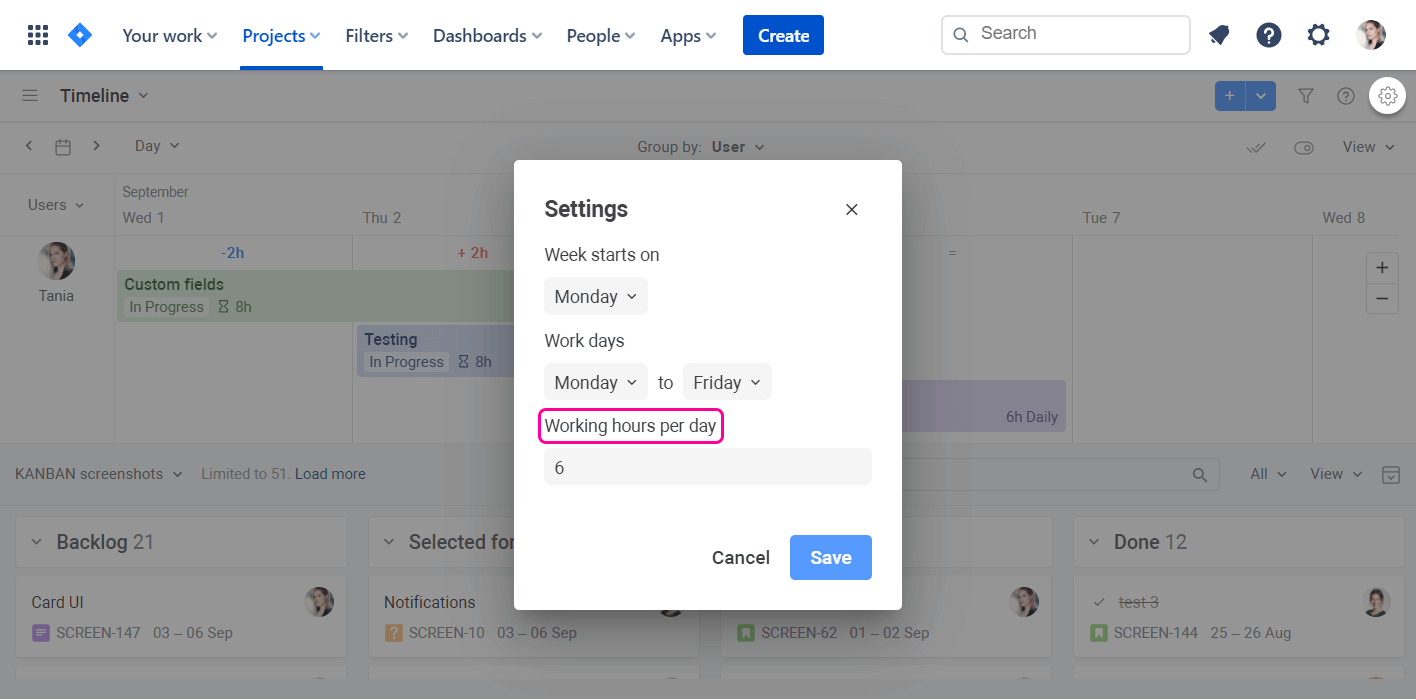
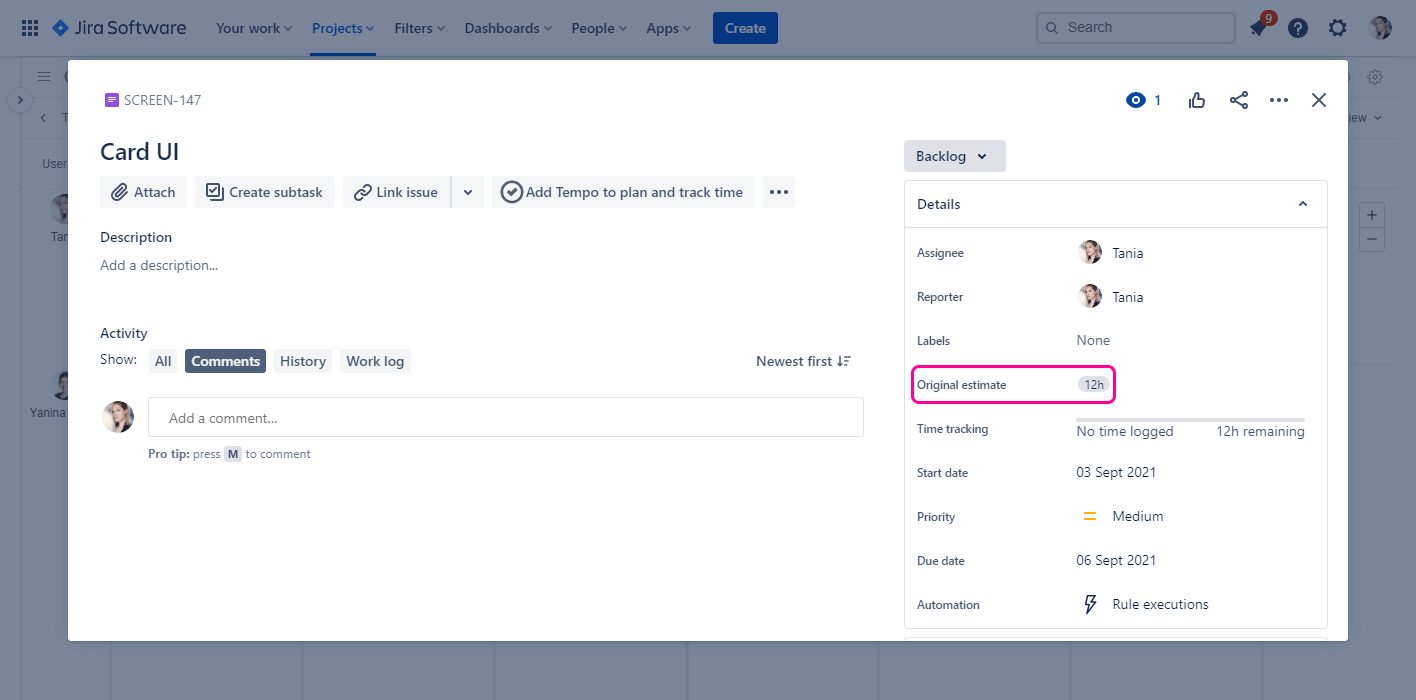
The Workload View is set up in three simple steps:
- Set up the Working hours per day
- Set up the Original Estimate
- Open the Workload View
Loving our new feature? Then, install Planyway and give it a try ✨
We’re super thankful for any feedback from you as it helps us improve. Leave your thoughts below or send us a message at support@planyway.com
Your Planyway team❤️

![Photo of Ulrich Kuhnhardt [IzymesCo]](https://avatar-management--avatars.us-west-2.prod.public.atl-paas.net/557058:de2deb41-6382-4be7-aa31-4adf2439211f/60e7e4c7-4c75-4fce-84b8-948b224cd5ab/128)


