Hi All!
We’re excited to share the launch of an announcement banner that lets Jira site administrators communicate directly to their users across their Jira Cloud instance.
📢 Get your announcements out
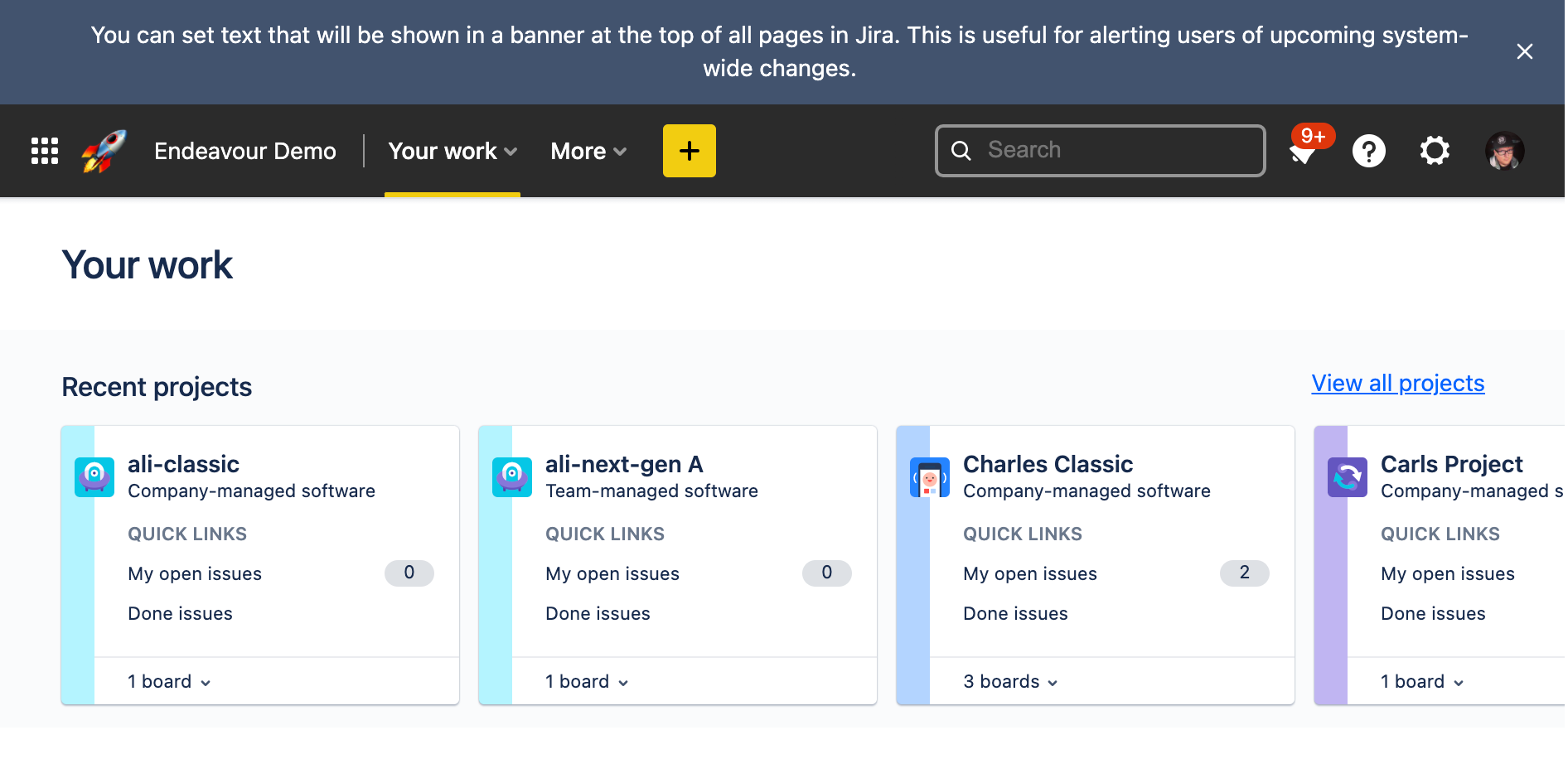
With the new "Announcement banner" page in Jira Admin, you can now set announcements that will be shown as a banner at the top of every Jira page.

Step 1
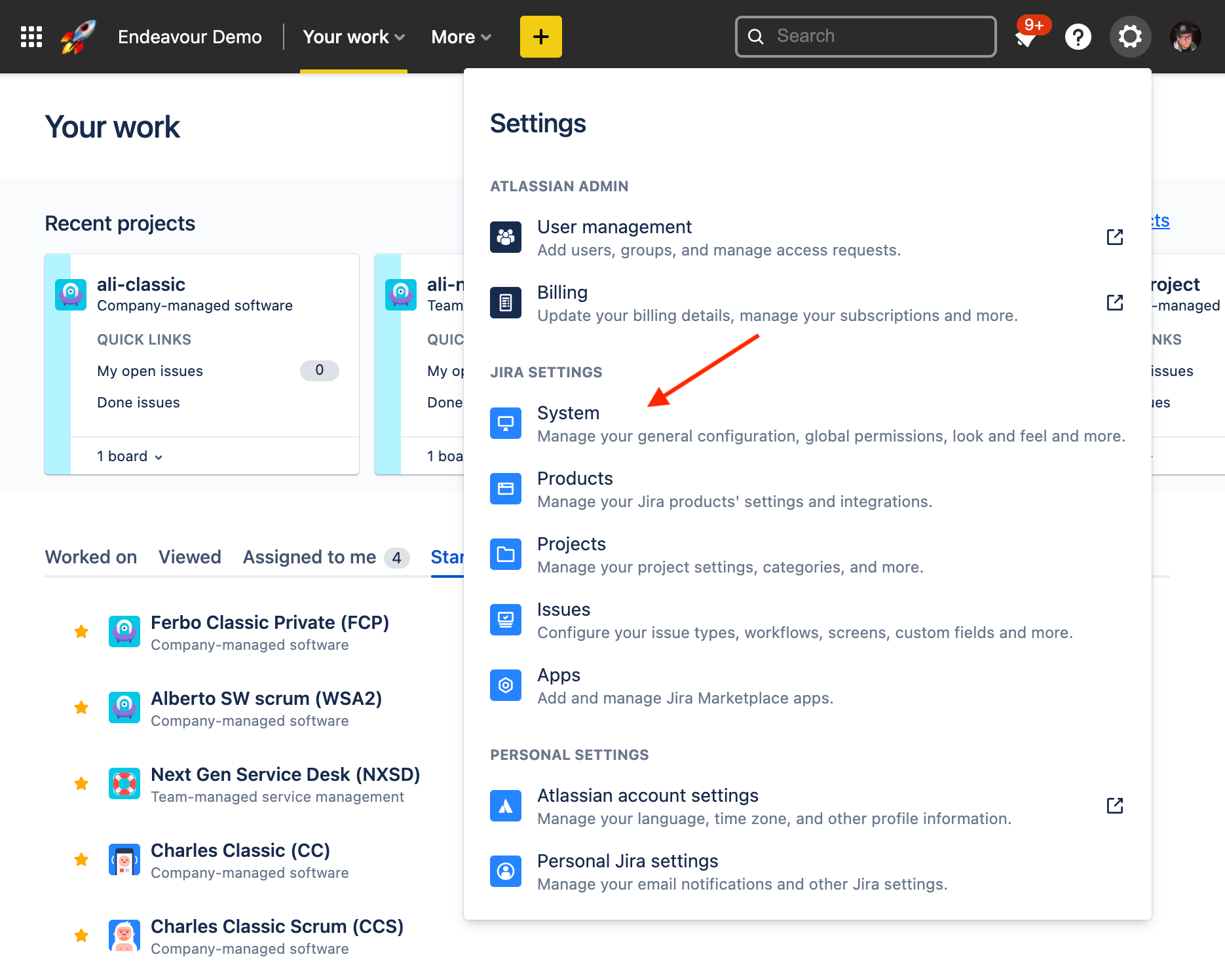
Click on the Gear icon at the top right of the navigation and navigate to “System” under “JIRA SETTINGS”
Step 2
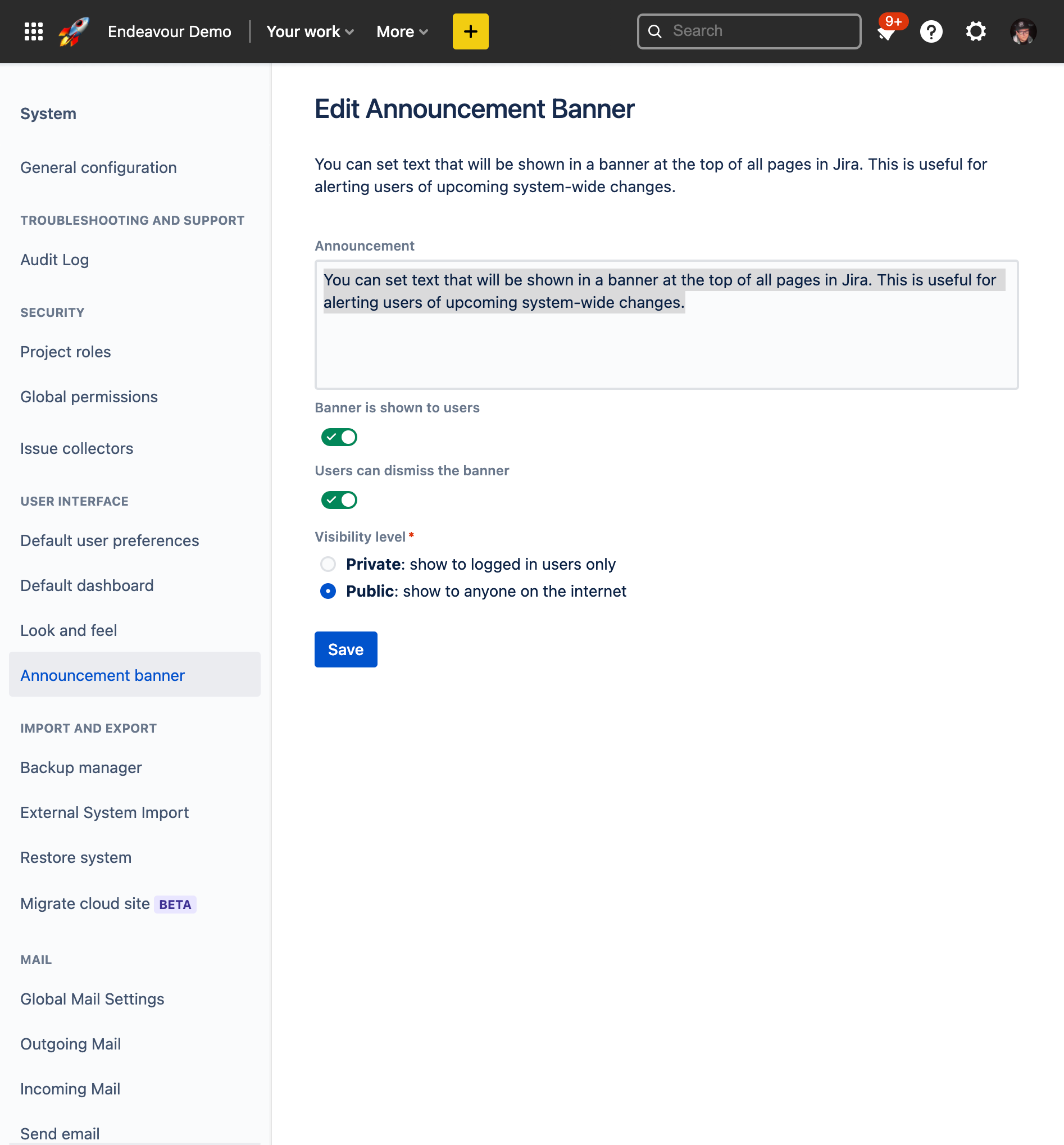
Find the "Announcement banner" item on your sidebar, under "USER INTERFACE"
Step 3
Configure the banner the way you want, you can:
-
Set the message of the announcement
-
Decide whether you want to disable or enable the banner
-
Decide whether your users should be able to dismiss the banner
-
Decide whether you want to show the announcement only to users that are logged in or to anyone who visits your Jira instance.
And voila!
When will this feature come to my instance?
We are gradually rolling it out to our customers, it should hit most users by November 2021
Can I add rich formatting and URLs to my announcement?
In this first release, we only support plain text. You can still include a URL, it will be shown as plain text. We've heard you and support for links and rich formatting will be added to our backlog for this feature.


