Hi all,
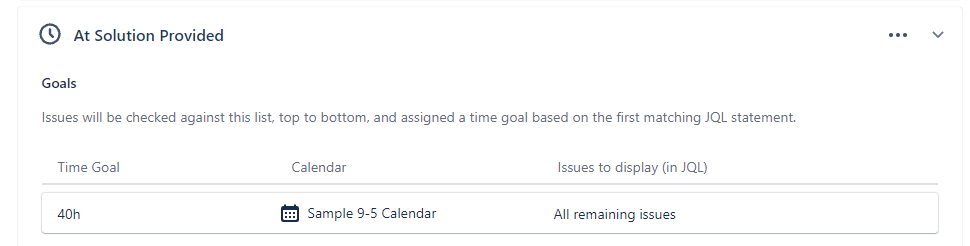
I have setup an SLA 9:00 to 17:00 calendar so all my SLA countdowns only work within this period (business hours)
If one of our tickets remains at "Solution provided" status for at least 8 business days (40 business hours) without getting any response from the customer, then this ticket should be automatically converted to "Complete" also giving an automated message to the customer.
I have setup an automation for that; when the 40 hours SLA is breached then automatically comment the ticket and move it to "Complete". The 40-hour SLA counter starts counting when a ticket is moved to "Solution provided" status
This works pretty fine (along with all the rest of the automations I have). Except for one case:
If an agent moves a ticket to status "Solution provided" outside the business hours (9:00 to 17:00) e.g. at 17:30 then the SLA counter will start counting next day at 9:00 AM. This means that it will be breached (if no comment is received) after 8 business days at exactly 17:00 o'clock of the 8th day.
When this happens then the automation is triggered few seconds/minutes after 17:00 and strangely, no action is taken i.e. no auto-comment, no transitions of the case.
I am posting some images for your reference
SLA Calendars
Audit log of the automation of interest. No actions is taken when the rule is triggered outside the SLA calendar
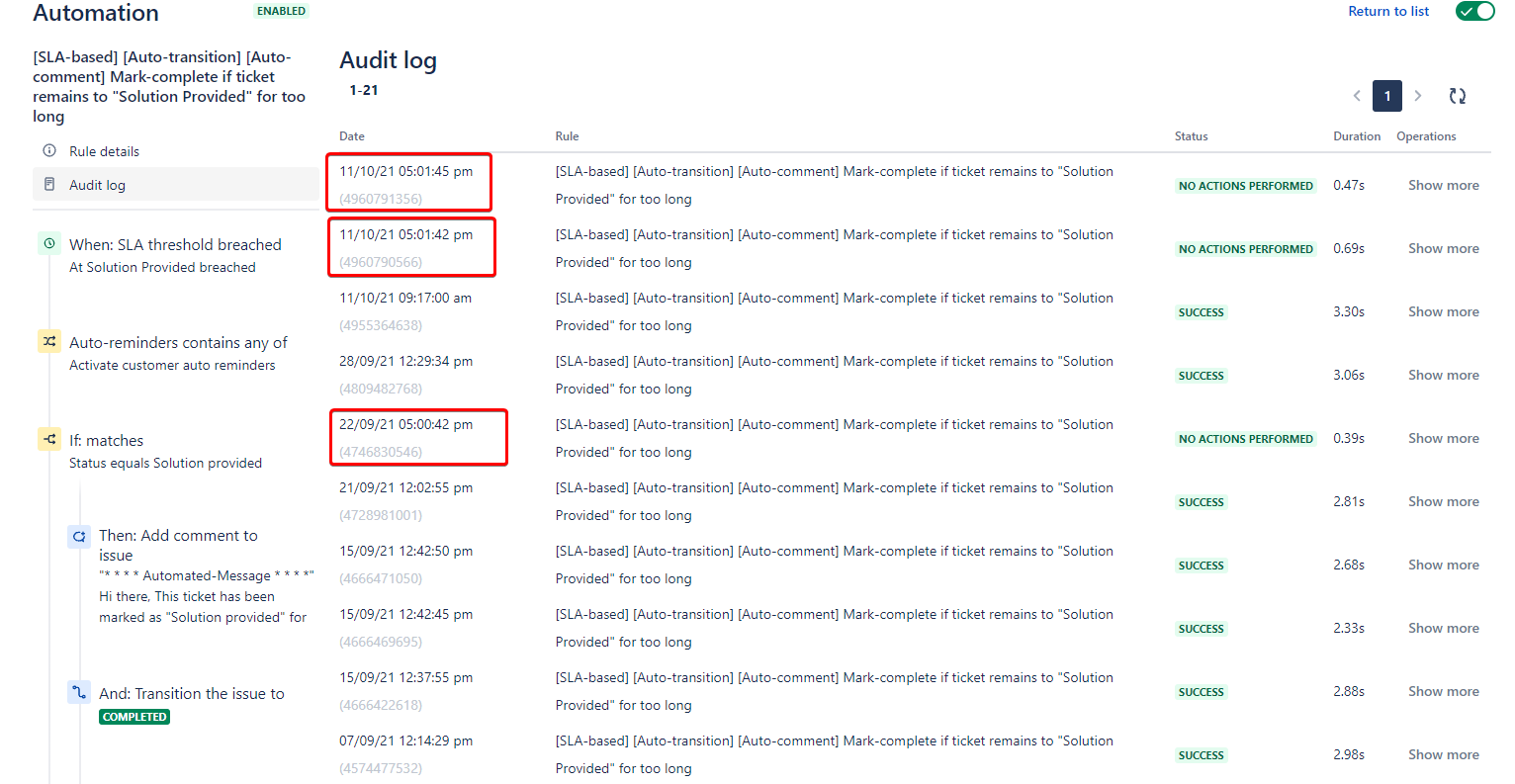
Is there a setting that I might be missing? Why is this happening?
I though of triggering the rule earlier e.g. 5 minutes before the SLA is breached so that to avoid cases like the above, but I am not sure if this would help, since it might also happen in cases I have initially moved to "Solution provided" status at 9:05 AM for example.
Thanks a lot for your help in advance.
Kind regards,
Ioannis

