If you work in a support team, you know you can spend hours copying comments from one ticket to another. Good news: Automation can do it for you!
I recently helped a support team working with two issue types:
- Incidents, to fix unplanned issues that require emergency responses.
- Problems, to track underlying causes of incidents.
A problem is linked to several incidents. When there is an update, you want to share it with all related incidents. What if you could automatically add a comment to linked issues?
What if when you add a public comment to a problem:
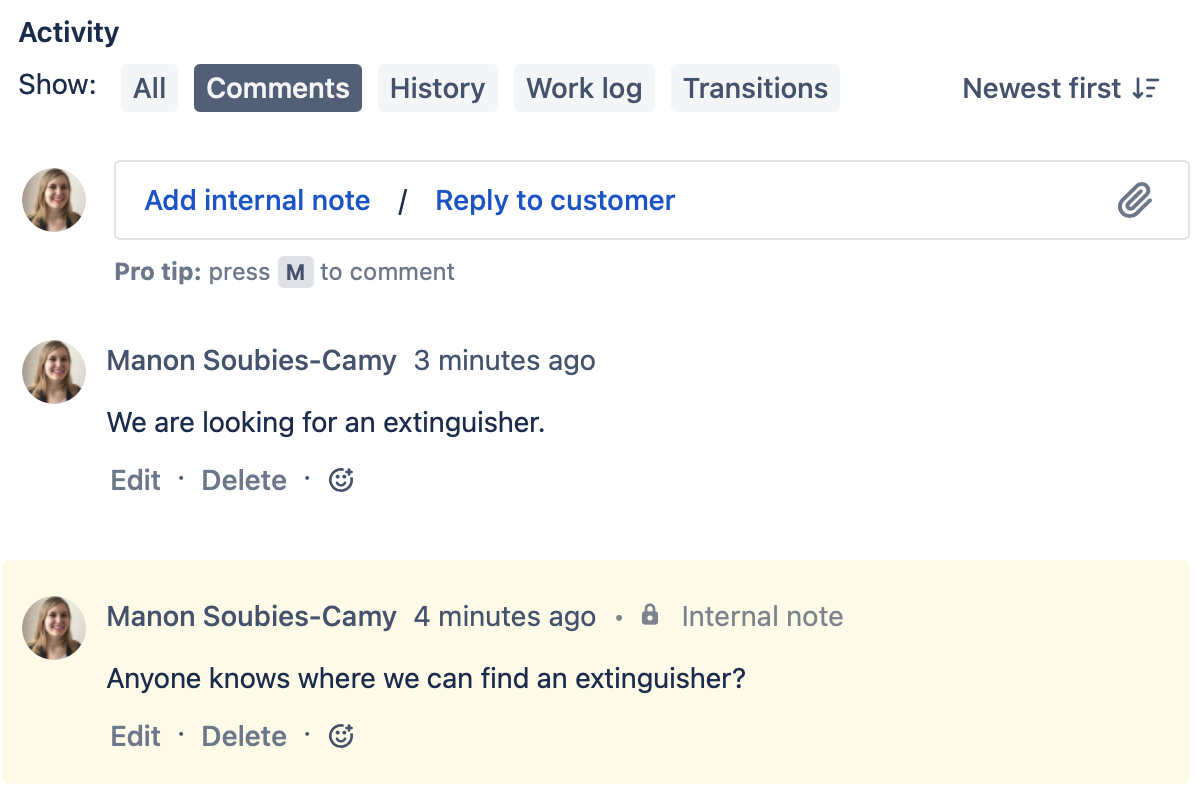
It is then automatically added to related incidents?
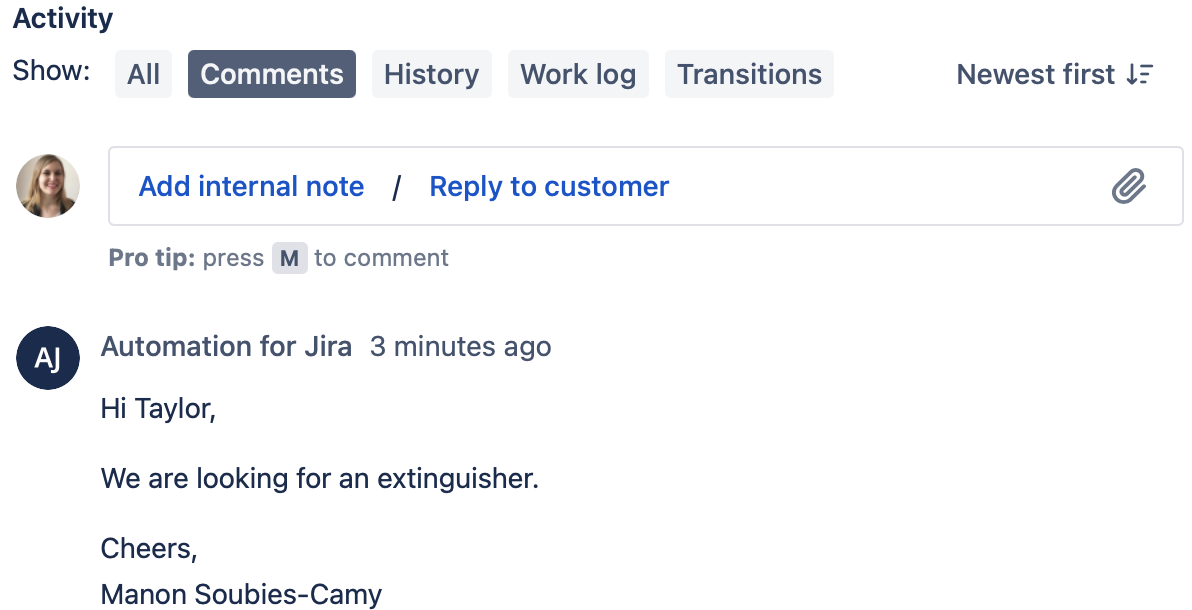
Here is how to set it up:
When a public comment is added to a problem → comment on linked incidents
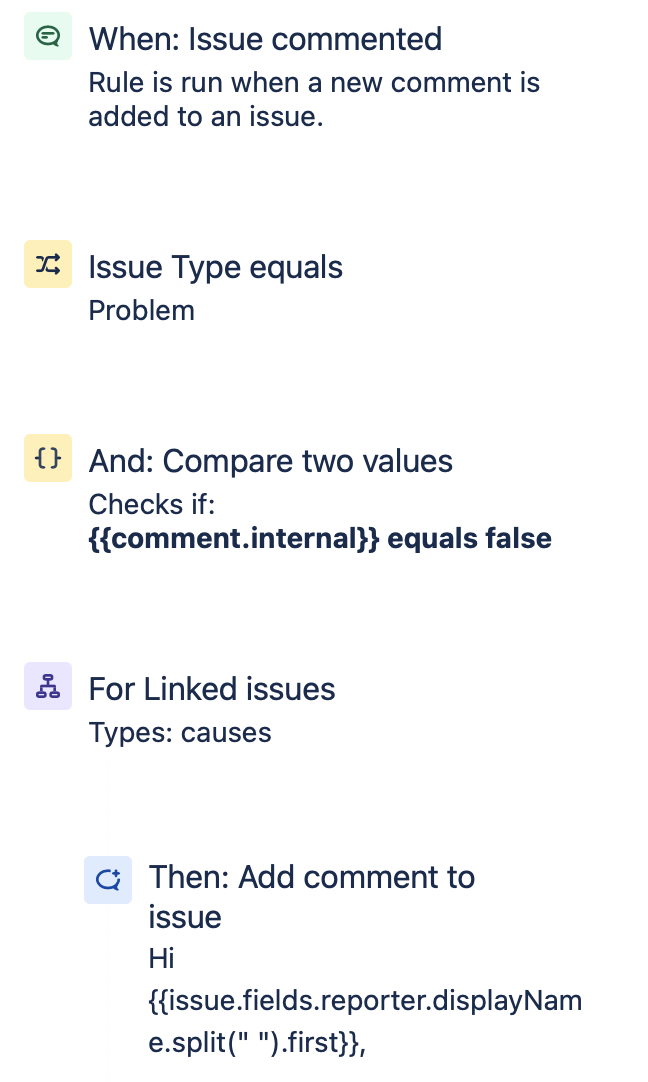
Let's see how it works:
When: Issue commented
This is pretty straightforward: the rule is triggered when a comment is added to the issue.
If: Issue Type equals Problem
We only want to copy comments from Problems.
And if: Compare two values
This one is more advanced, we are using smart values to check if the comment added to the problem is internal or public. We don't want internal comments to be copied to incidents: you don't want to share all your investigations with customers.
Here is the smart value you can use:
{{comment.internal}}For: Linked issues
We are now using a branch to go copy comments from problem to linked incidents. We usually see the following links:
- A problem causes an incident
- An incident is caused by a problem
So we can restrict the branch to associated issues with link "causes".
Then: Add comment
We are now copying the comment to the incident request:
Hi {{issue.fields.reporter.displayName.split(" ").first}},

{{triggerIssue.comment.last.body}}

Cheers,
{{triggerIssue.comment.last.author.displayName}}Smart values translation:
- {{issue.fields.reporter.displayName.split(" ").first}} = your customer's first name
- {{triggerIssue.comment.last.body}} = last comment from your problem
- {{triggerIssue.comment.last.author.displayName}} = full name of the author of this comment
Make sure to choose "Share with customer" in the Comment visibility option.
And that's it! Let me know in the comments if you have any questions.

