Hello community,
Excited to share our latest Swanly feature update! 🤓
As you know, most tools have bumps here and there; for Jira, it’s the fact that you can only plan out and view epics or issues from one project only when it comes to the roadmap. It’s great if you’re handling one project or product at a time but more often than not, you’re dealing with features from many products that are all at various stages of development, and you want to be able to see everything in one place.
When it comes to seeing these project or product roadmaps in one place, there’s not much you can do with the Standard Jira plan, and Premium is expensive if what you’re looking for is cross-project roadmapping. The solution? Swanly.
What the new Swanly update means
If you’re like us; running many projects in Jira for each of your products or teams, then a project roadmap simply isn’t enough. What you might want to do is keep using project roadmaps in Jira, alongside a portfolio roadmap that will allow you to see epics (in real time) from select projects in one place.
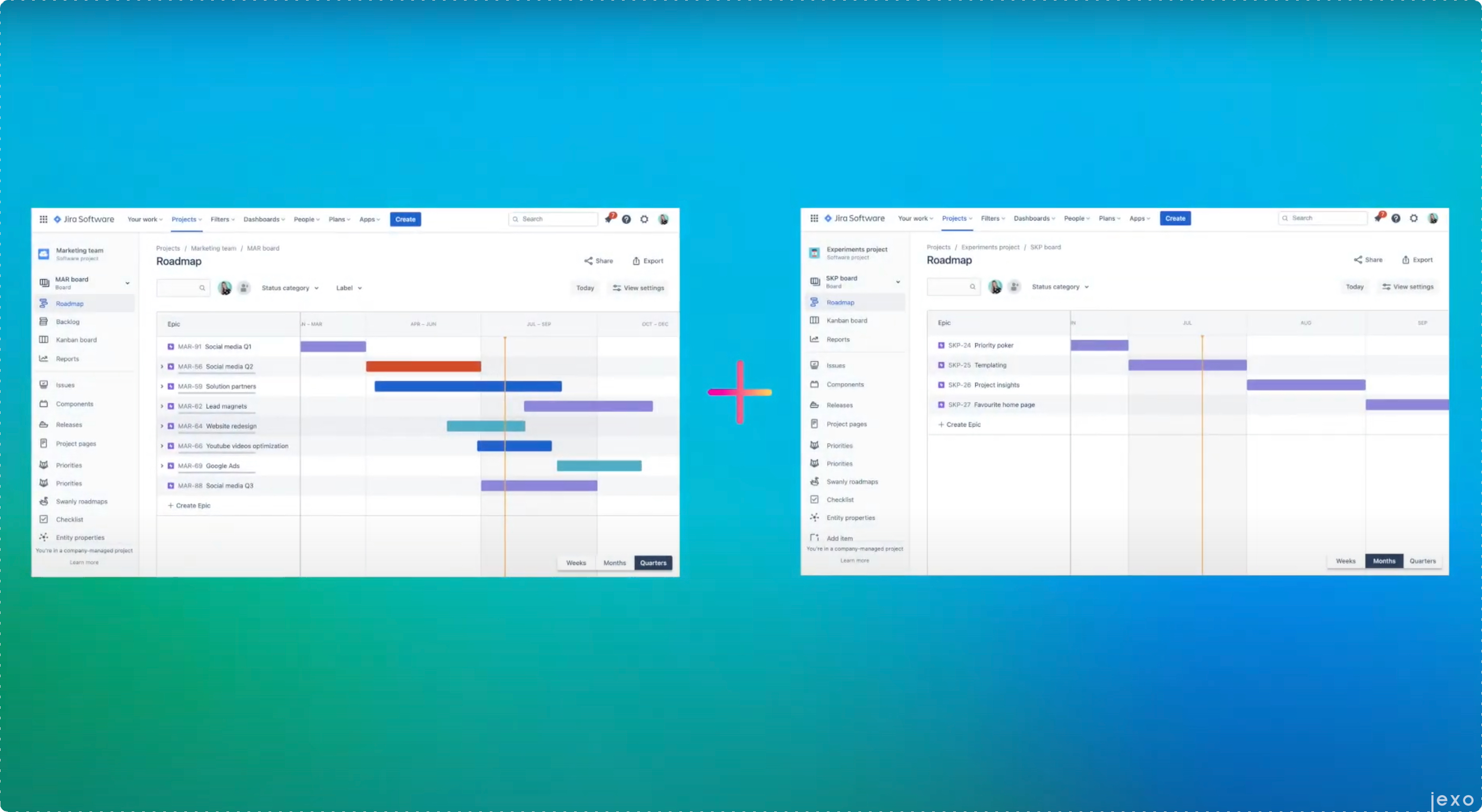
Swanly allows you to easily create the cross-project portfolio roadmap you need for visibility across Jira work, and that includes importing Jira projects alongside their epics and other Jira issues; which brings us to our latest Swanly feature update! You can now connect the Swanly start and end dates of an issue to your Jira fields and keep them synchronized. That way you can keep Jira roadmaps and Swanly views in sync for example, meaning you can use Jira roadmaps on the project level and create a portfolio overview in Swanly.
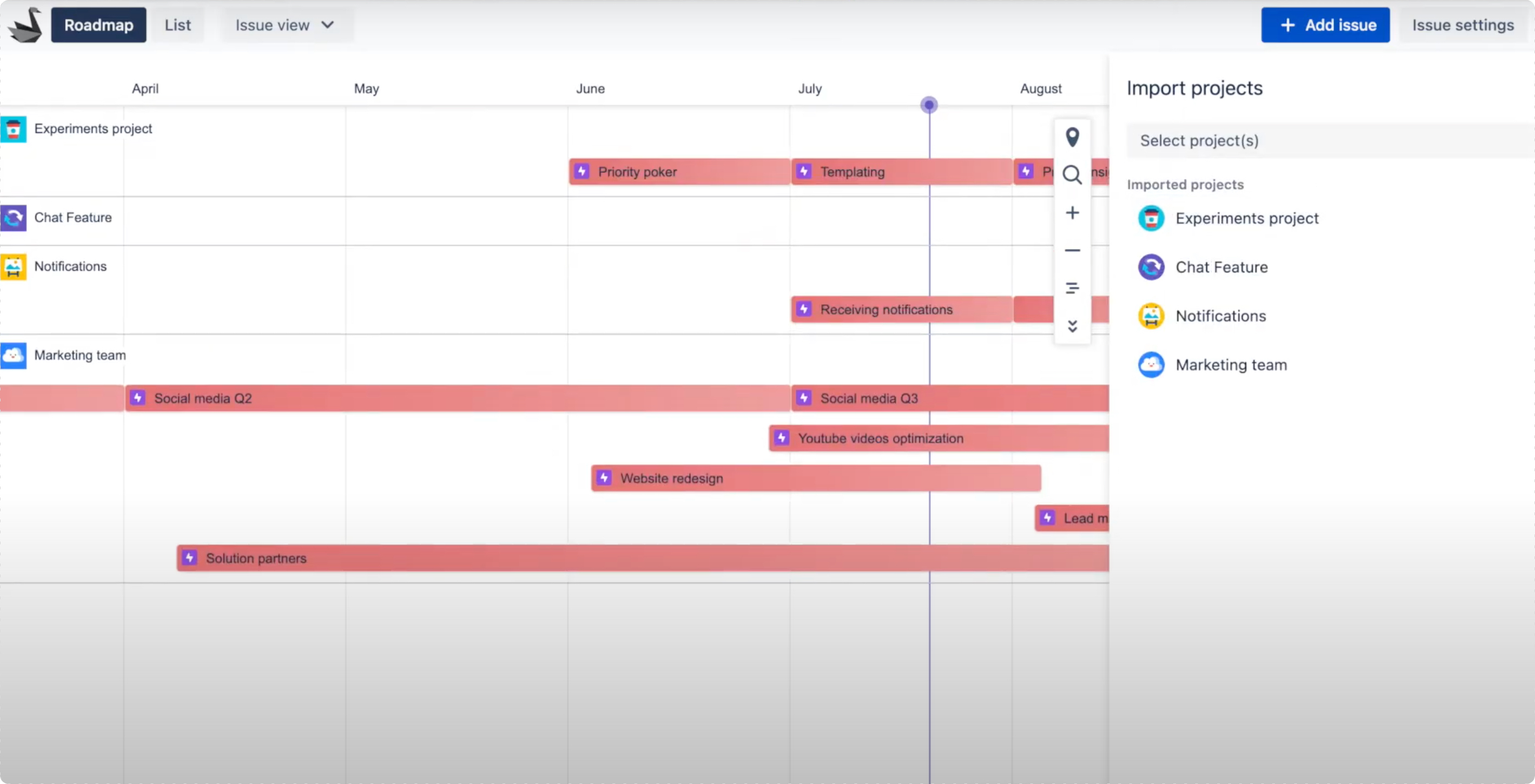
Organic sync: Swanly ♡ Jira
Jira project roadmaps store epic dates in custom fields called Start date and Due date; Swanly then works with these dates to render your portfolio roadmap timeline. And so, once you’ve created a cross-project roadmap in Swanly (with a few clicks mind you), then whenever you update the start or end date of an epic or issue there, the latter will automatically get updated in the Jira ticket itself and in your Jira project roadmap. It works the other way around as well, of course!
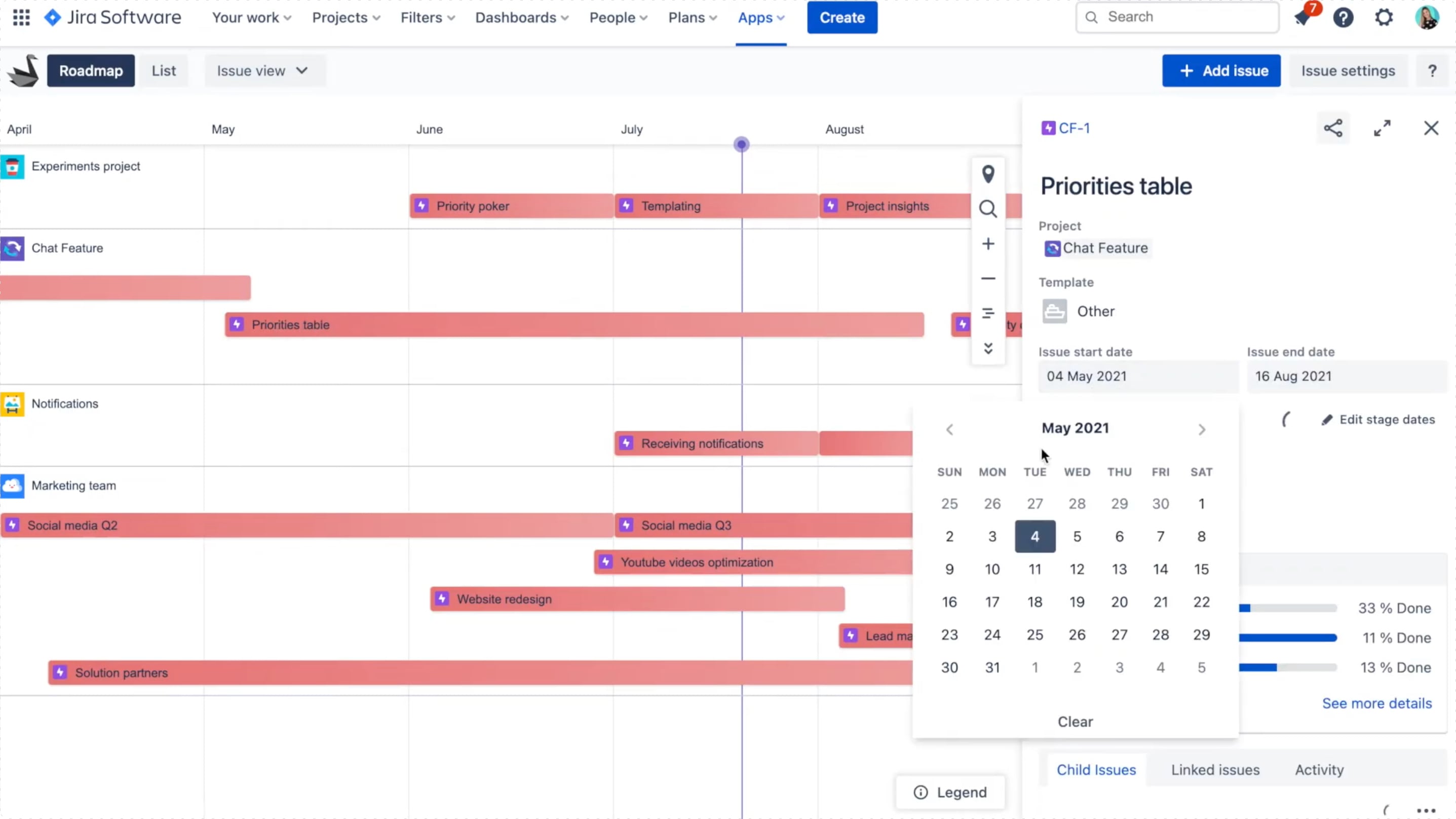
Your choice of date-based custom fields
Start date and Due date custom fields will be selected by default as you install Swanly, but you can easily select other date-based custom fields to map out. Pretty cool, yeah?
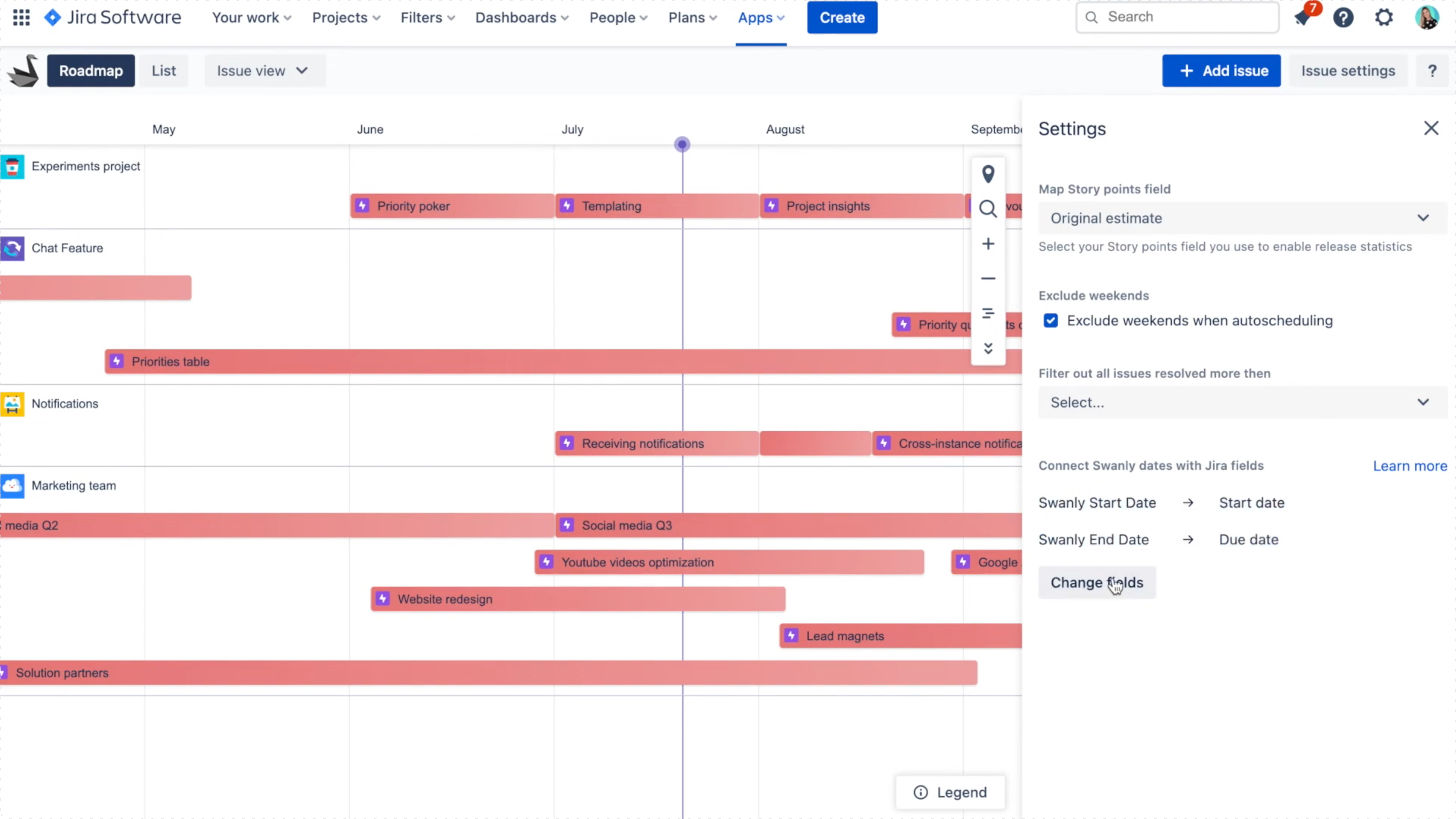
And finally, there’s no need for you to synchronize with any Jira fields; you can simply leave the fields empty! 🤯
For more on how to work with this new feature, check out this video by our product manager Nikki!
If you haven’t already, try Swanly for free by visiting the Atlassian Marketplace!


