The default priority I have selected is not the one that appears in the Priority field when I create an issue. Why is this?
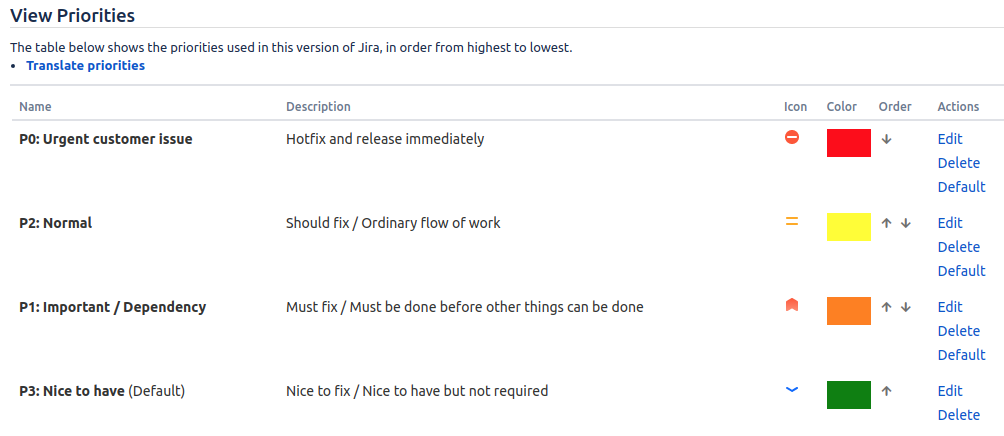
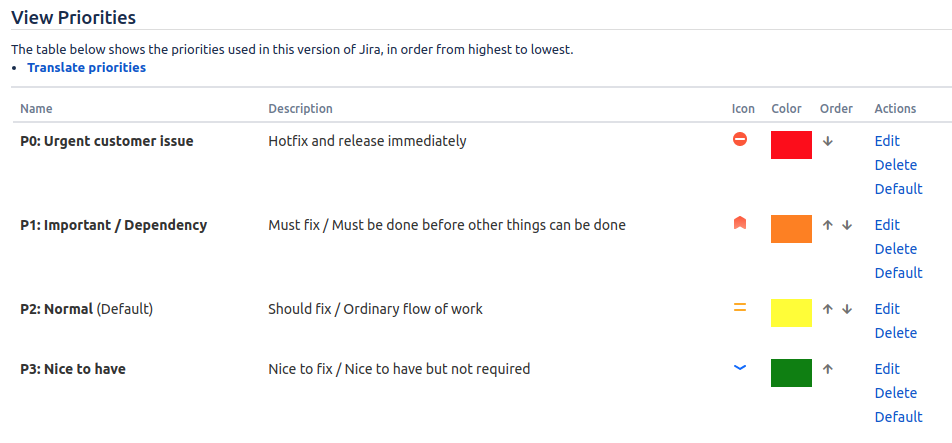
Here is my list of priorities. "P2: Normal" is the selected default:
But when I click on the Create issue button, the Priority field is initially filled with "P1" instead:
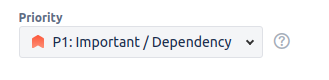
In addition, any new issues I create inline in the Backlog view also take on the "P1" priority instead of the default "P2".
Update:
This problem is specific to a next-gen project. When I create issues in a classic project, the correct default priority is assigned.
Update:
With further testing, I have found that the default priority that appears in new issues is always whichever priority is in the second position in the list, no matter what I have set for the default.
As an example, I moved "P2" into the second position (even though this is out of order) and set "P3" to the explicit default. Now, when I create a new issue, I would expect "P3" to be the default because that is what I assigned, but "P2" is the default that appears. I can repeat this effect by moving any of the priorities into the second position, and that will be the one used as the default.