Steps to reproduce:
1. Open an Issue
2. Press period (.) key
Expected: The actions menu is opened, with focus in the search field, which is empty, and I can see all available actions.
Actual: The actions menu is opened, with focus in the search field, however the field is not empty and only a single action is visible. A period is present in the input field instead:
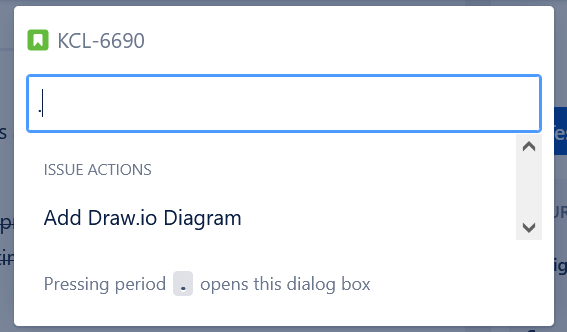
This is very confusing, it appears as if "Add Draw.io Diagram" was the only action available, thus rendering the shortcut completely useless. I only figured out after about a week and completely by accident, that by also pressing the backspace key, thus deleting the period, reveals all actions that are available.
Browser: Firefox 89


