I'm trying to understand the criteria Insight uses for determining if an object is "Missing" during a CSV import. I assume that if any attribute has changed, it's considered missing.
I have two scenarios that result in different behavior regarding missing objects.
Object types with NO object reference attributes results in updates (remove/replace ) to only the objects with changed attributes in the CSV source.
Object types WITH object reference attributes are considered missing and update (remove/replace ) ALL objects, even if the object references have not changed.
Here are examples of these scenarios.
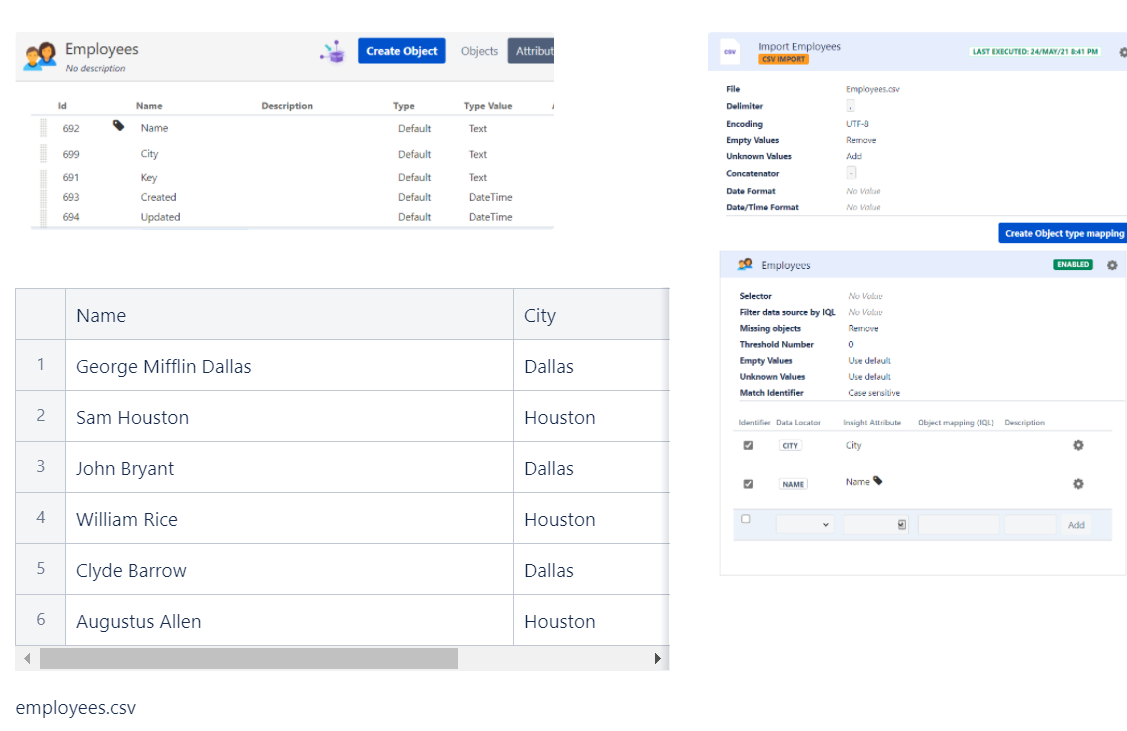
City attribute as Default Text type
Using the following configurations and importing the employees.csv, I can execute the import configuration a second time with the exact same data and file.
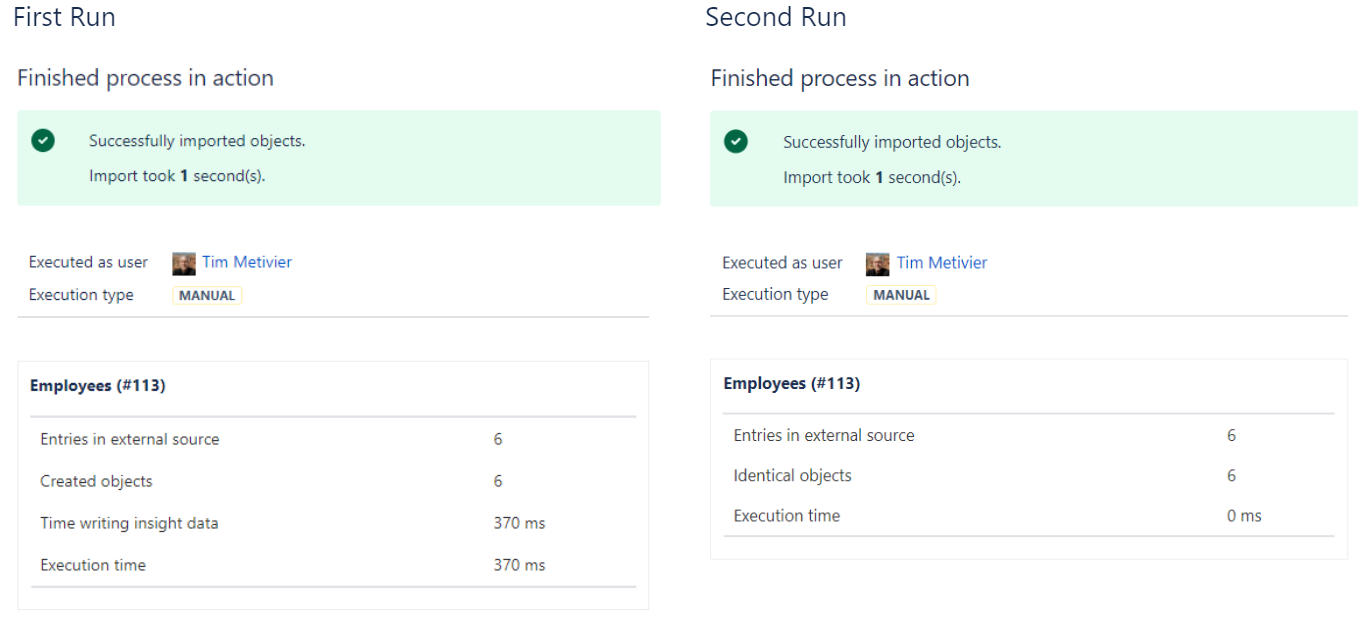
These screen shots show the first and the second imports, and as expected, there are 6 identical objects on the second import.
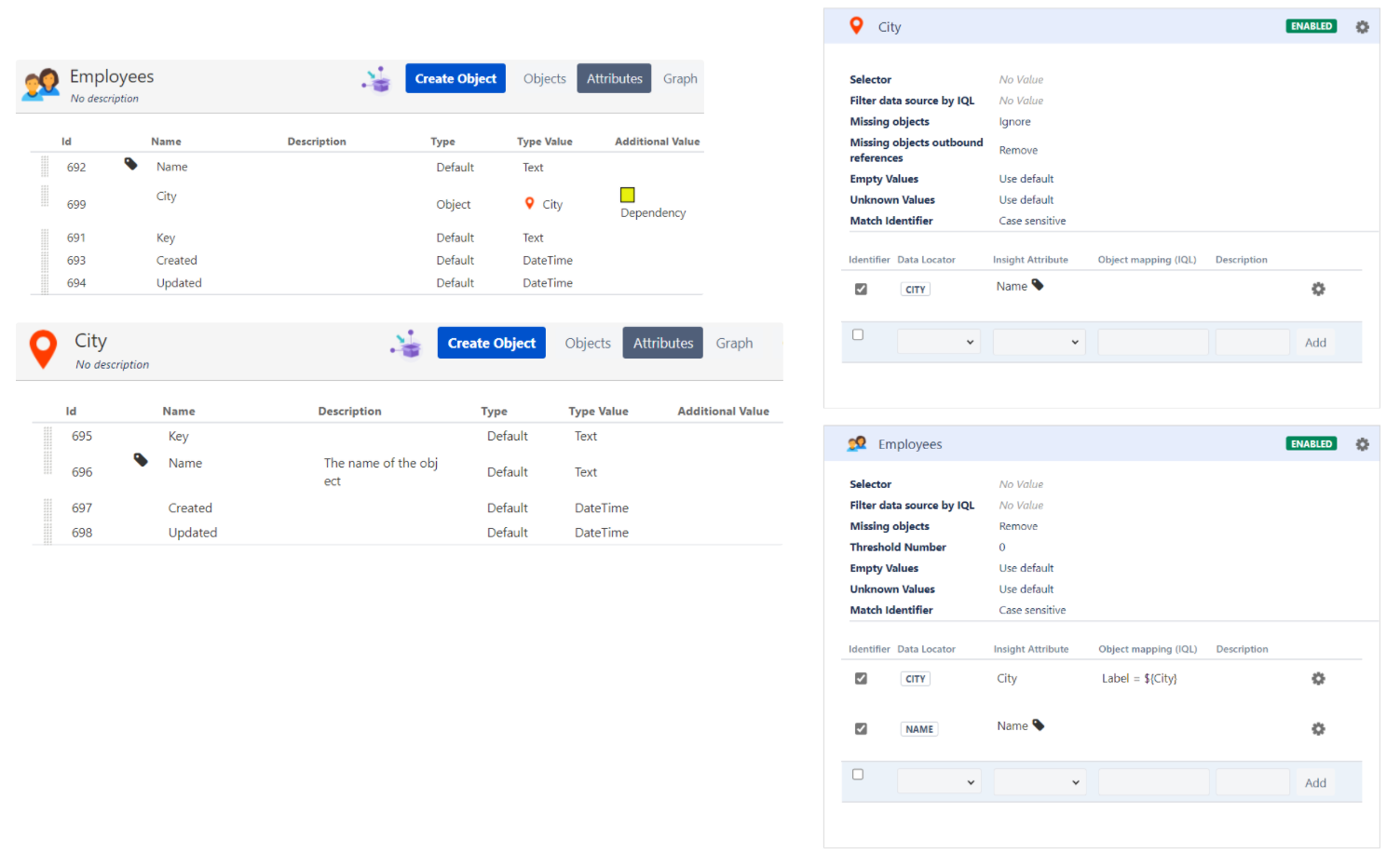
City attribute as Object type
In this scenario the City object type is introduced, and the Employees City attribute is changed to object type City.
Now, after importing the objects initially, a second run with the exact same data and file causes all objects to be considered "missing". They are deleted and new issues are created.
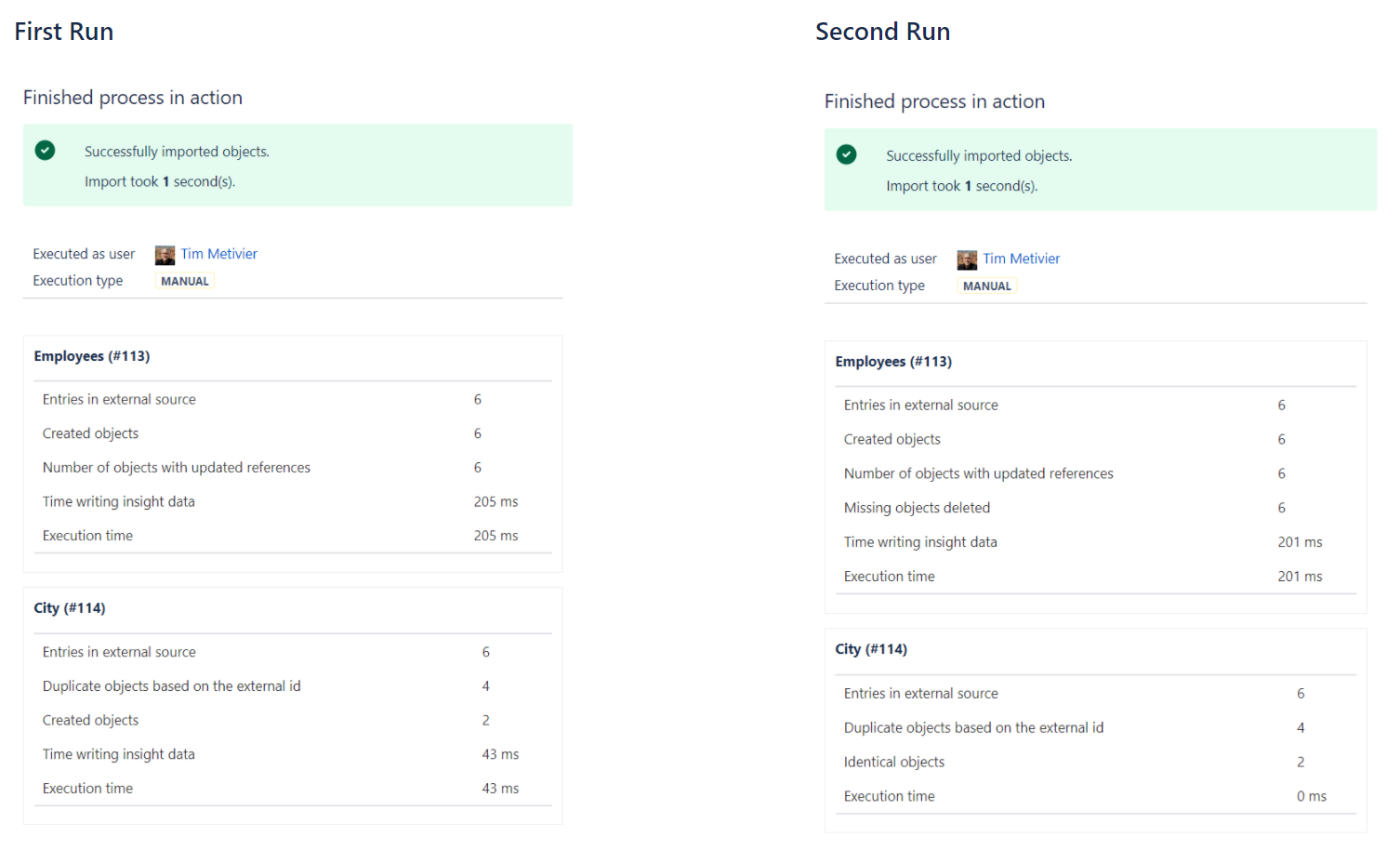
This creates a particular problem when using the Update Missing Objects approach as all objects are considered missing, new objects created, and the existing objects have the configured field updated.
I'm hoping someone can explain why objects with object reference attributes always are considered missing on import and if there is a way to prevent it.


