I have been customizing our Jira Software to our needs, and we have created a custom workflows + different stage columns on our boards.
Problem:
When I create an issue, by default it lands in the first column from the left, so I have to move manually issue by issue to their respective columns.
Example:
My board has a HARVEST column which serves me as a task backlog, then group of TO_DO-DOING-DONE columns for my main workflow, and NOW-NEXT-LATER columns for my ideas ⬇️⬇️:
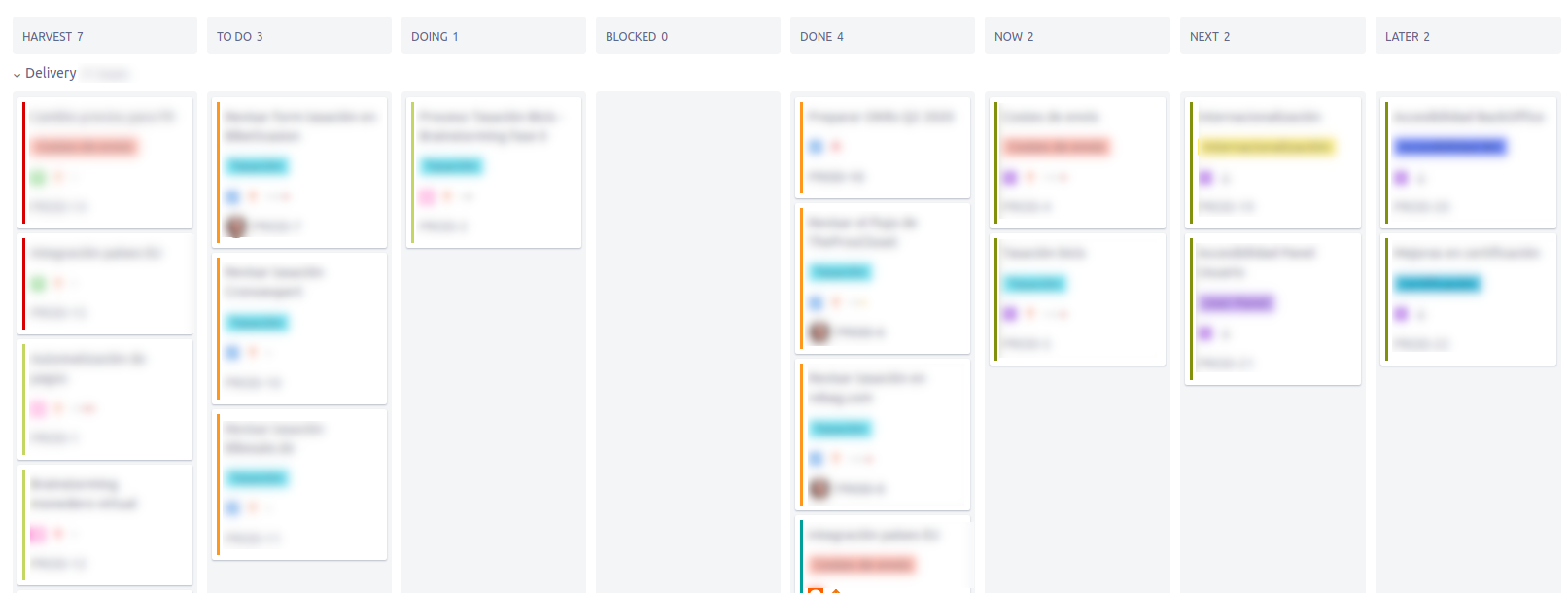
I need them all in the same board because it helps me prioritize the tasks I create (Also, my workflow is very specific so I have my own project in Jira Software).
Say I want to create some ideas for the LATER column: I would Create an issue, which would land into harvest, then move it to LATER manually.
If I have 10 ideas, I would have to move it 10 times.
What I tried to do (and failed gloriously):
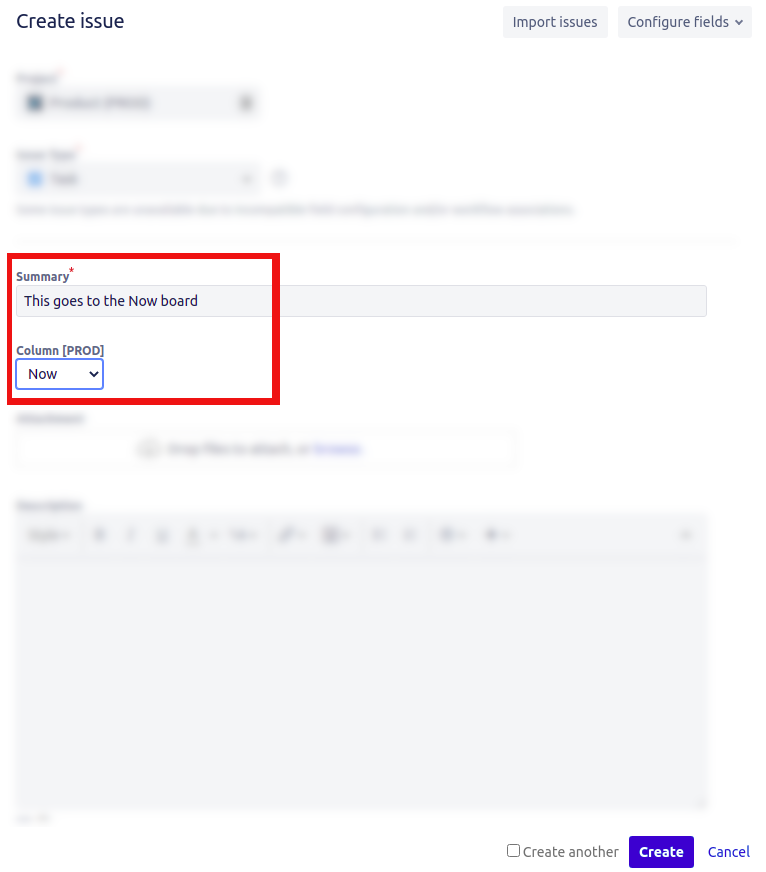
I have created a custom field and added it to the screen I'm using, containing the columns. My idea was to try and find a way of selecting an option from that field which will then create the issue in the desired column. No way of finding actions to associate to this custom field, so now it just appears as a field containing the column name inside the issue. ⬇️⬇️
(Lapsus in title. Should be: This goes to the Now Column)
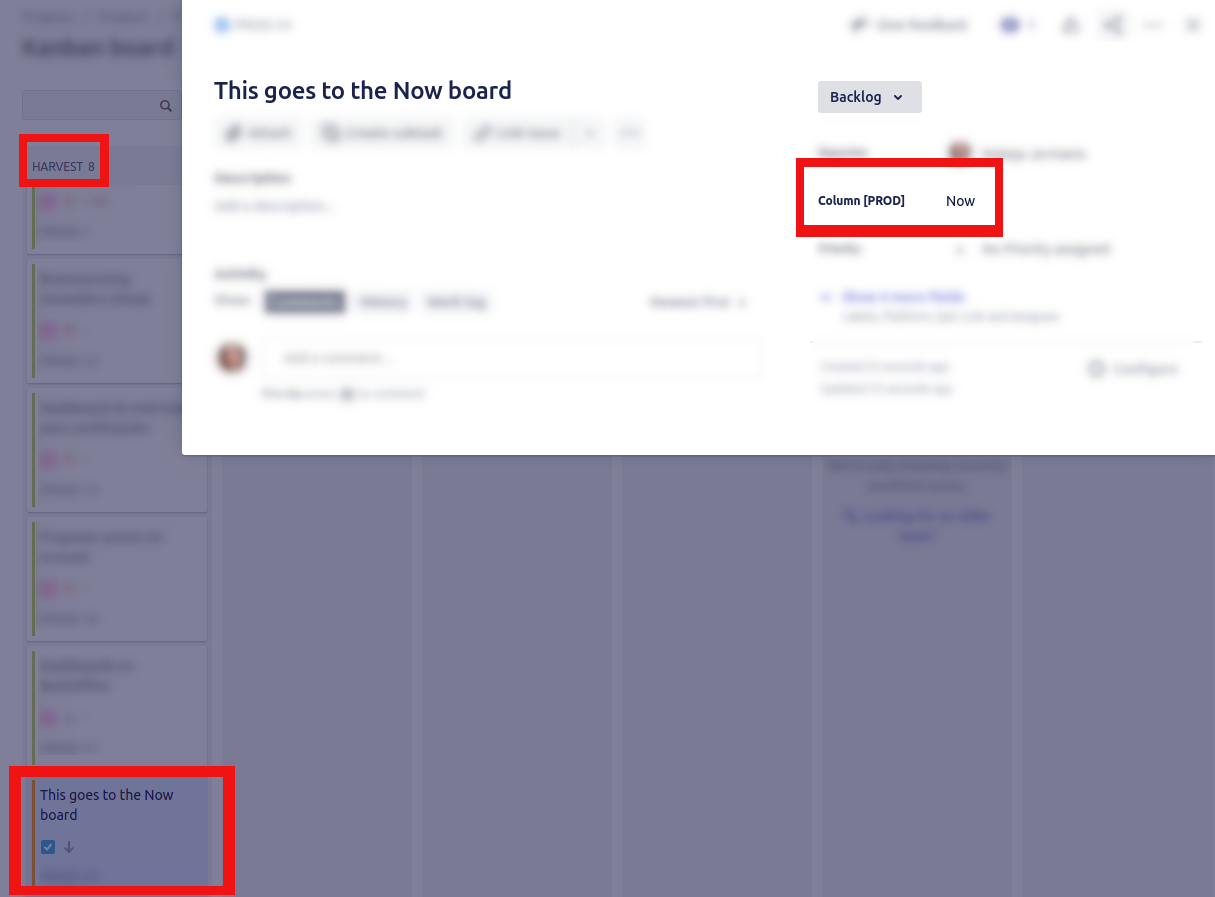
Is there a way of choosing to which column the issue is created into? -This would help me a lot!


