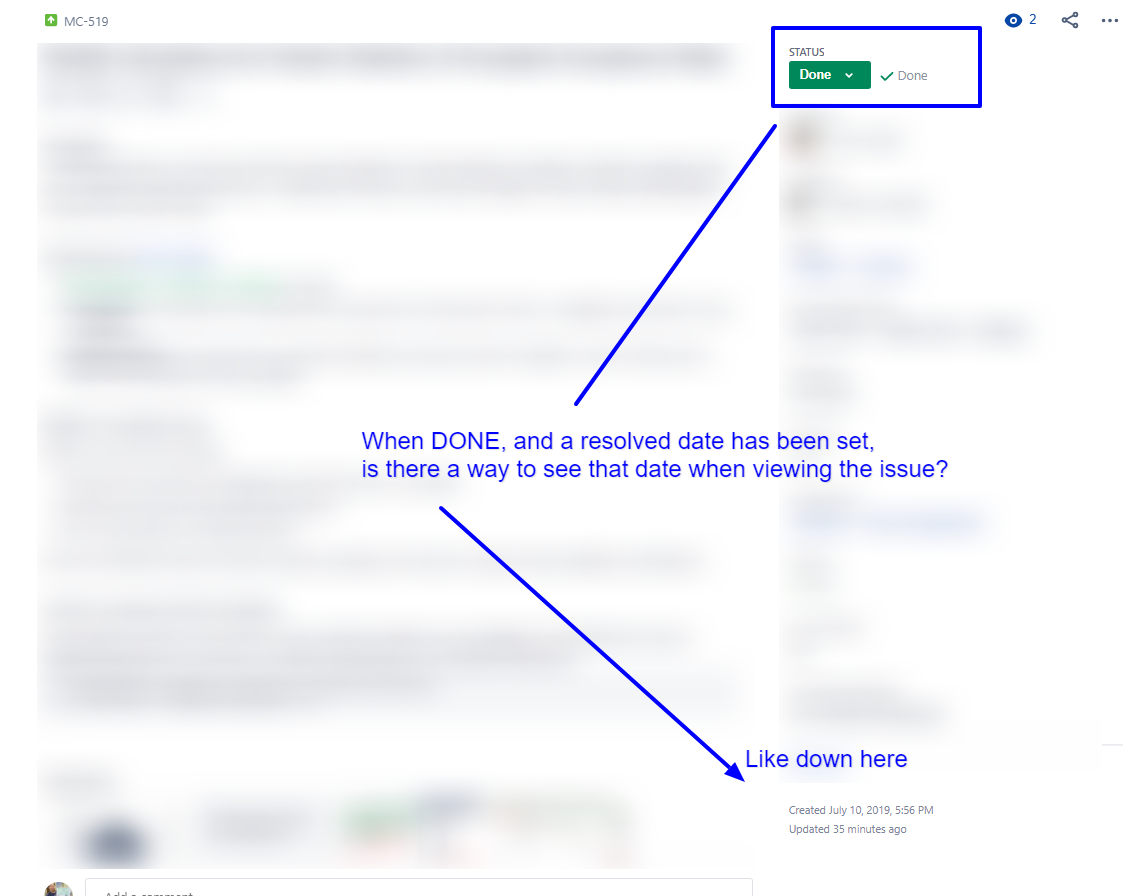
For context: I just changed an issue Resolution Date via CSV import (as an admin, in Cloud, as per a guide on here) and now I cannot see this field on the issue detail page. I can find it in a Issue Navigator page, but on the issue itself - nothing. A slight ruffle - the import couldn't parse my date/time, but I'm pretty confident I can correct that – I just am not sure if loading an unparseable date could cause this effect, so mentioning it here just in case it is relevant.
I've seen in other forum questions that this might just be due to the "new" view, but my boss is saying we had this field visible on the issue details up until today (when I made this change). I can't say for sure either way as I have no screenshot, didn't make a detailed-enough mental note, and it's not a thing I look at very frequently.
I'm suspect we're both mis-remembering the "Updated Field", as for us, that date is functionally the same as a resolution date. It seems like the most logical answer is we've been looking at "Updated Date" but thinking about it as "Resolved Date".
Apologies and thanks in advance, I feel like this is probably a stupid question, but we don't have a technical person on the team (we inherited JIRA from our dev team who has since moved onto a new system – so we have no experts available to assist). Really appreciate if someone can save my bacon.
>>>>
I stole this screenshot from another question, the bottom section is where my boss thinks we had a third "Resolved: [DATE]" field.