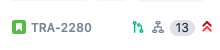
On some of my next-gen Jira Cloud projects, cards on the board display icons indicating the status of Pull Requests and other development information. For example, the Pull Request merged icon in bright green in the middle of this screenshot:
Card Front on Board:
Development Information in Card:

However, on another of my boards, the icons representing pull/merge requests do not show at all, even though inside the cards the development information all shows up correctly:
Card Front on Board:

Development Information in Card:
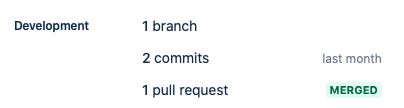
I've looked everywhere and cannot find any instructions on how to enable this feature for a given board (or, indeed, disable it!). It's a very useful feature for quickly assessing whether PRs have been merged up or not, so I'd really like to find out how to turn it on!
Thanks in advance for any advice/pointers.


