Hi all,
I'm trying to insert an attachment to an issue.
https://support.atlassian.com/jira-software-cloud/docs/attach-files-and-screenshots-to-issues/ says there's an insert button.
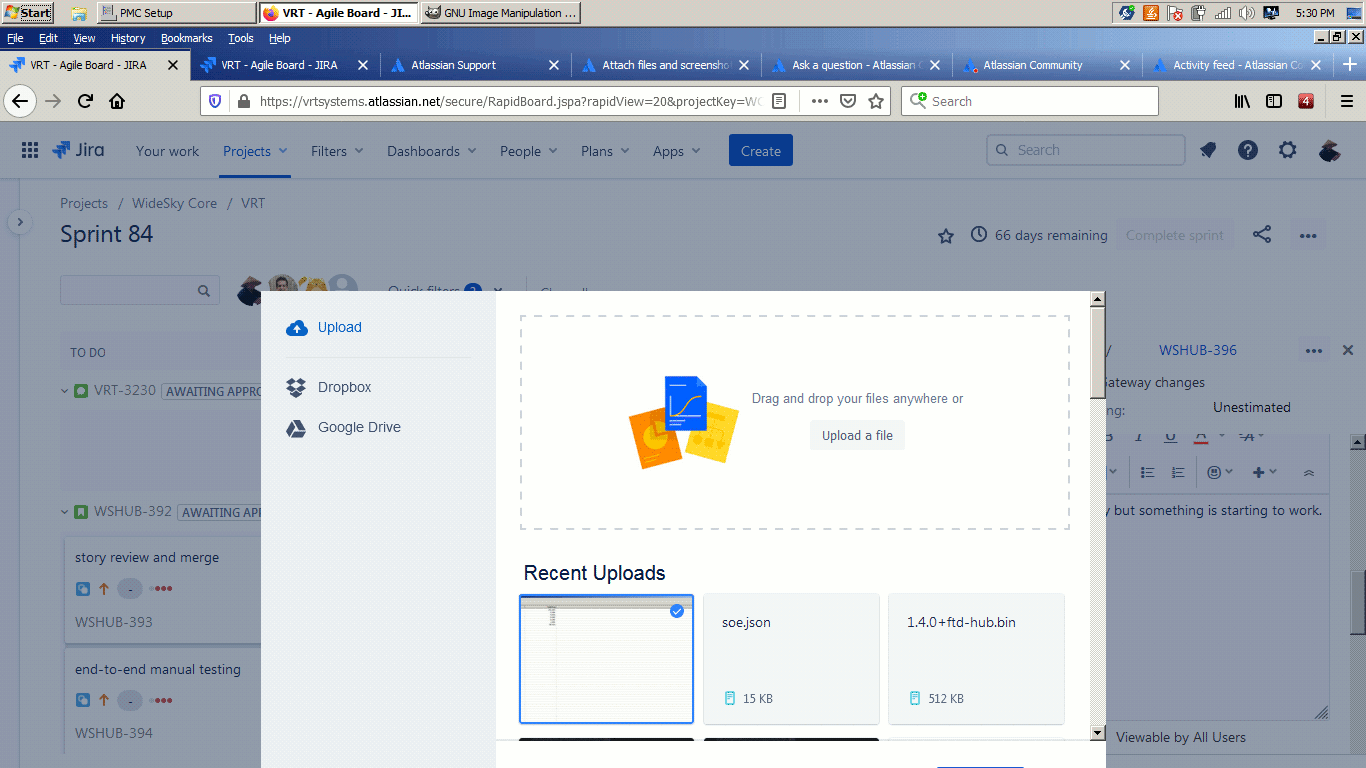
I've uploaded my file, selected it, now where did the Insert button go? Seems the button is off the edge of the screen.
There's a work-around by going "full screen" in the browser, but that's a really kludgy solution, and 1366x768 is a pretty common screen resolution, particularly for a laptop of this vintage (this machine I am using was bought in late 2011). I suspect this work-around would not work if someone was running the "standard" web resolution of 800x600. (yes, I am showing my age!)
How do I move that pop-up dialogue box so that it is fully visible on screen?


