Bitbucket Pipelines
Ok, our app is fully functional (well, i've already mentioned some drawbacks, but hope you'll deal with it) and now we want to deploy it to our environments automatically. Atlassian gives us a great tool for this - Bitbucket Pipelines in Bitbucket Cloud. I choose Git as a de-facto standard.
First of all we need to add additional dependency on order Bitbucket would be able to build our app. In your app folder run:
/cli@latest --save-devnpm i @forge
Second - we need to init repository in our app folder and then add/commit changes. Forge already provides .gitignore file.
git add .<br>git commit -m<span> </span>"Initial commit"git init<br>
Then, go your Bitbucket Cloud (if you have no account yet - create it). Create new Git repository without README and .gitignore. Then we need to push our local project to cloud.
//chemelson@bitbucket.org/chemelson/notes.git<span> </span>// change repo address to yours<br>git push -u origin --all git remote add origin https:
All right! Next create file bitbucket-pipelines.yml in your app folder. This configuration file describe how our app will be deployed.
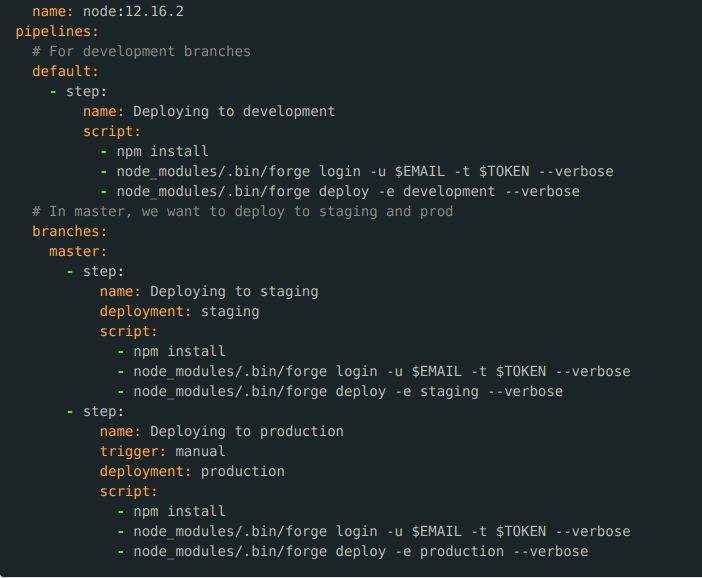
Then, create new branch from master - let's call it development. Don't forget to commit&push to cloud.
Enable Pipelines in Repository Settings → Pipelines → Settings.
In order to run forge CMD while building we need to add two environment variables. Go to Repository Settings → Pipelines → Repository Variables and create two secured vars - EMAIL (enter your email your use for Forge) and TOKEN (use token acquired in your account before).
Wow, great work. Let' check. If you run tunnel, stop it. Check out development branch. Go to file NewNoteForm.js and insert such change:
<ModalDialog header='Create Note' onClose={() => show(false)}>// <ModalDialog header='New Note' onClose={() => show(false)}>
Commit and push!
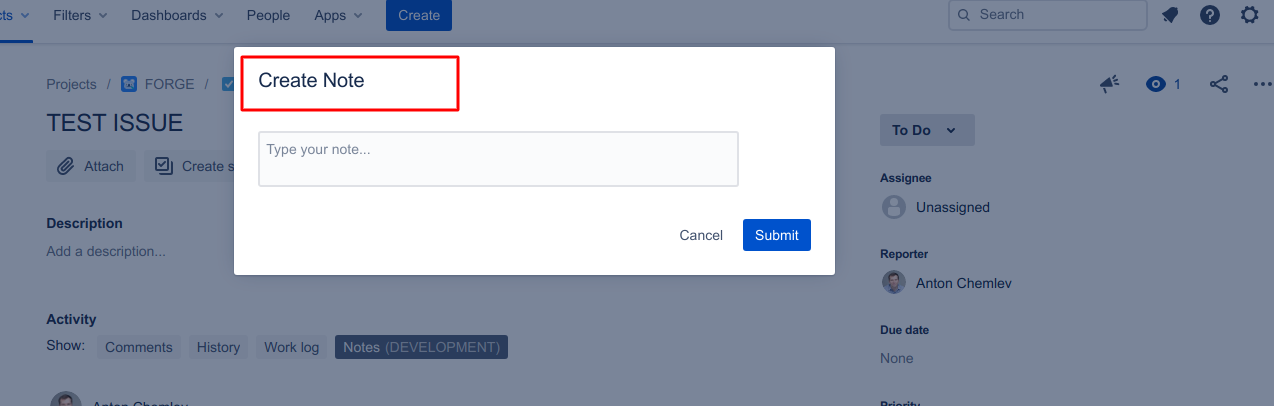
Modal window header changed.
For now, on every commit to any branch except development BitBucket Pipelines will pick up changes and deploy tnem to Forge development environment. On commit to master branch it will auto deploy app to stage environment. In order to deploy to production we must trigger it manually in Pipelines interface.
Conclusion
Forge is a great step toward increasing developer productivity. It is in Beta now, but it is under heavy development. Watch Forge change logs, build apps and be happy!
All code from this tutorial can be found here


