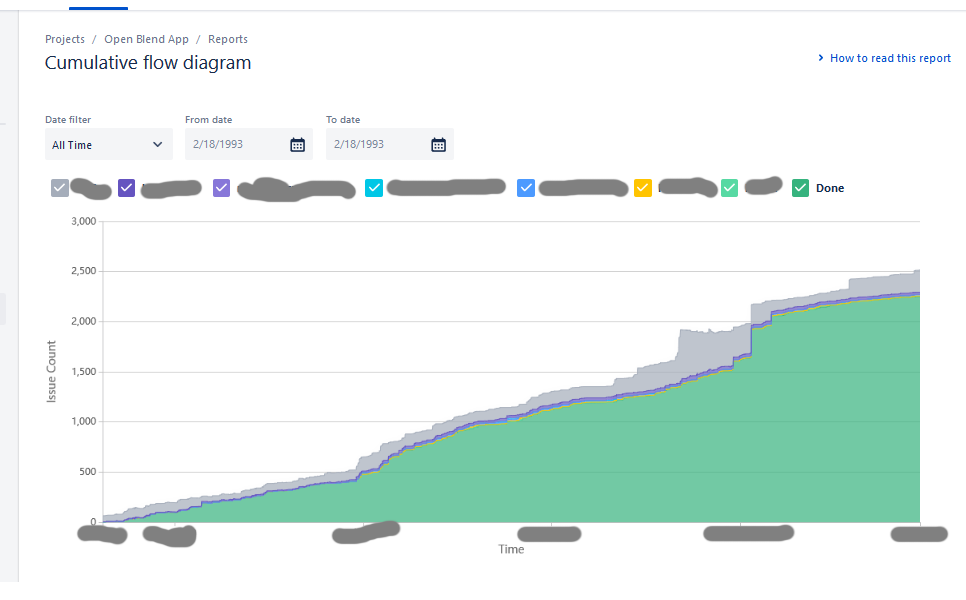
I want to see a cumulative flow diagram just for my current sprint. I have found several articles online describing that to do this I need to create a filter then use "Refine report" - for example:
https://support.atlassian.com/jira-software-cloud/docs/view-and-understand-the-cumulative-flow-diagram/
However, when I select "Cumulative Flow Diagram" from the Reports tab for my project, there is no "Refine report" option, in fact the screen I see is fairly different from the screenshot in the help article linked above. The (only) controls I have are "Date filter", "From date" and "To date", then I have tickboxes where I can show or hide particular states from my state "flow".
Is there a way I can get access to "Refine report" in my version of the CFD? Or is there a way I can switch to the version of the CFD shown & described in the help article above?