Summary:
I am trying to move issues from one next-gen project to another next-gen project, but the contents of all custom fields are lost out even if I select their "Retain" checkbox.
Details:
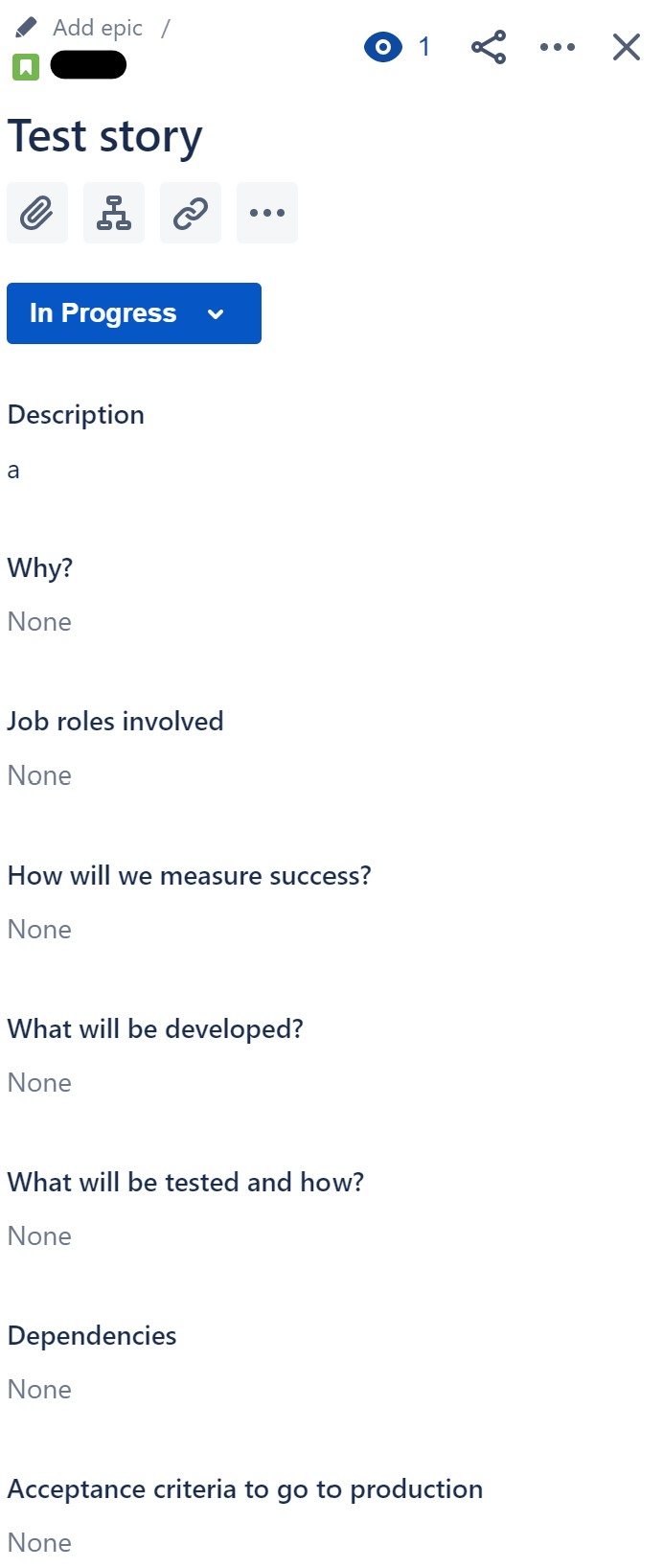
In both projects, I have defined exactly the same custom fields (same names, same type, same order). All them are of type "Paragraph" type within the "Description fields" category:
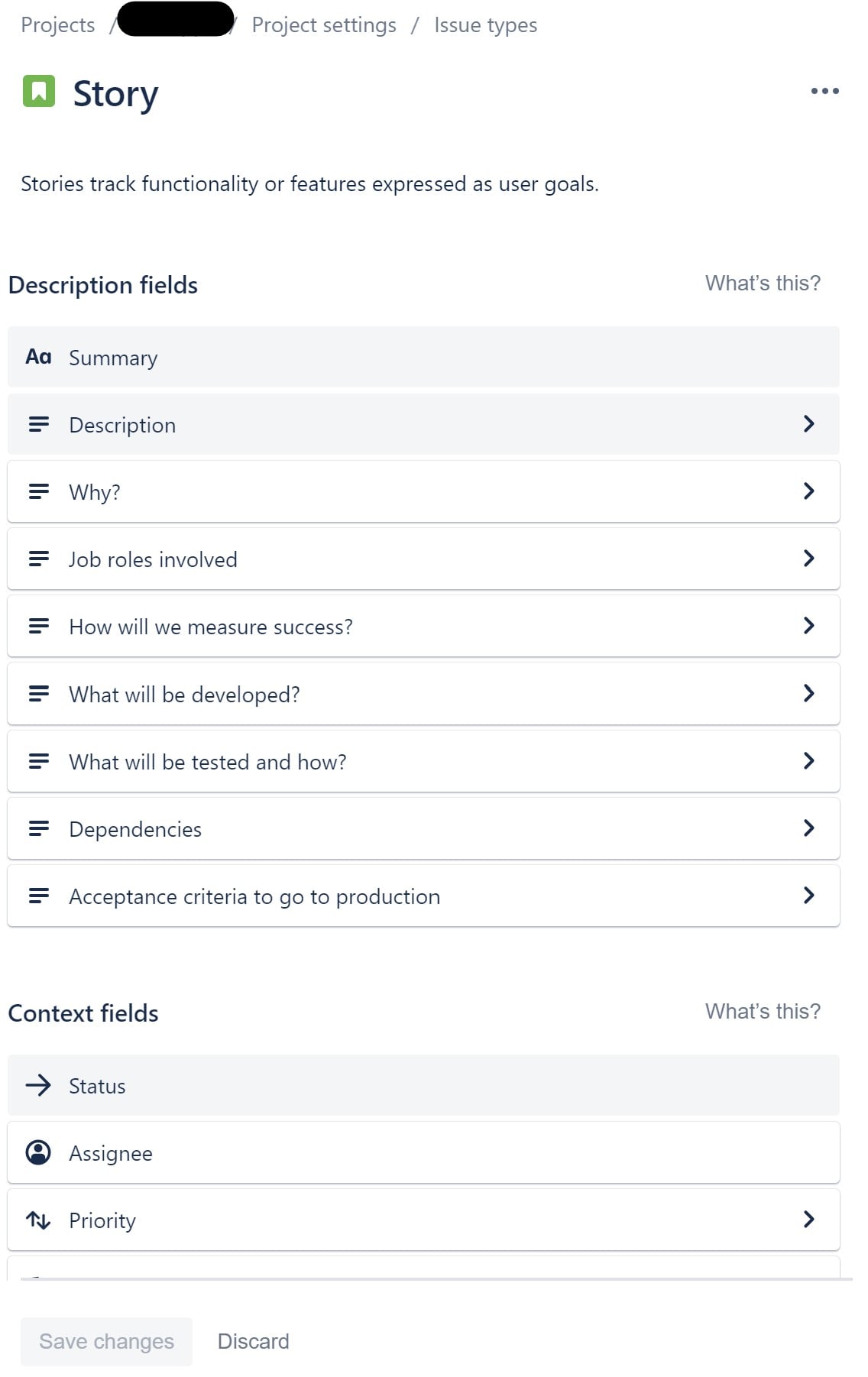
The fields above look identical for both projects (except for the crossed-out project name at the top, of course).
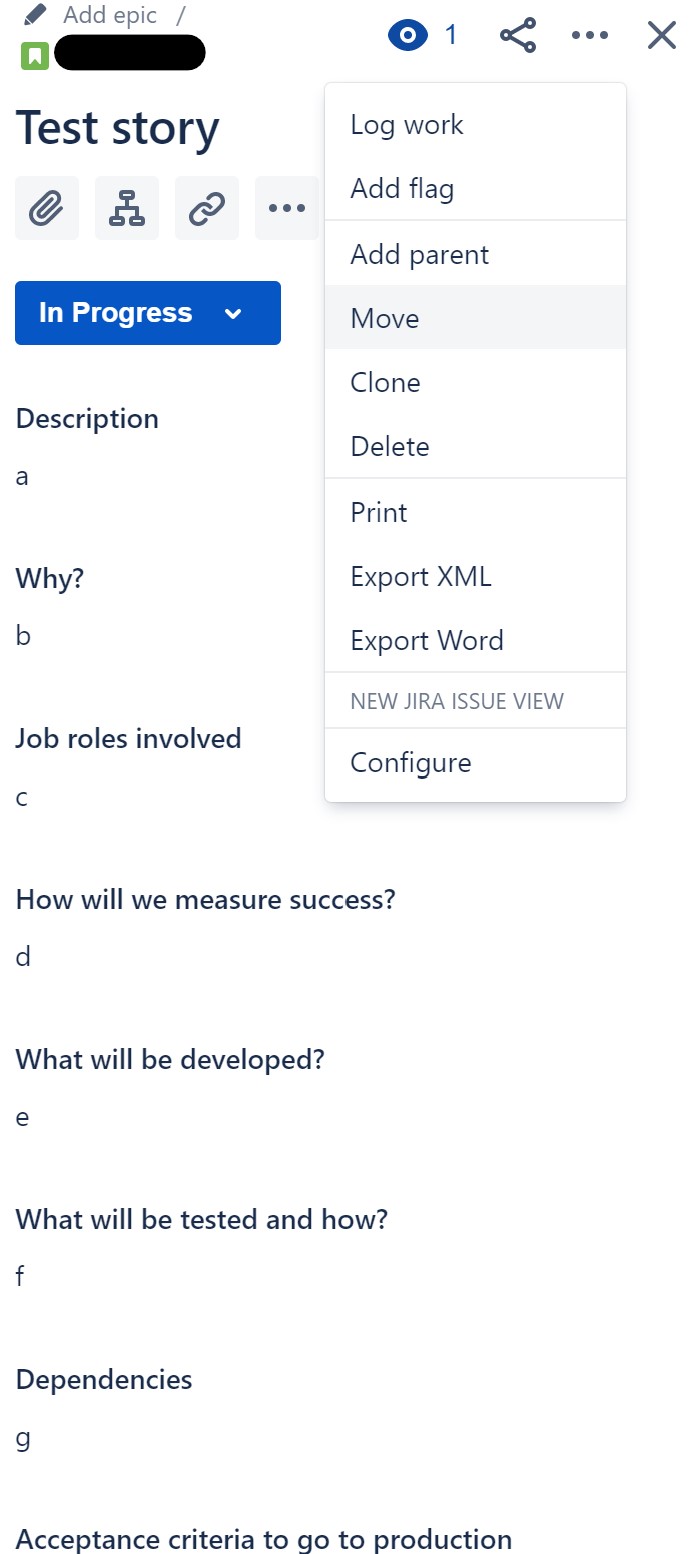
I am trying to move a Story as follows:
- Click on its name in the Backlog
- Click on the ellipsis at the top right
- Click on Move
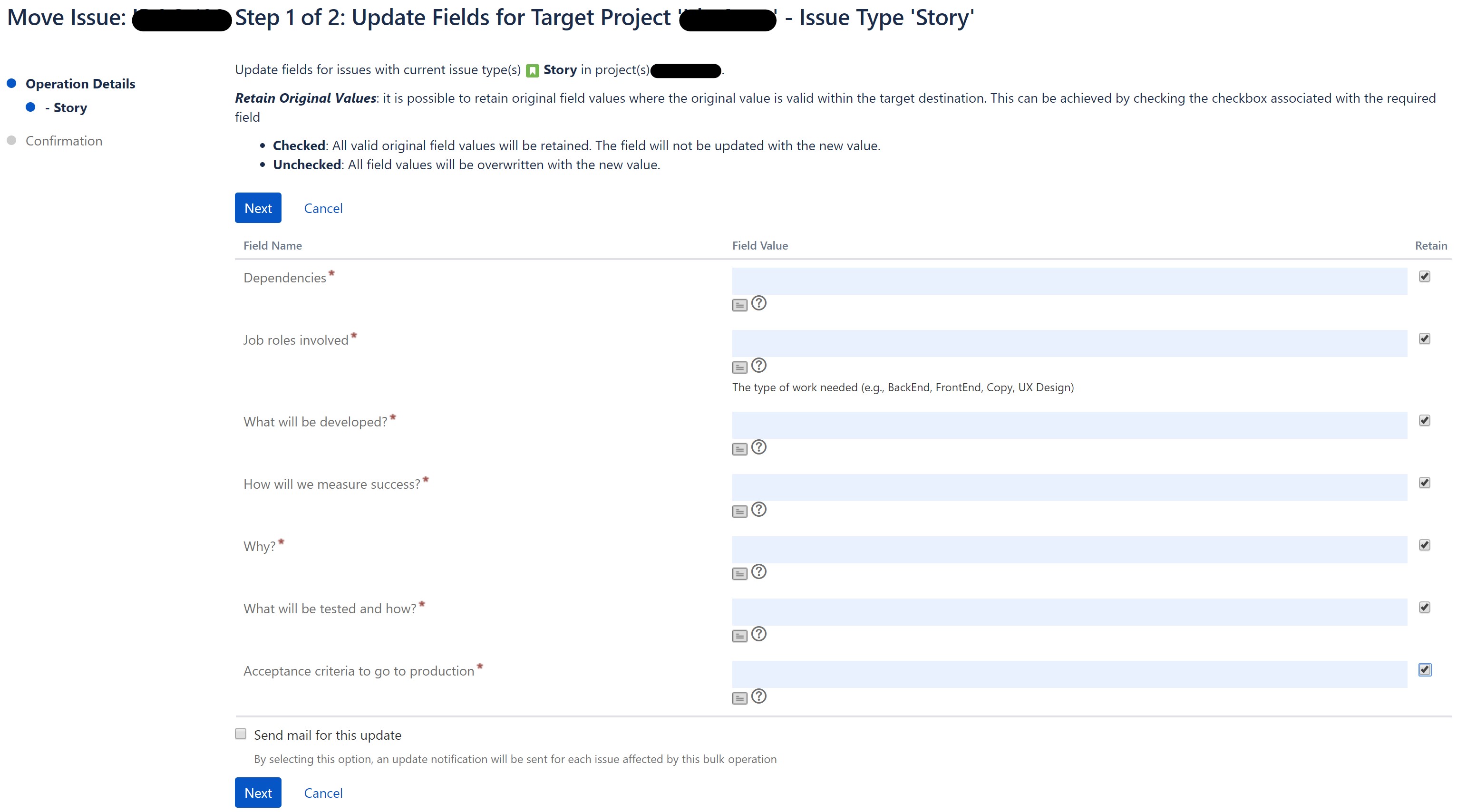
I then select the destination Project and Status, and come to the screen where I tell it to Retain the values of all custom fields:
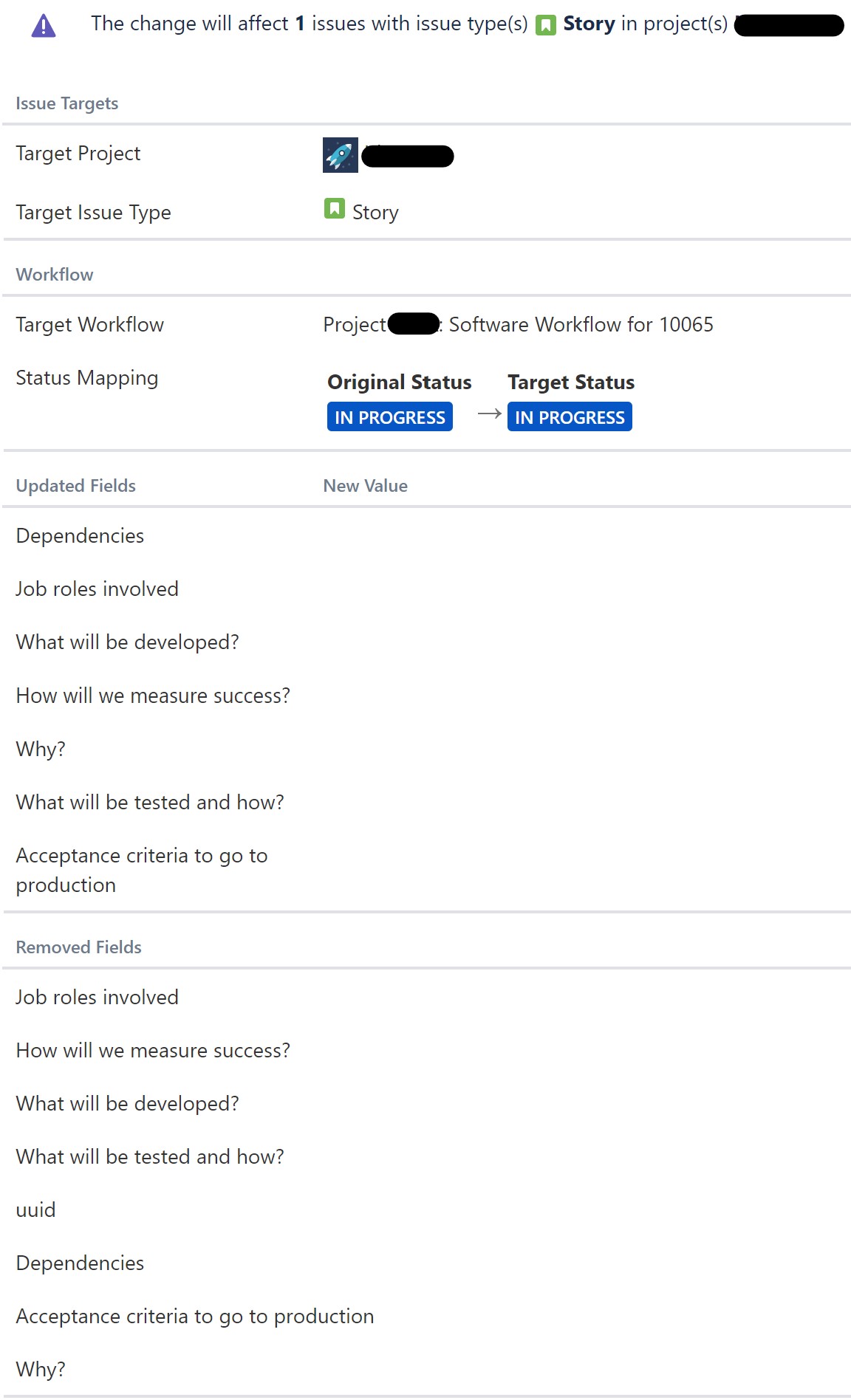
However, in the next screen you can see that most of those fields are listed under both "Updated Fields" and "Removed Fields":
And after confirming the operation, the issue gets moved to the destination project and all the custom fields are empty:
What could be wrong? I've spent hours searching and trying different approaches to no avail.
Thanks


