Hi there,
I have set up a JIRA 'site' with five members. Two have full JIRA admin permissions.
I made a JIRA software project before adding the other three members to my team. When I now click on a particular JIRA software project, only the two users with full JIRA admin permissions are listed.
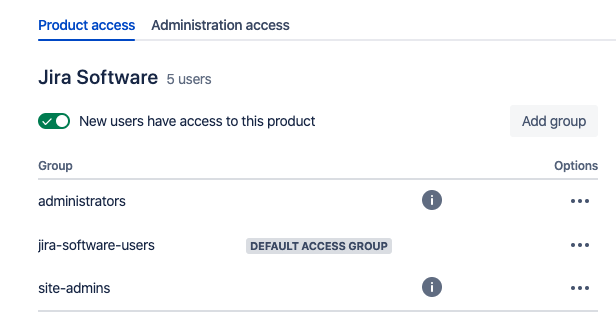
I can't assign tasks to my other three users, and they can't move tasks across boards - they can only do things like add comments/upload images. This is the access screen for that project.
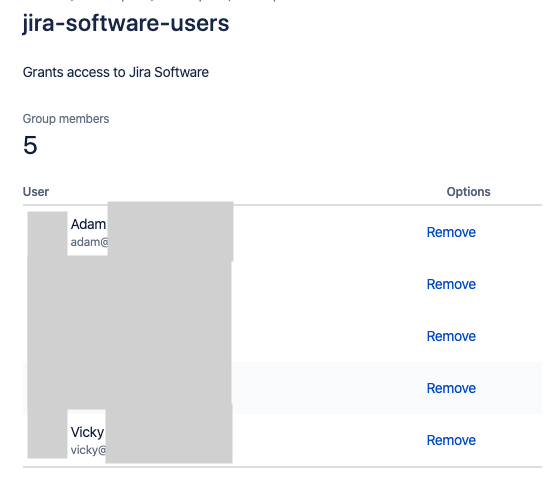
 I can't edit per-project settings because I am on the free version. On the 'global site user dashboard', it appears everyone should be able to use JIRA Software as expected, and lists five users (all trusted) with JIRA product access.
Any help would be appreciated - I can't find anything that says there is a limit to two users only within a particular project. I'd like all five members to be able to add, edit, and update tasks and interact with the project as normal.
**EDIT:**
I used the 'Permission helper' to see what was going on:
> 'UserInQuestion' does not have the 'Assignable User' permission
How do I, globally, allow this user to be 'assigned' to? The helper only gives me instructions on a per project level, which is not possible in the free mode i.e.
'You can change this by going to the project roles and adding UserInQuestion to the missing role(s)'
We've already added a lot of issues to our backlog and set up the Confluence wiki before adding our other three users, so it would be a real shame if I they are not automatically added retroactively to existing projects 


