I am using the new issue view.
I have set up two task types:
They are both set to use the same workflows, screens and field configurations.
If I create a Task using the Sidebar "+", it works as intended and shows me the correct screen with all my custom fields.
But if I am in a Story and want to create a Sub-Task for that story, it just looks like this:
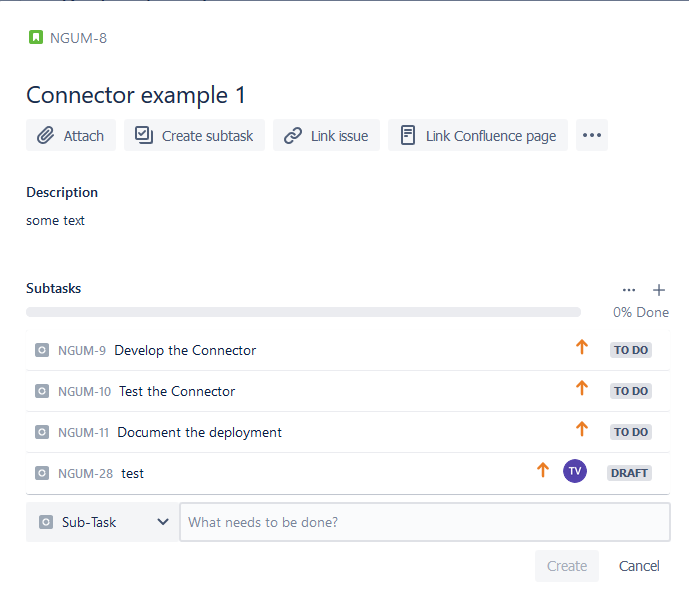
It only lets me enter the Summary. Once I click Create it just creates empty Sub-Tasks without giving me the opportunity to fill in any of the other fields by showing me the Create Task Screen I get when creating a task.
For testing purposes I deactivated the new issue view, and if I select the Create Subtask option from the sidebar in that view, it actually shows me the Create Issue screen. So it is in theory set up correctly.
How do I configure the new issue view to show the Create Task Screen instead of just this summary field?
I would also not mind using the "+" Create option to create Sub-Tasks and then just assign them to the Story, but as far as I know, that is also not an option..


