Hi,
I have followed the following documentation to the letter:
https://confluence.atlassian.com/cloud/api-tokens-938839638.html
I cannot get the token to work for viewing a request (e.g. a GET to "https://mybusiness.atlassian.net/rest/api/2/issue/ticketid"). I have completed the following steps to attempt to resolve:
- I have created, revoked, and recreated several tokens on two different admin-level accounts (one attached to our SAML and one gmail account I created specifically for testing). For the account I created for testing, I gave it the required access to the project to make the REST request.
- I have tested the REST API with both a Chrome plugin for testing APIs (Talend API Tester) and with the product I am attempting to make the REST calls with.
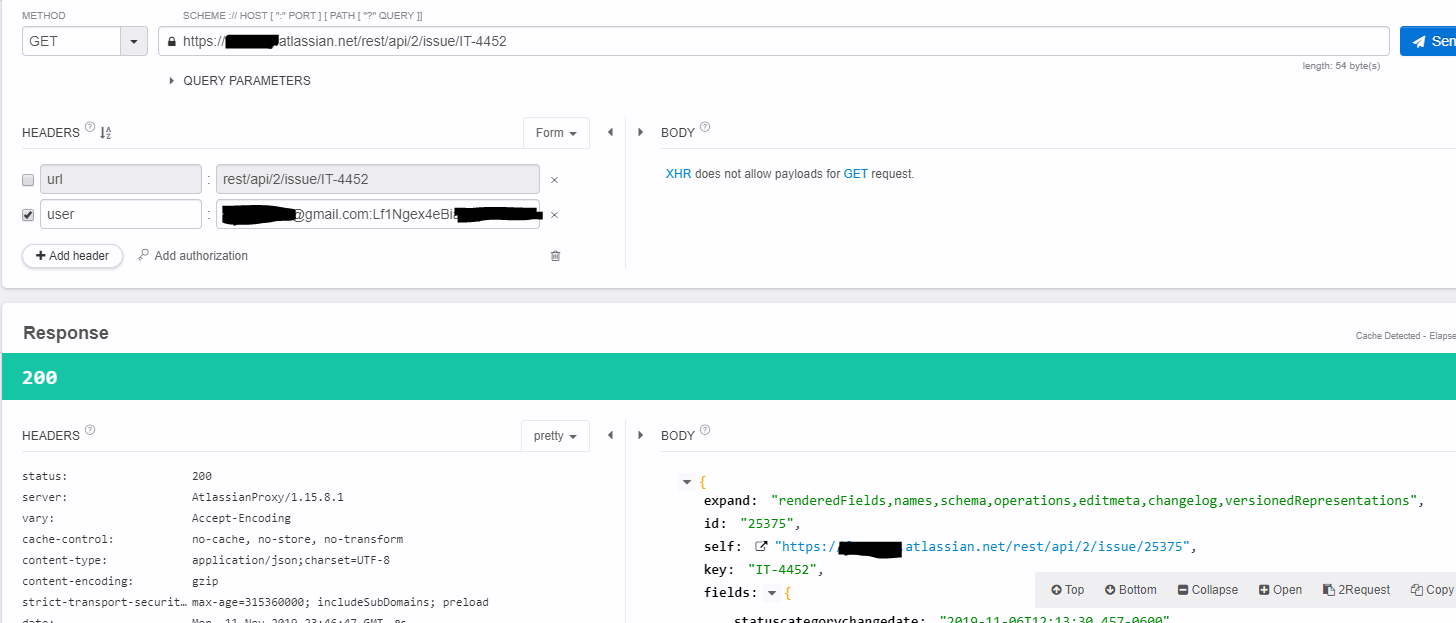
- I have verified that the in-browser plugin makes the request as expected (and in fact ignores the "user" header) when I am logged in to either account in the same browser. I have attached a screenshot of this.
- When not logged into Jira, and using exactly the credentials in the screenshot, I get a 404 response with the error message "Issue does not exist or you do not have permission to see it."
I have exhausted troubleshooting options and the only thing I can think of is that perhaps the fact that we have SAML active on our account is causing problems with the API tokens? (SAML has caused weird issues for us in other areas before.)
Screenshot of a successful query from a browser plugin while logged into the associated Jira account in a different tab in Chrome. This fails with a 404 if I make the same query after logging out in the other tab (i.e. without the associated login cookie active in the browser).