Hi!
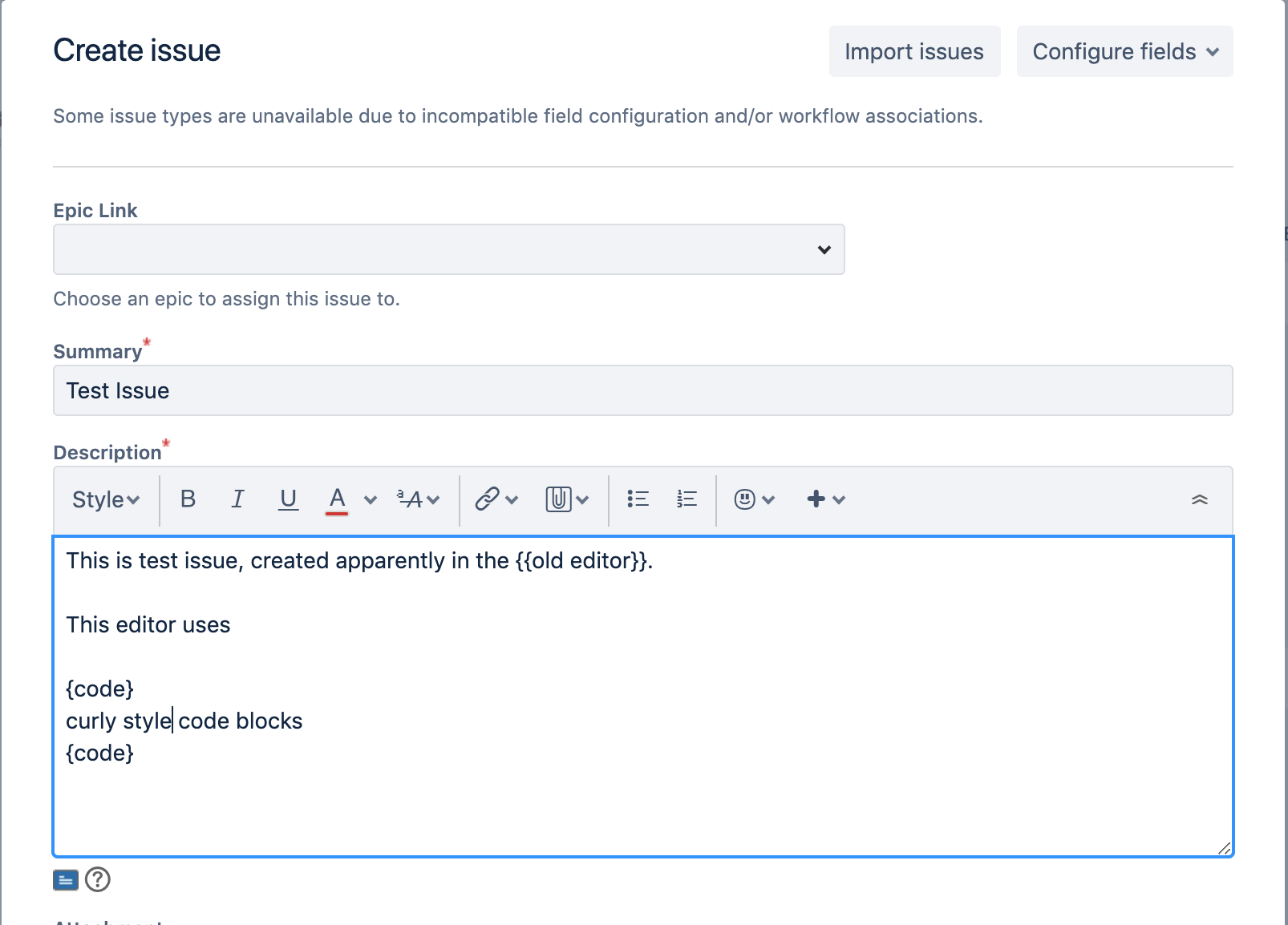
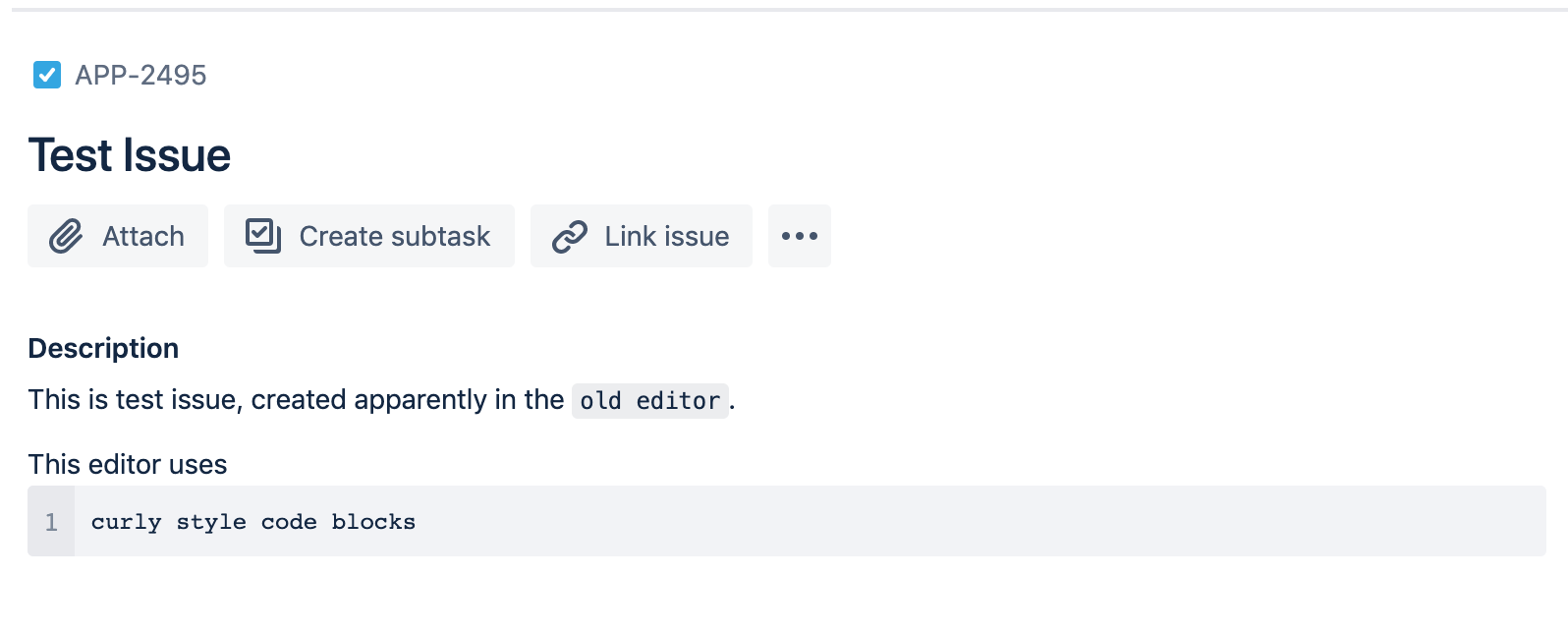
We're using JIRA cloud and I have switched to the "new Issue view". For some time now I have had this problem, that there's two editors - old editor with {{ curly braces style inline code used for creating Issues and the new editor with mardown and backtick-style inline code used to edit the issue. See the attached screenshot of the old and new editors.
At first I expected this to be "transition phase" during old-to-new migration, but this has now lasted more than half a year at least.
I don't seem to find an option to configure which editor is used where - as far as I can see, all issue types and and screen are the same "APP screen" on our instance, both for create issue and edit issue.
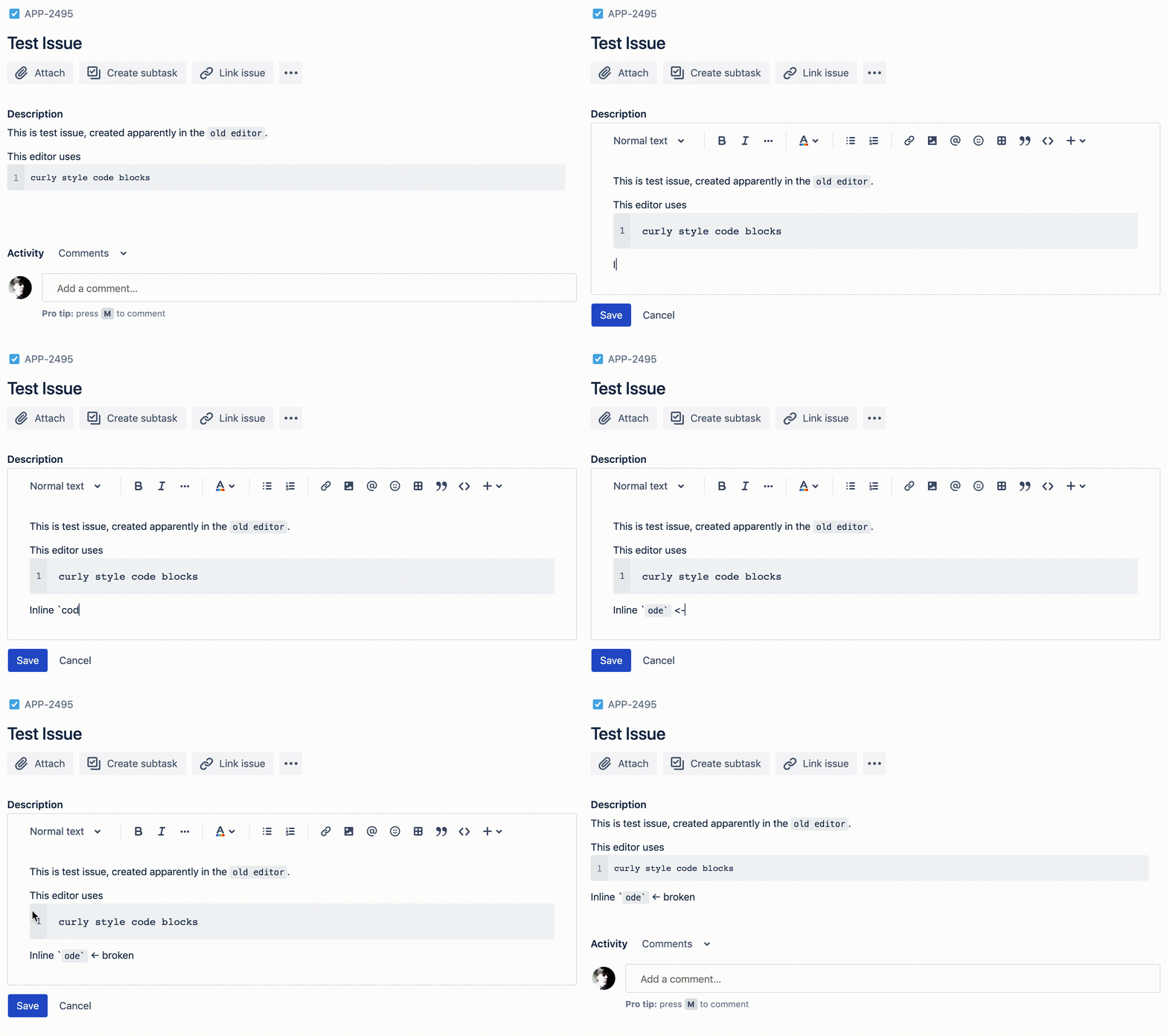
For a few months now there's been a separate issue – the new editor seems broken with regards to backticks - entering inline code formats the code, but instead of removing the backtick characters, it removes first char of the inline code instead, leaving backticks. This appears in both Chrome and Safari.
I have attached a GIF with recording of the issue.