Hi, team!
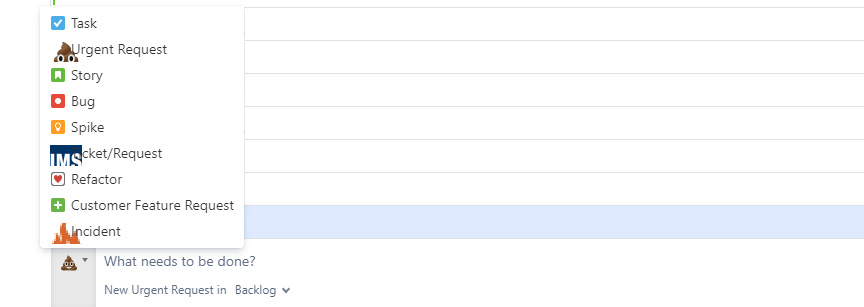
I use a few custom issue types in my Jira Cloud instance and each issue type has its own custom issue icon that I uploaded to our instance. Today I noticed that the custom issue type icons all look very large when attempting to select an issue type for a new issue created in the Backlog inline. I've attached a screenshot showing this.
We recently cleaned up a lot of unused issue types, schemes, workflows, and screens. As part of the cleanup, I did have to rename some workflows which necessitated creating new workflows and migrating existing schemes to use them.
I've tried
- Reuploading the images
- Replacing the images with default Jira icons (which display normally), saving, and then switching back to the custom icons