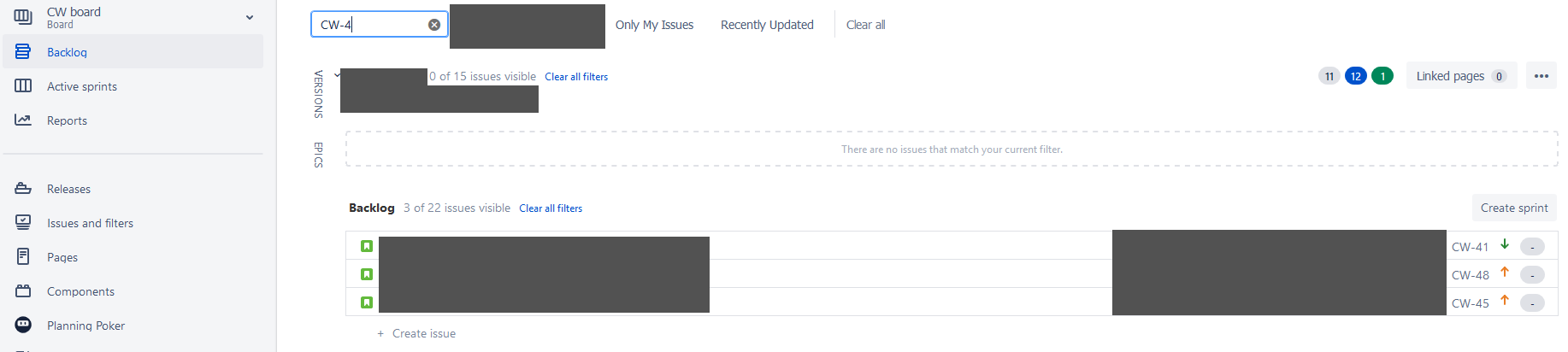
Hoping someone can help, with this as I've exhausted every resource I can find.
Yesterday I completed a sprint and sent all of the issues that were not completed to a new sprint that had not yet been started. After looking I noticed that the issue counts were way too low and that some issues were missing.
I have board that is powered by a simple query that selects from other boards
project in (AB, NA, CW) ORDER BY Rank ASC
This situation for me is weird because..
- I have done this exact process many times with this configuration and have never had this happen
- The issues are still in the "To Do", or "In Progress" status and not marked as completed and as such should not be excluded from the backlog
- Some of the issues are in an epic and some are not, that doesn't seem to make a difference. I had come across a bug while researching that mentioned issues assigned to an epic weren't displaying for Jira Cloud users. I do have other issues with epics that are showing, so I am ruling that out.
- Upon investigating further it appears that this wasn't limited to issues that were a part of my previous sprint. Issues completely unrelated to the sprint that I closed disappeared from the backlogs of their respective projects as well.
- If I find a missing issue manually and add it to the current sprint, it will show in the "Active Sprint" board, but still will not show in the backlog page under that sprints heading.
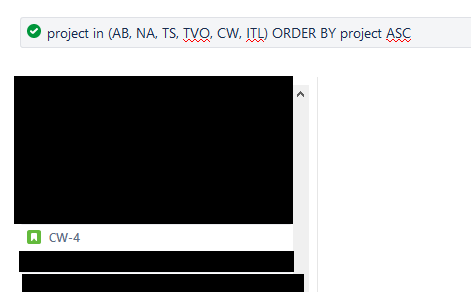
These issues can be found via searching and do show up when I inspect the JQL filter that powers my board.
Things I have tried:
I can not seem to find a common theme among the issues that are being displayed except for one assumption that I can not verify. It seems like the issues that aren't displaying were once bulk-moved from a next-gen project to a classic project.
The only thing that has worked so far has been to clone the issue and remove the original. If I do that, the new issue shows in the backlog properly. This is an unfeasible solution for me as there are potentially 100's of issues that are not showing. I would have to find each one of them by reconciling what I see in the backlog versus what I see in the "All Issues" view and then individual clone any that aren't being displayed.
I realize I'm asking for a magic bullet to help alleviate potentially hours of manual (yet possible) work, however any help or direction would be greatly appreciated.
My thinking right now is that maybe there is something from the next gen project that is lingering on these issues in the background and therefore causing them not to be displayed...but I definitely feel like I'm grasping at straws with that one.
Issue Found inside of Filter powering combo board:
Issue not showing when searching the projects own backlog:
To be clear there are no other filters on this board aside from the default.