Forums

Articles
Create
cancel
Showing results for 
Search instead for 
Did you mean: 

How to link JSM task to an asset object through automation

jiranewbi3
August 11, 2026

I currently have a flow that I am creating that looks for a change in an attribute and then creates a work order based on that change. The issue I am facing is that I am not able to link the object in the automation flow

I am not able to set the custom field "Asset Object" in the script, but can do it manually from the task page. 
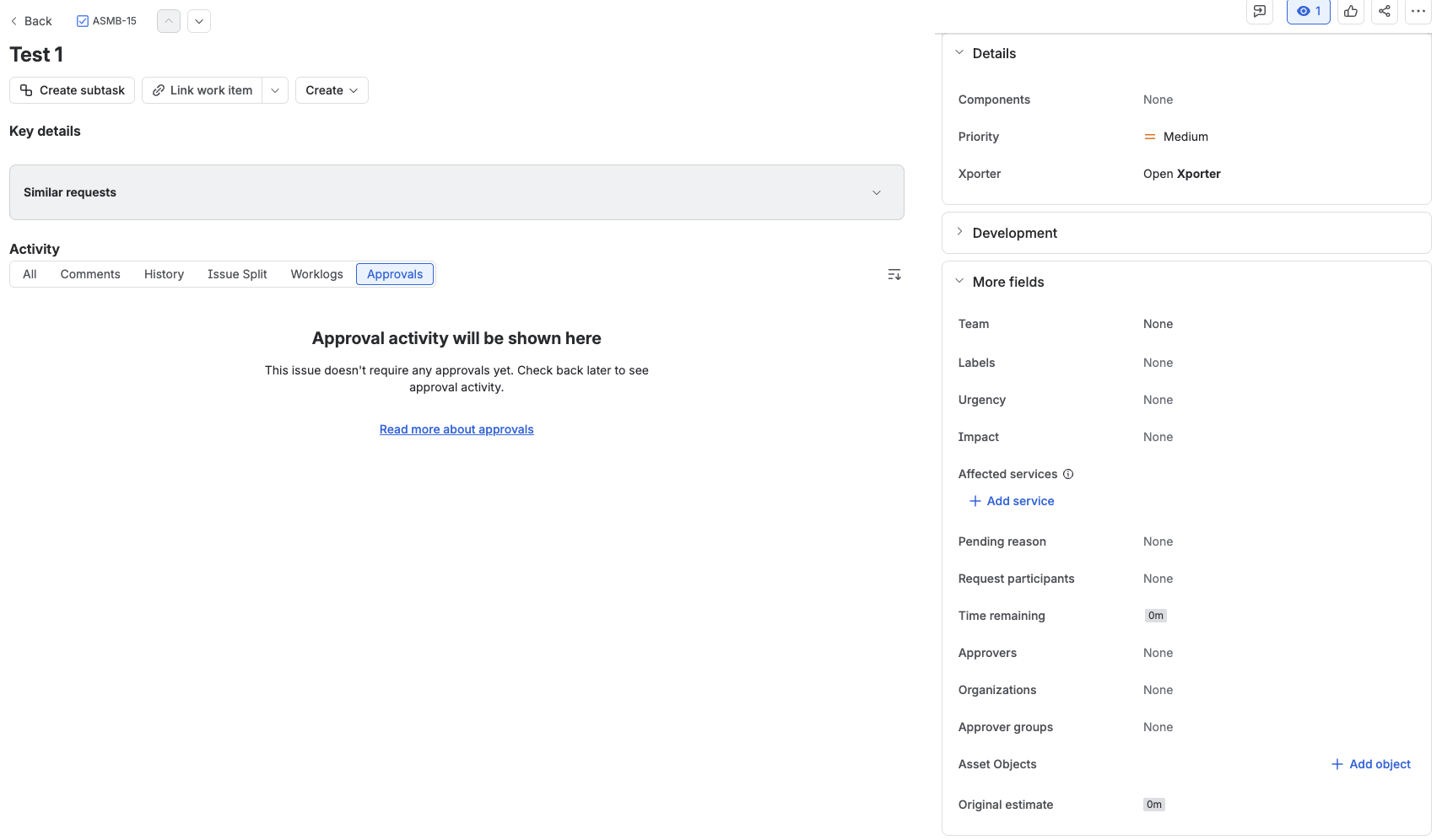
Screenshot 2026-08-11 at 9.16.03 AM.png


The flow works well as I am able to create the necessary work items with the correct titles, but I am not able to edit Asset Object from the flow. 
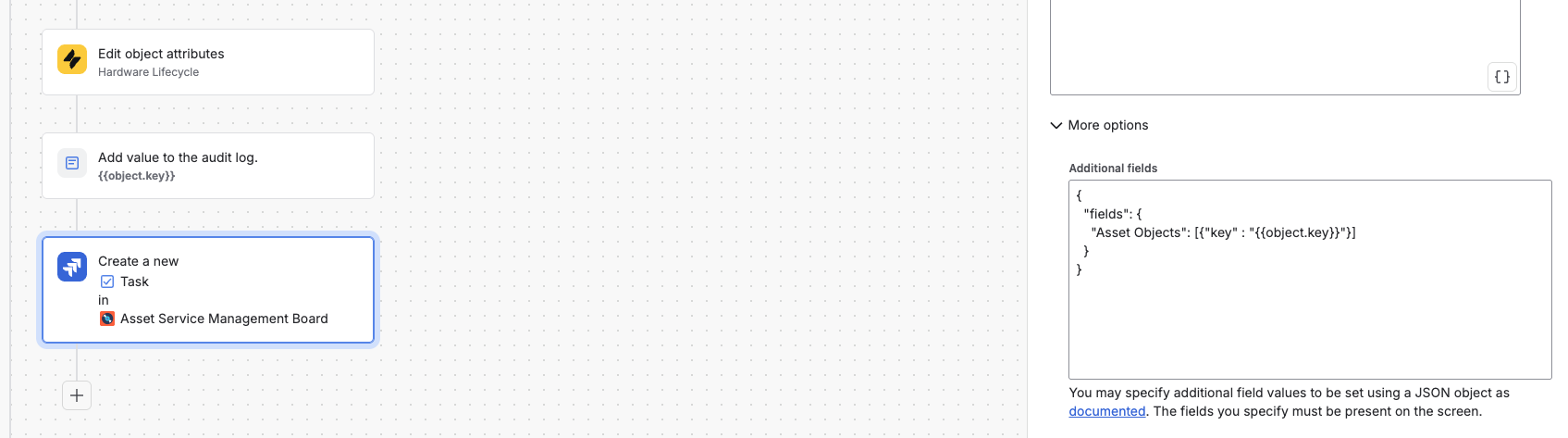
Screenshot 2026-08-11 at 10.38.40 AM.png

When I try to assign directly without the "key" method, i.e. "Asset Objects" : {{object.key}} I get the following error "Specify the value for Asset Objects in an array (customfield_16948)"

2 answers

1 accepted

1 vote
Answer accepted
James Gamble
Rising Star
Rising Star
Rising Stars are recognized for providing high-quality answers to other users. Rising Stars receive a certificate of achievement and are on the path to becoming Community Champions.
August 11, 2026

Hola jiranewbi3,

The follow-up confirms that the two main setup checks are already good: the automation completes successfully, and the Asset Objects field is associated with the relevant create screens. That means I'd focus on the value format being passed into the Assets field rather than changing the screen configuration.

The error you quoted is the strongest clue: Jira is telling you that customfield_16948 expects an array. For Assets custom fields in Jira Cloud, Atlassian's documented automation format uses an array containing the Assets object's global ID rather than the human-readable object key.

In Create work item > More options > Additional fields, try:

{
"fields": {
"customfield_16948": [
{
"id": "<WORKSPACE-ID>:{{object.id}}"
}
]
}
}

Replace <WORKSPACE-ID> with your Assets workspace ID. Atlassian documents this JSON structure here.

You can retrieve the workspace ID from:

https://YOUR-SITE.atlassian.net/rest/servicedeskapi/assets/workspace

I'd also add a temporary Log action immediately before Create work item with:

{{object.key}} | {{object.id}}

That'll confirm the Assets branch is carrying the object you expect before the create action runs. The key is useful for reading the log, but the ID is the value you need for the Assets field payload.

Thanks,

James

jiranewbi3
August 11, 2026

Thanks James, that seemed to have done it!.

0 votes
Cristian Quiroz
Contributor
August 11, 2026

Hi @jiranewbi3 

A couple of things to check before diving deeper:

1. Are you getting an execution error in the automation audit log?
Go to your automation rule → Audit log and check if there's a specific error on the "Create issue" action. That will tell us exactly where it's failing.

2. Is the "Asset Objects" field on the Create screen?
The automation can only set fields that are present on the Create issue screen of the destination project. If the field isn't there, the automation silently ignores it or throws an error.
Go to Space Settings → Screens and confirm that "Asset Objects" is included on the Create screen.

Let me know what you find and we can go from there! 

jiranewbi3
August 11, 2026

HI Cristian,

1. No error messages during the automation execution - the flow seems to be working fine. Issues are created successfullyScreenshot 2026-08-11 at 11.01.47 AM.png

2. The custom object is linked to all the screens. So I believe we are okay there as well. Screenshot 2026-08-11 at 11.37.57 AM.png


Like Cristian Quiroz likes this
Cristian Quiroz
Contributor
August 11, 2026

Hey @jiranewbi3
Since the JSON approach is giving you trouble, try setting the field directly from the UI field picker in the "Create issue" action:

  1. In your automation, go to the Create issue action
  2. Click Add a field and select Asset Objects
  3. In the value, type {{object.key}} directly — no quotes, no key= prefix

AUTOMATION-ASSET.png

This avoids the array format issue entirely since Jira handles it natively. Give it a try and let us know! 👍

jiranewbi3
August 11, 2026

Hi Cristian, Unfortunately custom fields are not available to edited using the native system. We have to go through the json route. 

Suggest an answer

Log in or Sign up to answer
DEPLOYMENT TYPE
CLOUD
PRODUCT PLAN
PREMIUM
TAGS
AUG Leaders

Atlassian Community Events