|
Update Aug 2026
Hi everyone,
We're pleased to announce that the modernised Jira board is now GA and rolled out to the vast majority of team-managed Software boards!
Read about this in our Summer Release blog post.
Thank you to everyone who's left feedback - this has been valuable and allowed us to ship a number of improvements to get us here. We will be continuing to monitor all channels to make sure we deliver the best experience.
What's next?
We are actively working on bringing the modernised Jira board to company-managed Software spaces. We'll publish a separate community post to announce upcoming changes shortly.
|
Hi Atlassian community!
We're harmonising the board experience across team-managed Software and Business spaces - combining the best of both together into one consistent, more powerful board for all.
We have already started this by adding swimlanes to Business boards (see our community post).
The rollout is starting in July with minimal disruption. Your core Kanban and Scrum workflows won't break – but you'll see a new wave of capabilities.
Here's everything that's changing, new or improved, and what it means for your teams.
| Please note: this does not include company-managed software Boards however we are exploring over FY27 (Jul 2026 onwards) |
Why this matters
🚀 No more limits: pagination and performance improvements mean no more 5,000 work item cap.
🎨 Your board, your way: card customisation, smarter filters, and saved views let you tailor the experience to your workflow.
🔒 Admin-first defaults: saved views let admins set the board state once. Users can personalise without overriding the team configuration.
✏️ Fewer clicks, faster edits: inline edit for priority, parent work, and subtasks mean less context-switching.
👀 Upcoming changes
✅ New
- Board pagination and performance improvements
- Saved views framework
- Subtasks
⤴️ Improved
- Grouping
- Inline editing on cards
- View settings - Card layout/options
🔄 Changed
- Column configuration settings
- Removing completed items (Kanban only)
⏸️ Deferred
- Work suggestions
- Bulk card select/actions
⚙️ How it works
| Feature / Capability |
Status |
Details |
|---|
| Board pagination & performance |
new
|
Boards now support pagination at every level, whether swimlanes, columns, or work items.
Swimlanes also have fixed heights for smoother scrolling.
Boards are more performant, responsive, and can support more work items – we are removing the 5,000 item limit 🎉
|
| Save board configuration |
new |
Admins can save a default board configuration (e.g. filters, grouping) which propagates to all users.
All other users can change view controls locally or reset to the admin default.
Features governed by this framework:
- Filtering
- Grouping
- Collapsed/expanded columns and/or swimlanes
- Card options
- Clearing controls for done items
Note: the ability to add multiple boards with saved configurations will remain a business only feature. We are exploring this over FY27.
|
| Subtasks on board |
new |
Work items with subtasks will now display nested below in the subtask summary.
Subtasks can be opened directly from the board and some fields also support inline edit (title, assignee).
For a more focused view, subtasks can be hidden via View settings.
|
| Grouping |
improved |
We've brought over additional group by fields from Business boards:
- Group by Priority
- Group by Category
Update as of 16 July, 2026
Group by Subtask
Based on your feedback, we have brought forward the overflow swimlane i.e "Everything else" as well as a number of important fixes that saw some subtasks not being displayed on the board.
Thank you for your patience and feedback on this 🙏🏻
Update as of 30 July, 2026
We've also brought back the ability to expand/collapse all swimlanes.
This can now be accessed (when the board is grouped) via the Board actions menu (...). Previously this functionality was located in the View Settings.
This includes using the minus key "-" as a keyboard shortcut.
|
| Inline editing |
improved |
You can now edit priority inline.
Refreshed experience for updating work item parents inline.
You can now directly search, change, or view parents (includes epics) inline.
|
| Card layout options |
improved |
We've greatly expanded the number of standard fields supported for card layout configurations.
Card layout options also support custom fields including:
- Date field
- Dropdown fields
- Number fields
- Short text
- Timestamp fields
|
| Column configuration |
change |
Column configuration is now done directly from the board instead of via space settings.
Simply go to your board and click on the board menu icon (…) > Configure columns.
|
| Done-item clearing (Kanban only) |
change |
New boards default to never clearing items (previous was 14 days by default).
You can also clear done work items after:
- 7 days
- 14 days
- 30 days
- 60 days
- Never
This setting now lives in View Settings.
Note: Existing boards will remain unaffected by the changes to default clearing option.
Update as of 30 Jul, 2026
We've added an additional option to hide done items after 1 day in addition to the other items.
We are still evaluating the possibility of bringing back manually clearing done items however not in its current state.
|
| Work suggestions |
Deferred |
Work suggestions will not be supported on launch.
We are exploring the possibility of re-imagining and bringing this back in a future release.
|
| Bulk card select/actions |
Deferred |
Similar to work suggestions we are not supporting this feature on launch in its current state.
We understand its value and will explore bringing this back in a future release.
|
💙 Got feedback?
We want to hear from you!
You can use the feedback button in the horizontal navigation menu to share your feedback with our product team directly.
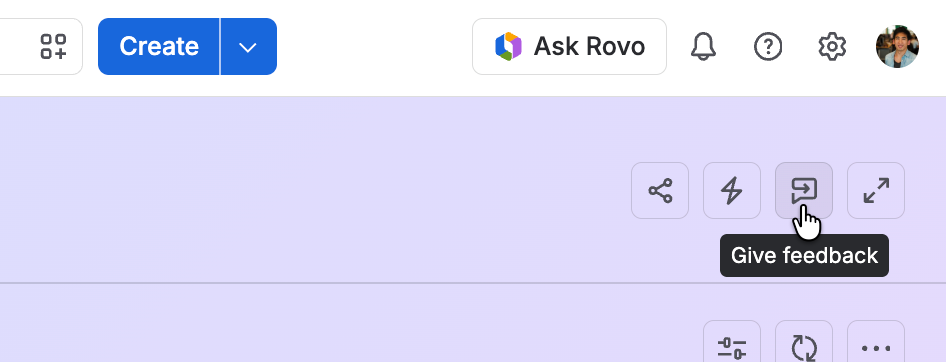
If you also would like to speak with us, you can book a time on our calendar.


