Dear community,
We need an approval stage for incoming tickets within the company.
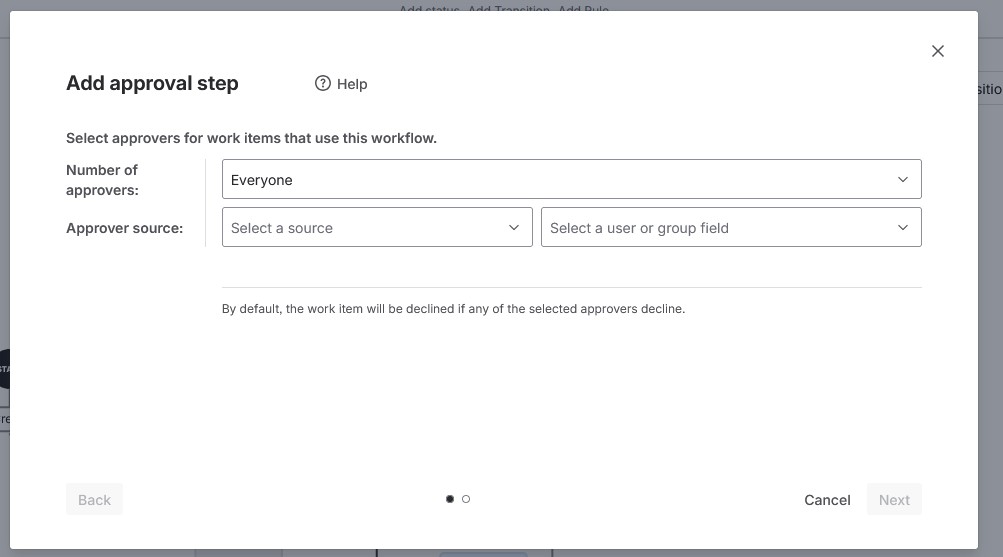
I know about the approval option via Workflow. However, what I need is to ensure that the person's manager approves it.
For this, we have set up the Manager attribute match via AD. Everything is visible in the system. But do I need to do this via Automation? Or do we need to do it via Workflow?
I would appreciate your assistance.
Best Regards
Yigit.
Hello Everyone,
Thank you for you help
We used this article to import Manager (Org manager) How to sync the manager attribute into Atlassian Home with Azure AD | Platform experiences | Atlassian Support
and now shows me under Profile like that :
Then do I need to create new automation (its not working on Workflow) ?
Thanks
Yigit.
Hello,
Yes, you will need to add the manager to the Approvers field for the approval step to work. It is not possible to define the specific user who must approve directly in the workflow (you can only select the Approvers field there, or specify that an entire Approvers group can approve, but without defining the actual values of these fields).
However, be careful to restrict editing of this field, so that users cannot change the approver.
You must be a registered user to add a comment. If you've already registered, sign in. Otherwise, register and sign in.
Hi @Y_ Oezl
I assume your setup relies on Assets.
Does the object referencing the user have a referenced attribute to another user object, so this i the manager attribute.
And does the object referencing the user have a ussr attribute referencing the Jira user?
If both are true, see this KB article https://support.atlassian.com/jira/kb/how-to-auto-populate-approvers-from-asset-objects-attributes-using-automation-in-assets/
You must be a registered user to add a comment. If you've already registered, sign in. Otherwise, register and sign in.