Update from the Jira team [30th June 2026]
Thank you all for the detailed feedback on this thread. We've heard you clearly. We are making changes to the rollout plan:
- The Atlassian Project field will no longer be added to screens by default. Teams that don't use Atlassian Projects won't see it on their screens.
- However, the field remains available for anyone who wants to use it;
- Customers who already use Atlassian Projects will not be disrupted; they can continue using Atlassian Projects. The admins can still remove it themselves or reach out to support.
We appreciate you taking the time to share feedback, which has shaped this decision. We are rolling out this change over the next few days.
Thanks,
The Jira Team
----------------------------------------------------------------------------------------
Hi everyone! I’m Shilpa from the Jira team, and I’m excited to share an upcoming update that brings Atlassian Projects and Jira closer together.
We’re rolling out a native Atlassian Projects integration in Jira (planned for the Jira Summer release in July), making it easier for teams to associate Jira work items with Atlassian Projects directly in Jira.
If you have used the Atlas Project linking experience in Jira before, you’ll notice we will now have a much more natively integrated experience.
What’s new?
-
A new Atlassian Project field will be available in Jira
-
The field will be added to screens by default
-
Users will be able to link work items to Atlassian Projects more easily on work items and Jira views
-
Teams will be able to group and filter by Atlassian Project in more Jira views
-
Projects in the Projects app will show linked Jira work more clearly
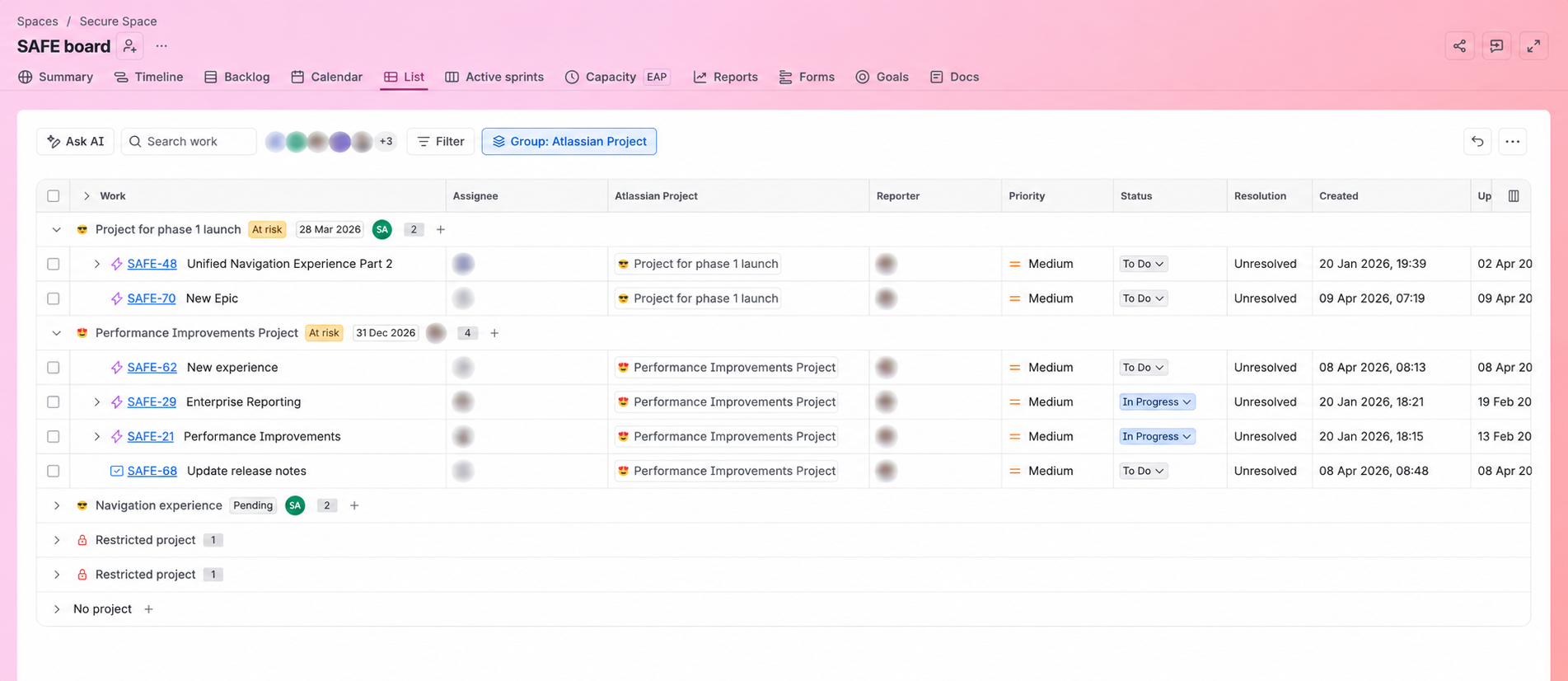
What does this mean for admins?
Admins will already notice a new field in Jira settings → Work items → Fields → Atlassian Project. This field will also be added to screens by default, so it may become visible to teams as the rollout reaches your site.
If you’re not ready to use it right away, you can remove it from screens for company-managed projects by updating the field’s screen associations. That gives you control over where it appears without needing to fully disable the feature.
-
Go to Jira settings → Work items → Fields
-
Open Atlassian Project
-
Select Add field to screen
-
Unselect the screens where you don't want it shown
-
Click Update
What does this mean for users?
Users will be able to connect work items to Atlassian Projects more naturally inside Jira, including in work item view, list view, boards, backlog, and other supported planning surfaces. This helps teams organise work around Atlassian Projects more consistently and makes it easier to track related work in both Jira and the Projects app.
We’d love to hear from you. Please drop your thoughts or questions in the comments below.
Update [19/06/2026]
Thank you for the detailed feedback. We hear you: the default-on behaviour for Atlassian Projects is creating unnecessary admin overhead, especially for teams managing large instances or who don't use Atlassian Projects at all.
Your feedback is already informing how we approach this. We're actively looking at ways to give admins more control over whether and where this field appears.
I'll update this post as soon as we've worked through the options. In the meantime, keep the specifics coming; the details you've shared (screen scheme impact, terminology confusion, sandbox gaps) are all noted. Appreciate your patience.


