In the Organizations REST API, for the resourceIds parameter of the "Search for users in an organization" endpoint, how do I get the value of the Atlassian Resource Identifier (ARI)?
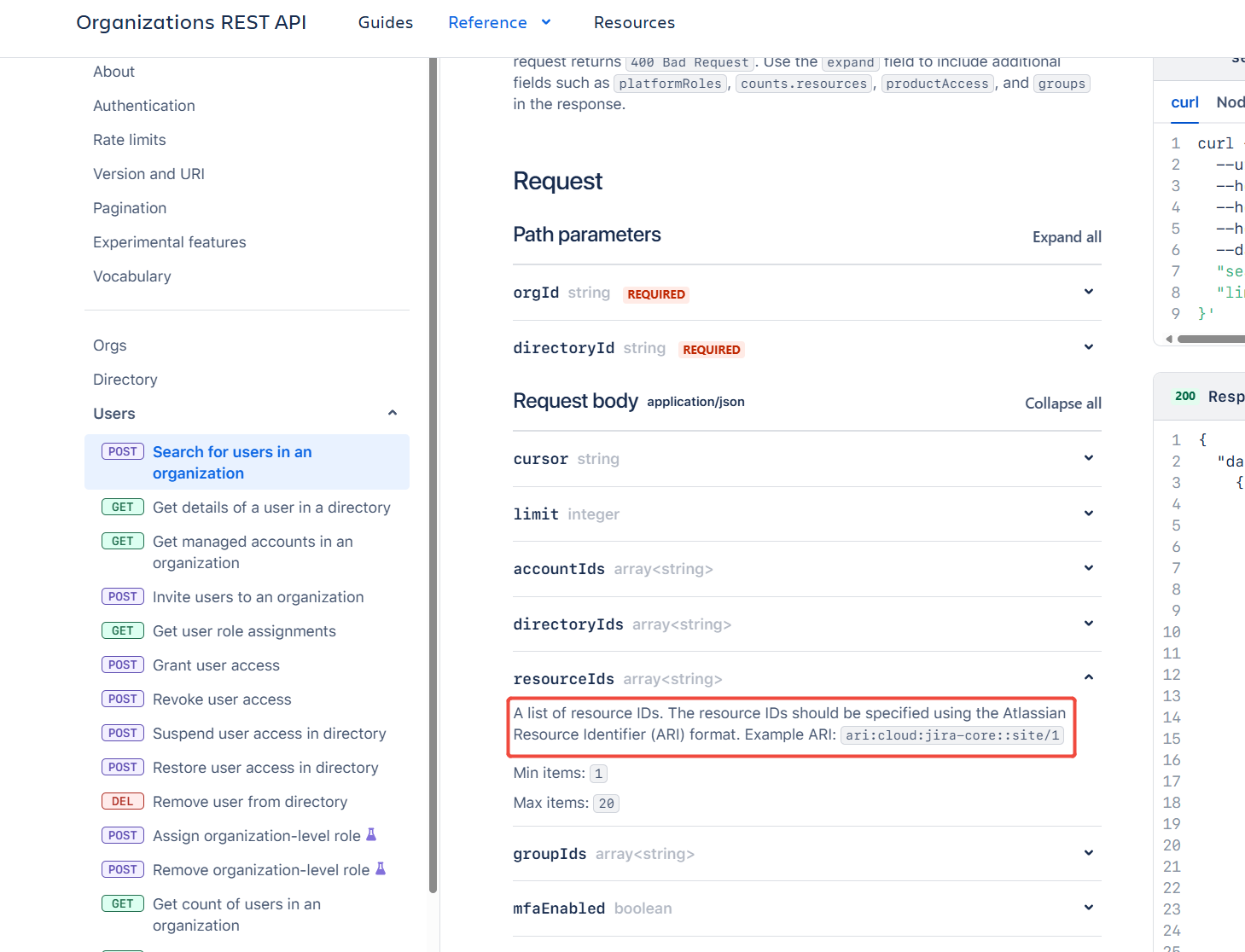
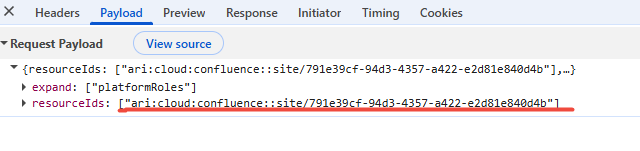
I checked the parameters of the network request through the browser console, and they contain a GUID portion. Therefore, this is not a fixed value. So how should I obtain the complete Atlassian Resource Identifier (ARI) value?
Hello @4001 126
What is being referred to as Atlassian Resource ID is the ID for a Site within your Organization.
Here is a KB about getting the IDs for the Sites in your Organization.
https://support.atlassian.com/jira/kb/retrieve-my-atlassian-sites-cloud-id/
And here is an alternate method to use the endpoint /oauth/token/accessible-resources in section 3.1 of this document:
https://developer.atlassian.com/cloud/confluence/oauth-2-3lo-apps/
Hi @4001 126, the GUID is the site id, so Trudy's links get you that part. What neither of those covers is that a resource is a product on a site, so one site hands you a different resource id for Jira and for Confluence.
The shape is ari:cloud:{product}::site/{siteId}. Note the empty segment between the two colons. Straight out of the org API's own examples, ari:cloud:jira::site/70ef3a32-d0da-4e09-b35e-0109f91969c3 and ari:cloud:confluence::site/12345678-1234-1234-1234-123456789012.
Easier than assembling it by hand, GET /v2/orgs/{orgId}/directories/{directoryId}/users/{accountId}/role-assignments returns resourceId already in that form, one entry per product. Copy the one you want.
https://developer.atlassian.com/cloud/admin/organization/rest/api-group-users/
You must be a registered user to add a comment. If you've already registered, sign in. Otherwise, register and sign in.