Hi Teams community 👋
We heard your feedback and shipped two improvements that make Teams more powerful:
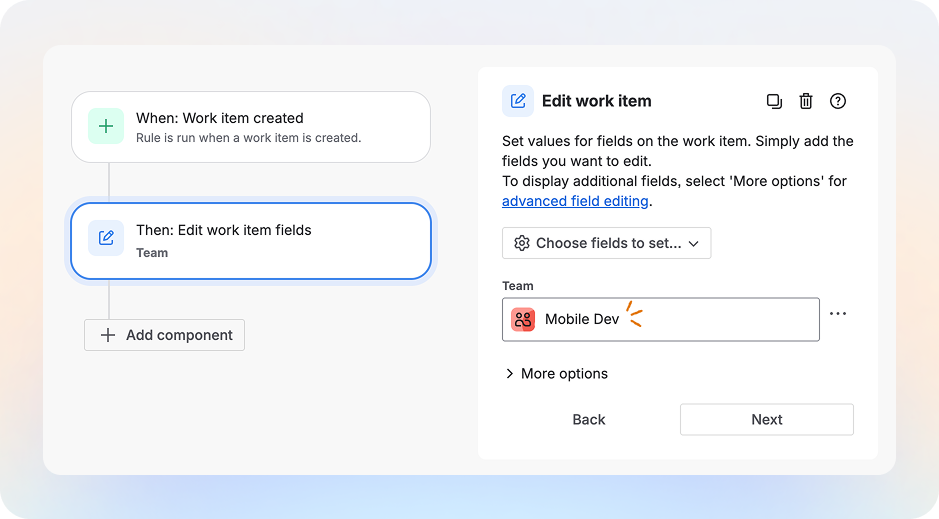
Teams in automations
You can now use Teams directly in automation rules. For example, assign issues to a team or trigger rules based on changes in the team field.
We’ve covered all the details, examples, and how‑tos in a separate article - read more here: Automate your workflows with Atlassian Teams in automations!
membersOf() JQL function
With membersOf() JQL, you can filter work items by “every <assignee> a part of this Team” instead of listing individual users. As people join or leave the Team, your filters update automatically, so your boards and reports stay accurate with less manual maintenance.
Previously, membersOf() only worked with groups:
`assignee in membersOf("jira-administrators")
Now you can also target a Team by its ID:
assignee in membersOf("id:<teamId>")
How do use it?
See work items assigned to members of a specific team:
assignee in membersOf("id:<teamId>")
See work items assigned to members of a specific team, group, or users:
reporter in membersOf("id:<teamA>") OR reporter in membersOf("id:<teamB>") OR reporter = jsmith
Currently, this only works when you use id:<teamId> in your JQL.
To find your team’s ID:
-
Open the team’s profile page. The URL will look like:
https://home.atlassian.com/o/<your-org-id>/people/team/<team-id>?<site-id>
-
Copy the <team-id> part from the URL and use it in your JQL: membersOf("id:<team-id>").
You’ll know it’s correct when the team name appears as a lozenge in the field like so:

Feedback
Let us know how these features are helpful and where we can improve 🙏 Please tag me in any feedback you have.


