Hi all! I'm thrilled to share that Audio Briefings are getting a major upgrade! We've launched Mobile support, Playlists, and Sharing capabilities across Confluence Pages, Live Docs, and Blogs.
For those new to Audio Briefings: it's your hands-free way to consume Confluence content. The feature synthesizes a page and its linked content into a concise, customizable audio overview. You can choose your preferred length and tone, get a holistic view of the topic, and save time while commuting, multitasking, or giving your eyes a break.
What's new
Mobile support
Listen to briefings while commuting or multitasking on your iOS or Android device. We've included full background playback and lock screen controls, so you can keep listening even when using other apps or with your screen locked. You can also seamlessly switch between audio briefings and word-for-word page narration.
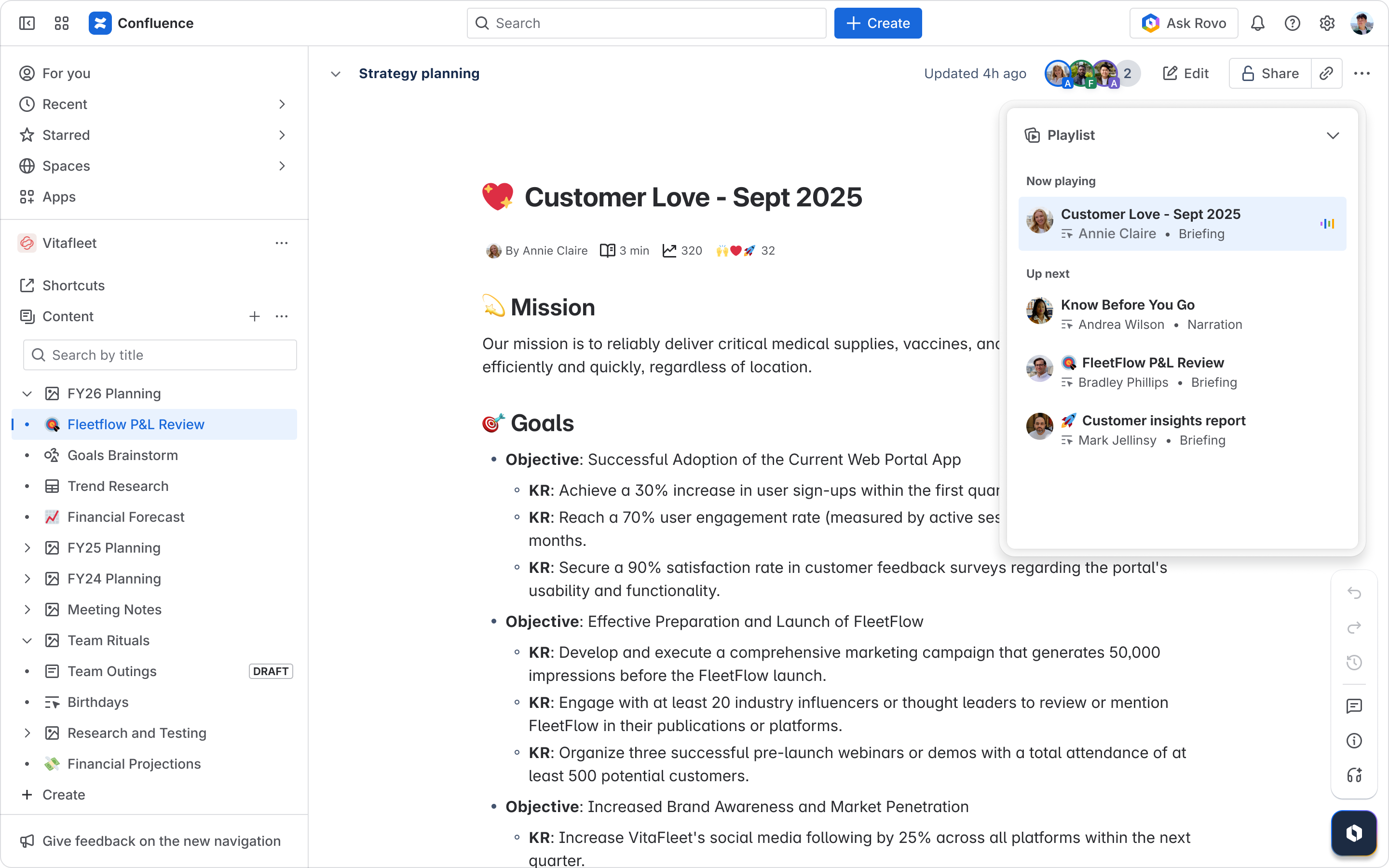
Simple playlist
Queue up multiple briefings and listen to them in bulk, synced automatically across web and mobile. Add items with one tap from the audio player, page tree hover cards, and feeds on web, or from pages and feeds on mobile. You can customize preferences for sources, tone, and length before adding, then reorder your playlist, remove items, or jump to any briefing immediately.
Access the playlist on Mobile by tapping "View all" from Mobile Home or by swiping it up while listening to audio.
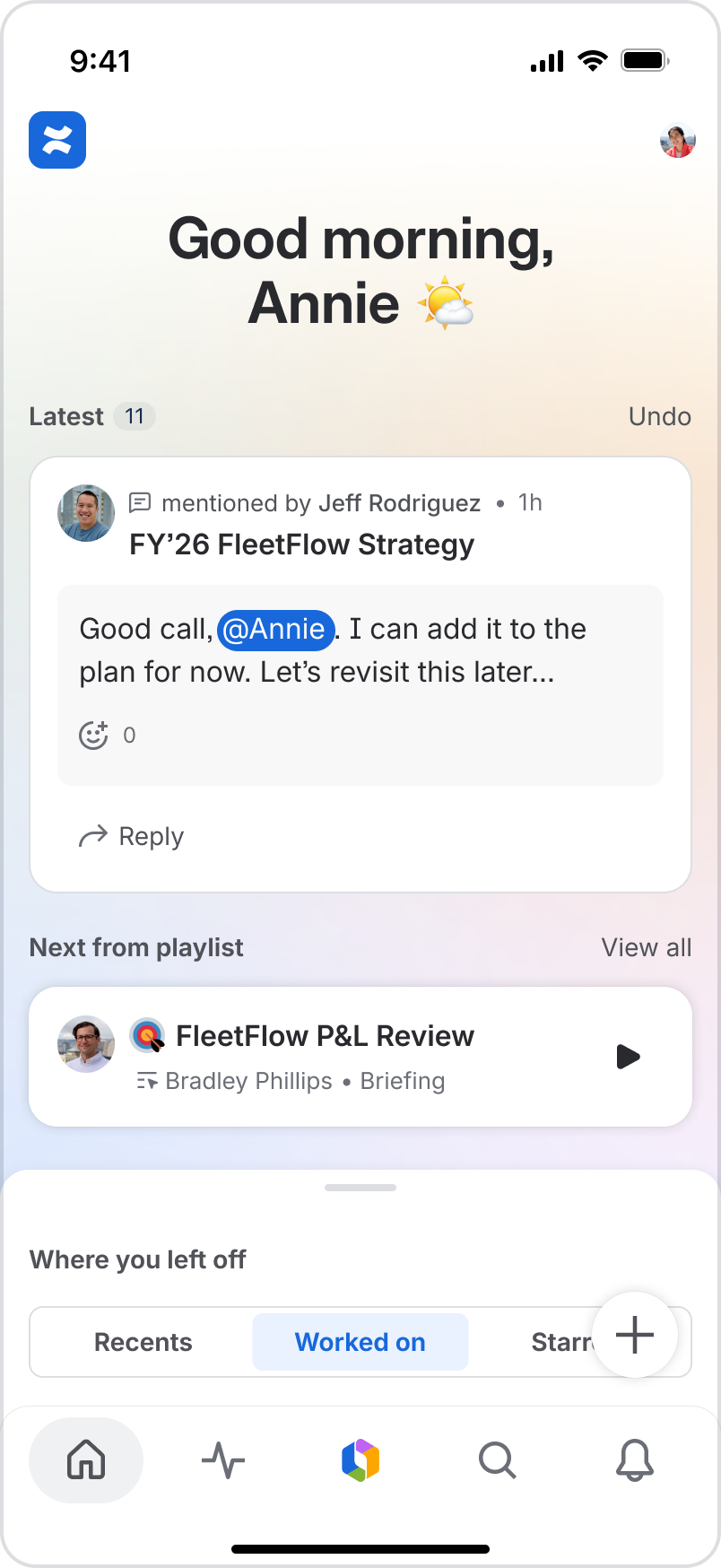
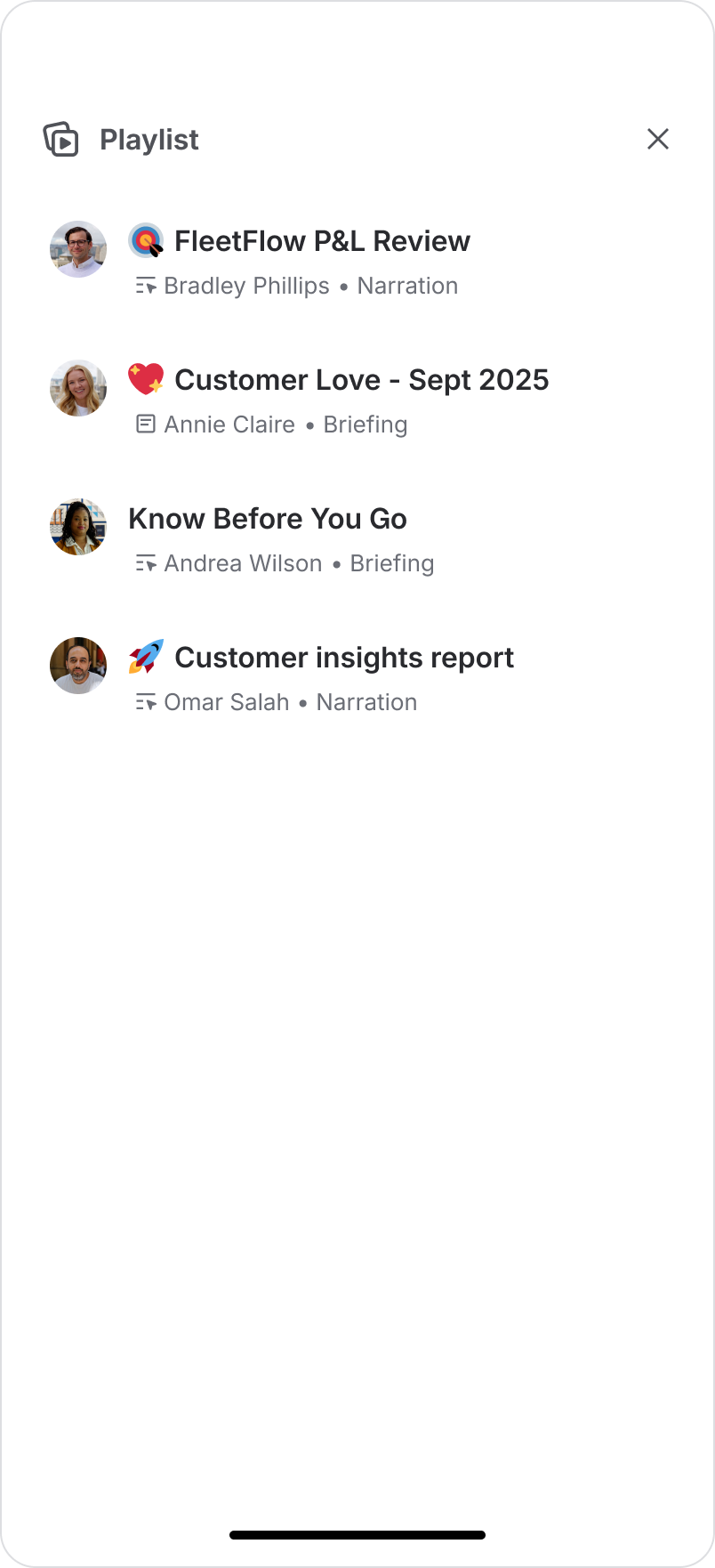
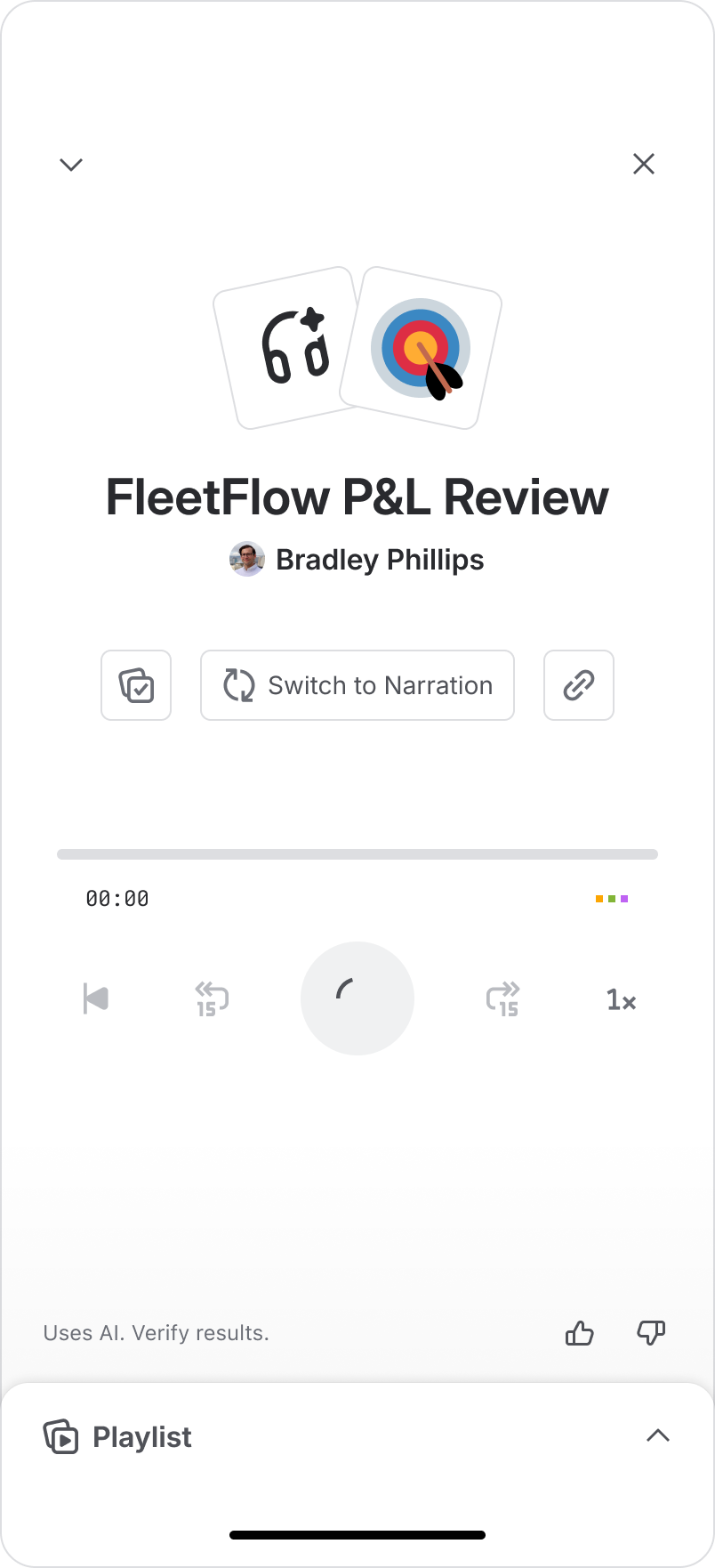
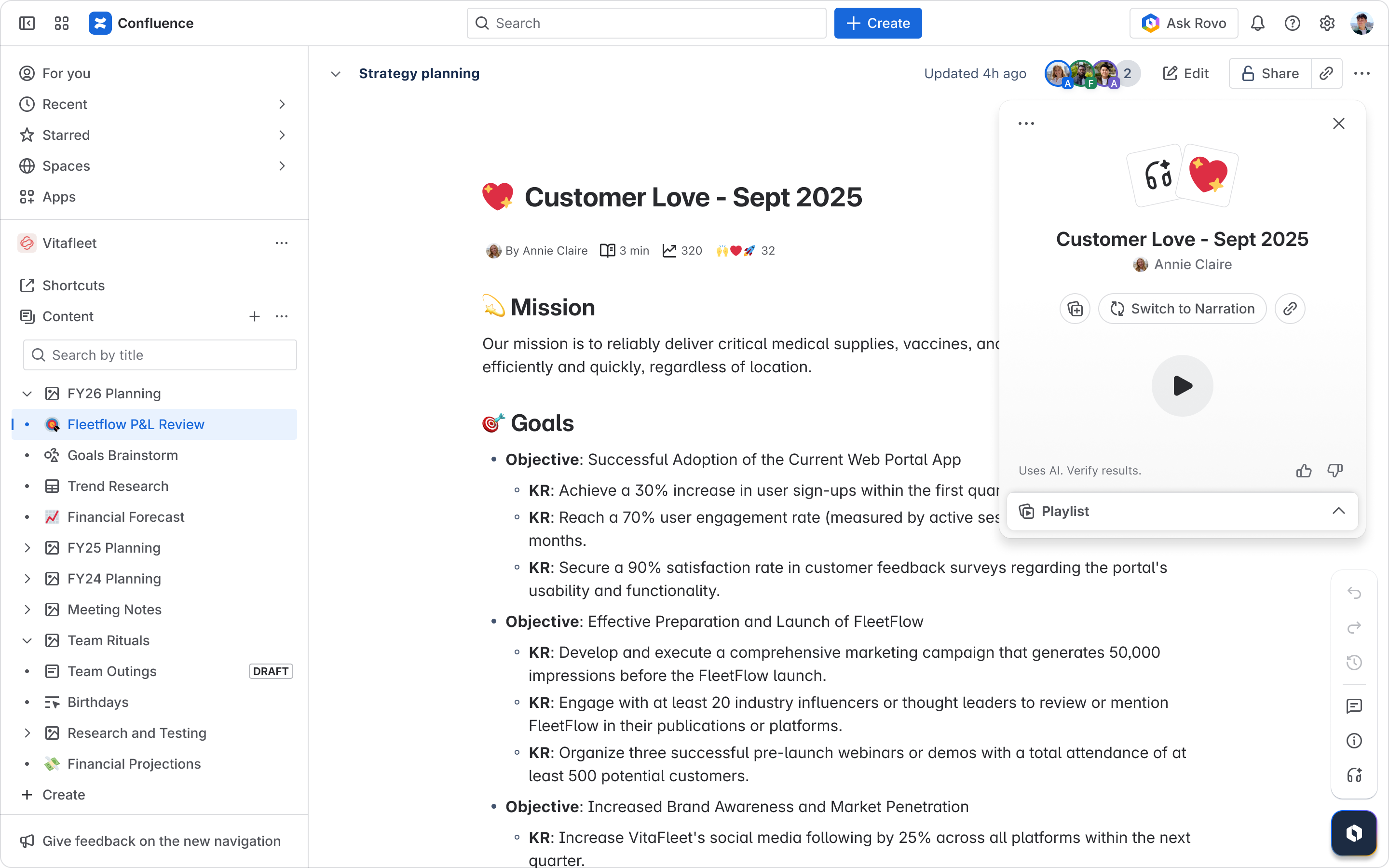
Access the playlist on web by opening the player through the headphones icon in the sidebar, then clicking the caret in the bottom right of the player.
Sharing
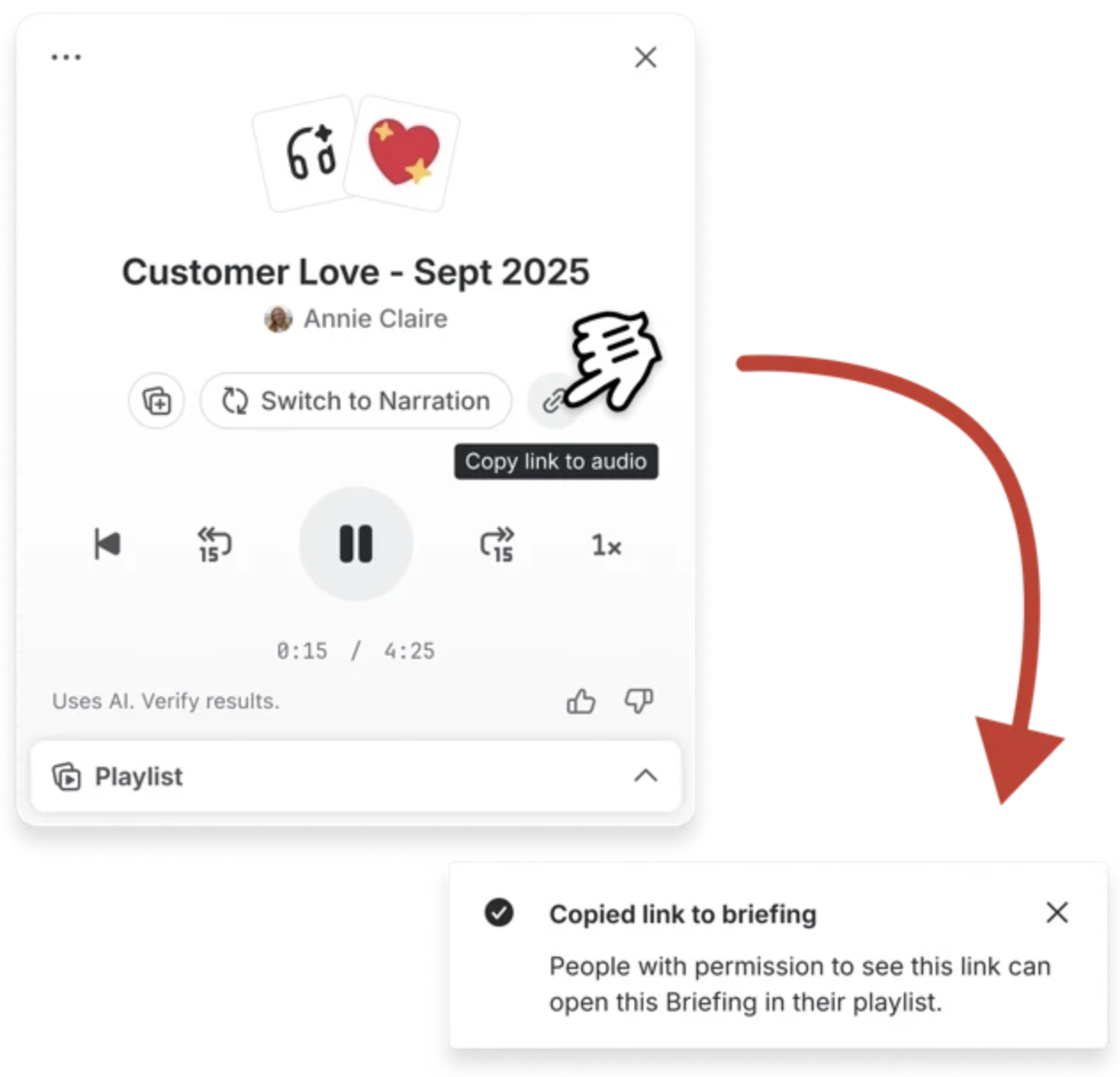
Send briefings to teammates with a shareable link by clicking the copy link icon in the player. Briefings are generated at play time to ensure recipients have proper access, so you don't have to worry about permissions.
Draggable, persistent player
On web, drag the audio player anywhere on screen or navigate throughout Confluence with no interruption in playback.
Benefits to your workflow
Save time while multitasking: Listen to synthesized overviews of pages and their linked content without reading, whether you're commuting, exercising, or doing other tasks.
Reduce screen fatigue: Give your eyes a break by consuming important content through audio instead.
Share knowledge efficiently: Send audio briefings to teammates who prefer audio consumption or need to catch up on the go.
Seamless cross-device experience: Start listening on web, continue on mobile - your playlist syncs automatically across all devices.
Getting started
Audio Briefings with mobile, playlists, and sharing are currently rolling out for all users with Rovo and beta AI features enabled.
Share your thoughts
We'd love to hear how you're using Audio Briefings! Are you listening during your commute? Sharing briefings with colleagues who prefer audio? Drop a comment below to share your use cases, ask questions, or let us know how this feature fits into your workflow. Your feedback helps us continue improving audio features in Confluence!


