A service team never logs the same things on every task. On-site work needs mileage and travel time. One client won't pay an invoice without a PO number; the next one has never heard of one. Internal work needs none of it. But Jira hands everyone the same Log Work form — and so do the other time trackers. Clutter for some, missing fields for others.
In JetTime, our time tracking app for Jira, the Log Work form is built per work item from rules you define. So one team, in one Jira, gets a different form depending on what they're logging against. Here are three real setups.
On-site client work
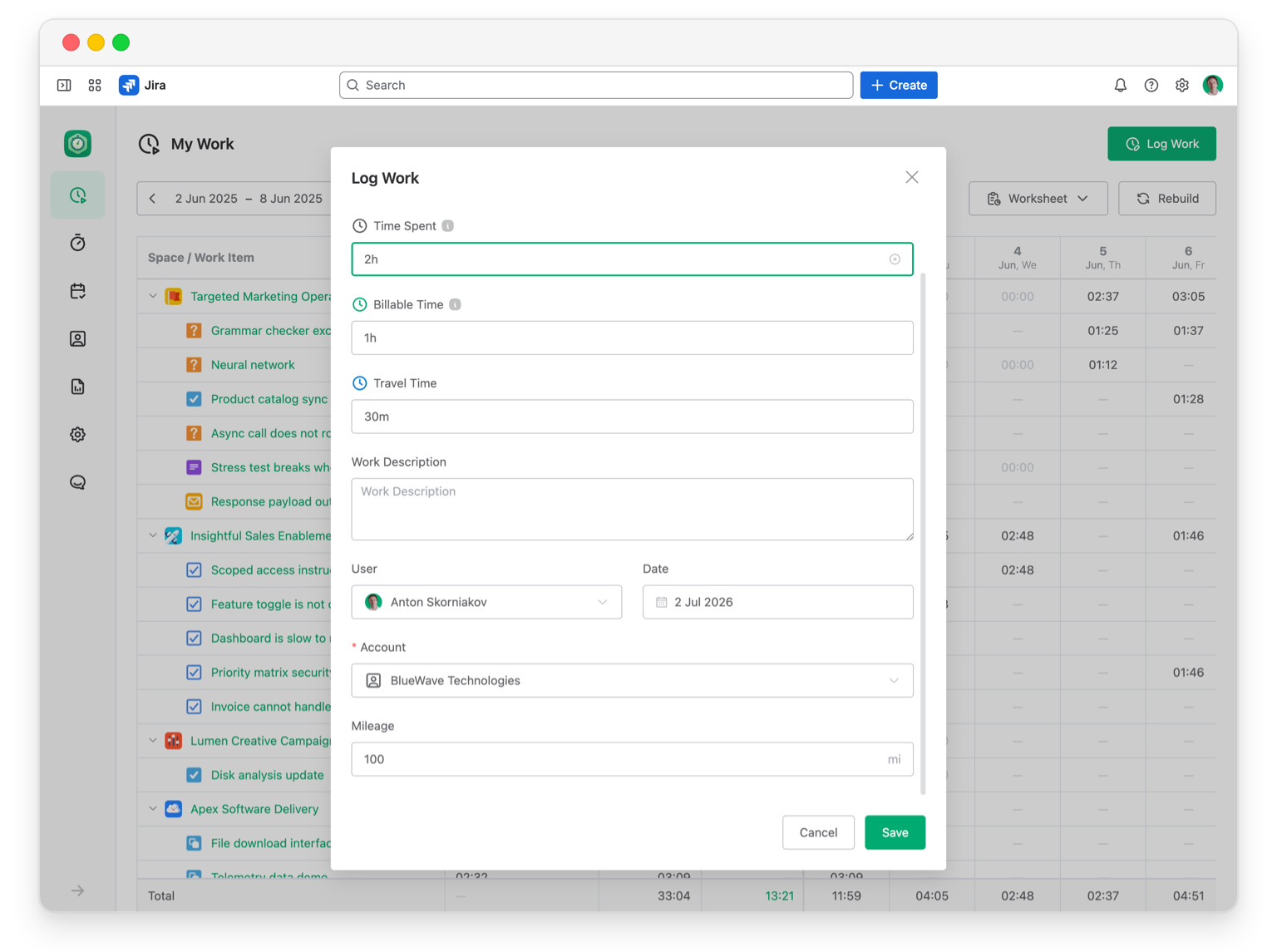
For visits to a client's site, you bill the hours and track what goes with travel. A form for this kind of work might show:
- Time Spent, plus a Billable Time category so billable and non-billable hours go in separate rows.
- Travel Time, tracked apart from the work itself.
- The client Account — required, so no visit is logged without one.
- Mileage — a number field for the distance driven.
A client with their own paperwork
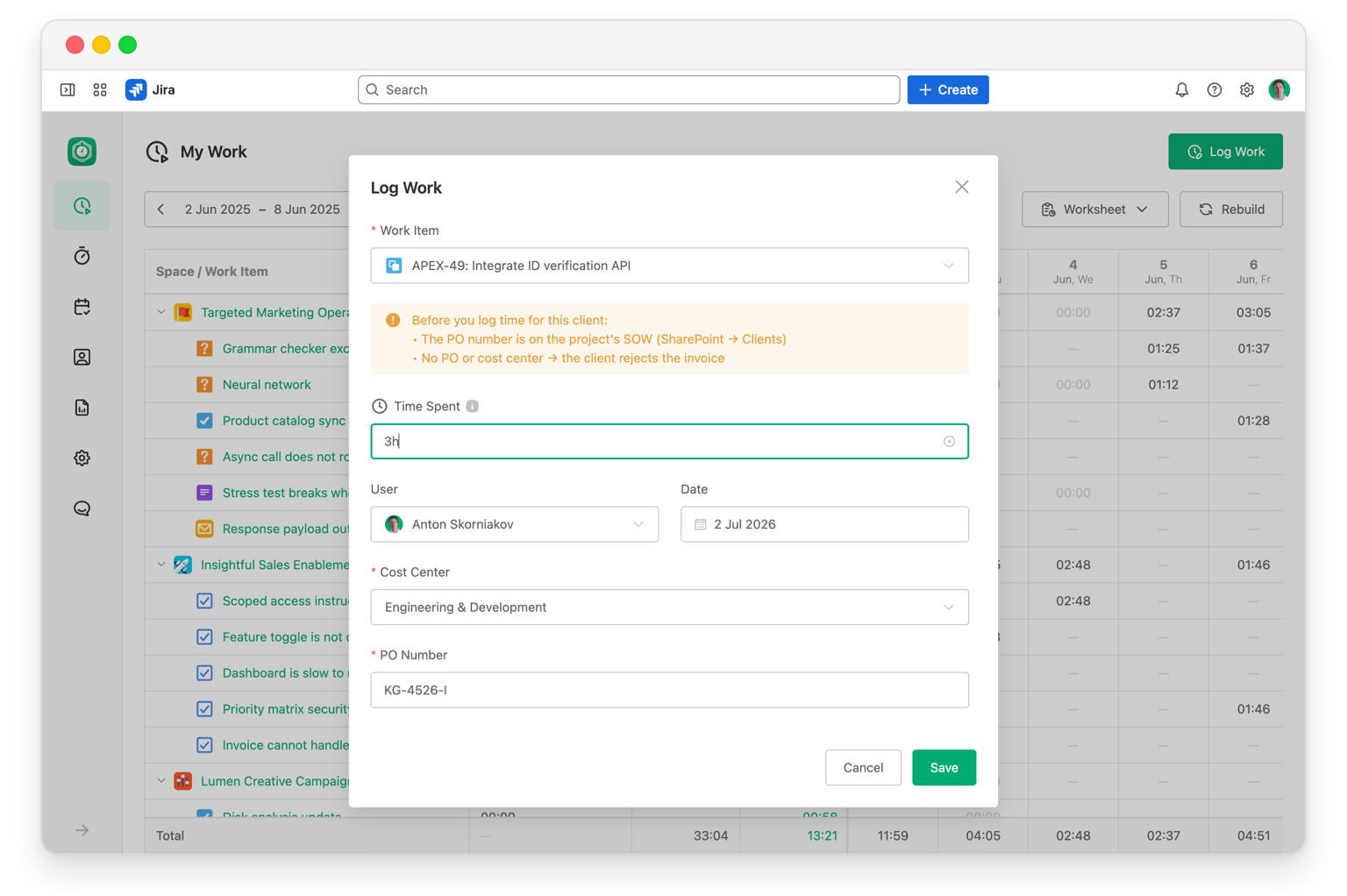
Say one client won't accept an invoice without a purchase order number and a cost center on every line. Their form adds exactly those, and makes both required — so on this client's work, nothing gets logged without them:
- PO Number — a required text field.
- Cost Center — a required single-select of that client's cost centers.
These show only on that client's work. Everyone else's form stays clean — they never see a PO field they'd have to leave blank.
You can also drop a Notes block onto the form — a short, multi-line message that sits right where people log. Handy for this client: a reminder of where to find the PO number and that the invoice bounces without it, so nobody has to guess the rules.
Internal work
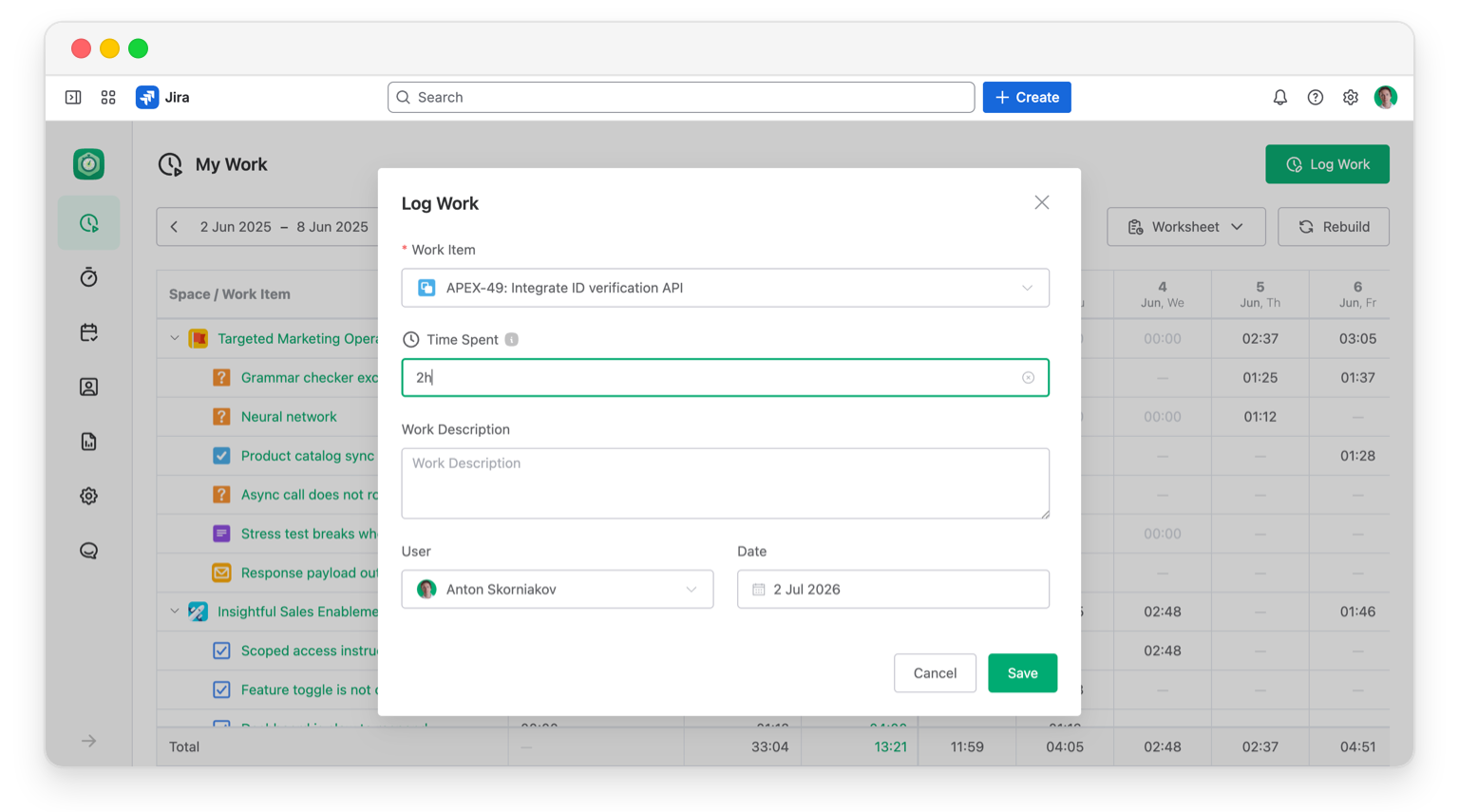
Internal tasks aren't billed, so all of that would just be noise. This Log Work form drops to the essentials:
- Time Spent.
- Work Description — optional.
How you set it up
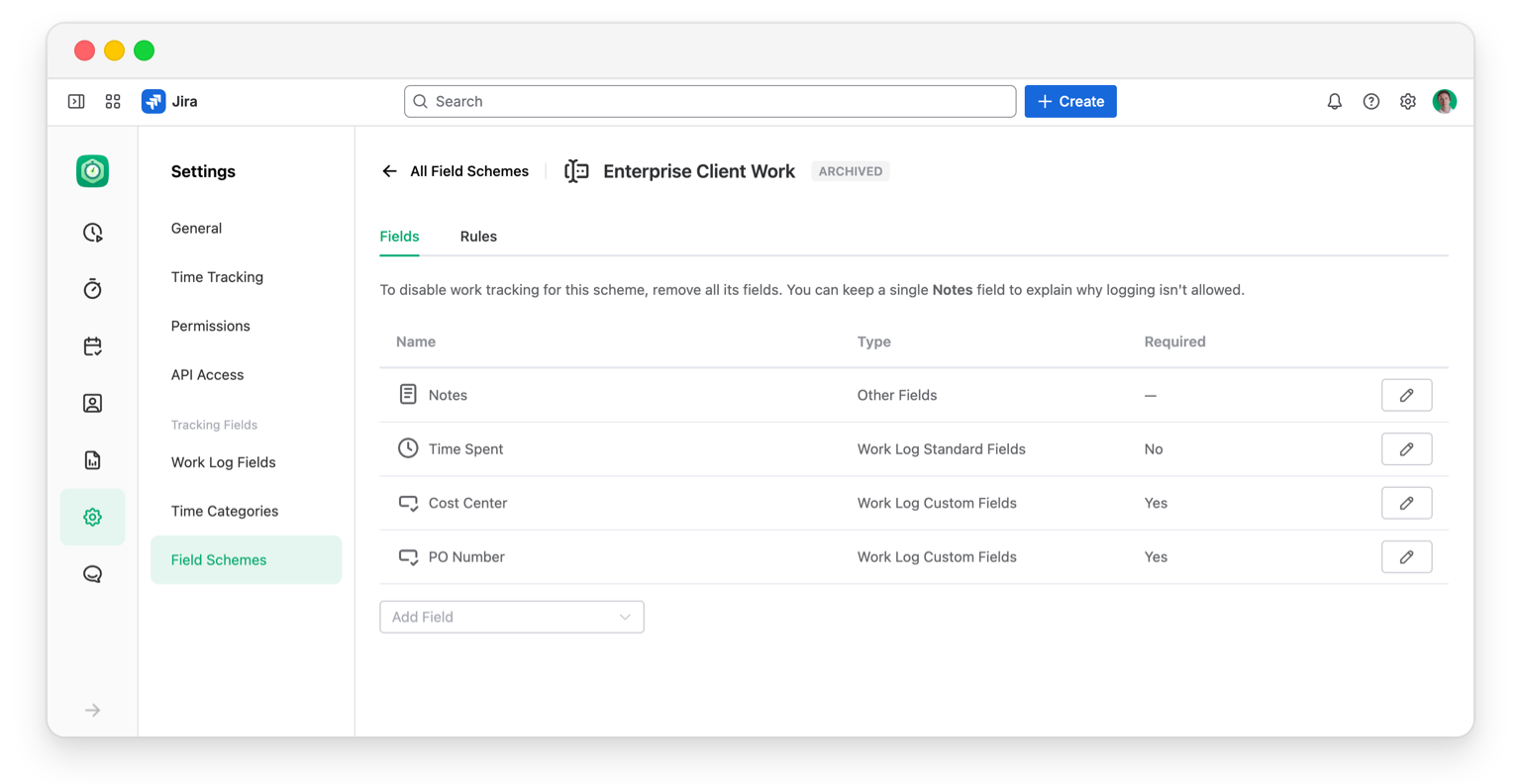
Each form is defined by one Field Scheme. You pick the fields it shows. You mark which ones are required. Then you point it at the right work items with a rule — by space, work item type, status, or other issue fields. After that it's automatic: log work on a matching work item, and JetTime shows that form. No manual switching, no one-size-fits-all.
And since this data is often client-billable: JetTime Runs on Atlassian, so your work log data stays inside Jira and never leaves Atlassian Cloud — we have no access to it.
Try it on your clients
Install JetTime, then pick one client or kind of work and build a form that fits it. It takes a few minutes, and it's oddly satisfying to watch the clutter disappear.
Either way, I'd love to hear how it maps to your setup. I'm the founder, and this early, your feedback is what I want most. Email me at anton@jetheads.io, or if it's easier, let's hop on a quick call and I'll help you set your forms up around how your team works.
