Hi,
I am looking to understand what the difference is between a regular table, and the table that can be found in the meeting notes?
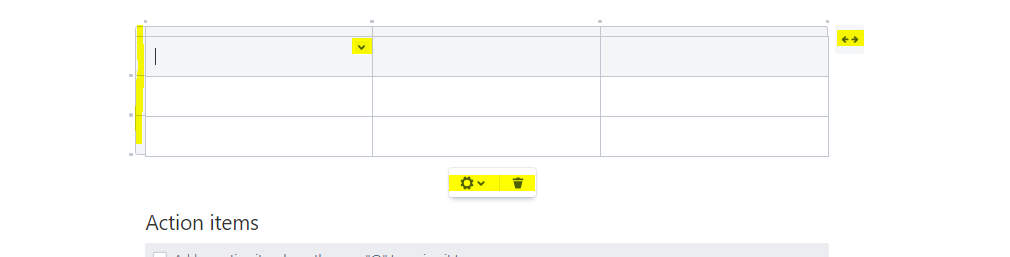
Our users love that when creating a meeting note, and selecting insert table, it generates a neat 3 row/column table, with the + signs integrated into the table to create additional rows etc. As well as a drop down in the cells themselves to edit some properties.
I can't seem to find any documentation on how to activate this (want to call it simplified) table generator in place of the regular table tool, or at least have the option to generate this table.
As a side-note, I have tried copying this table from a meeting note to a regular blank page and it does not copy over.
Any help much appreciated!