Trying to follow the writeup below without success:
https://confluence.atlassian.com/jira064/creating-a-sub-task-720416196.html#CreatingaSub-Task-Creatingasub-task
It states
- Navigate to the issue you would like to be the parent issue of the sub-task you are about to create.
- Select More > Create Sub-Task. You will see the Create Subtask screen
Unfortunately that option does not exist in the menu for the issue (Story) I am trying to add a sub-task to. I have seemingly defined issue types and also have a defined sub task. I also made sure that sub-tasks are enabled in the admin control panel.
I am using the Cloud version of Jira. Is this feature not available during the free demo/trial period? Not sure what else to try...
UPDATE
------------
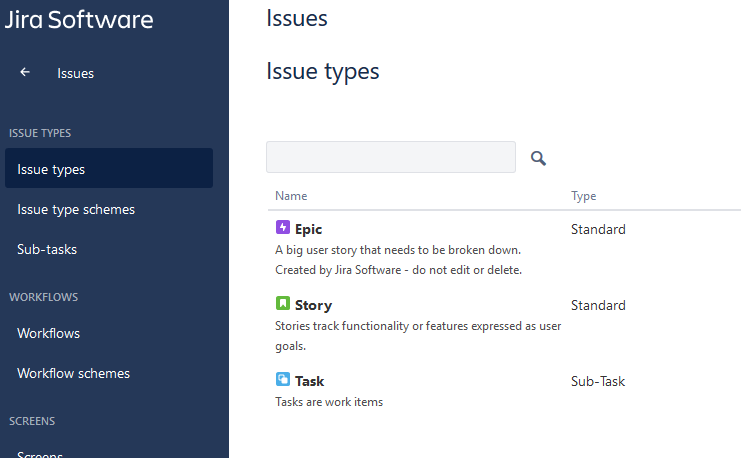
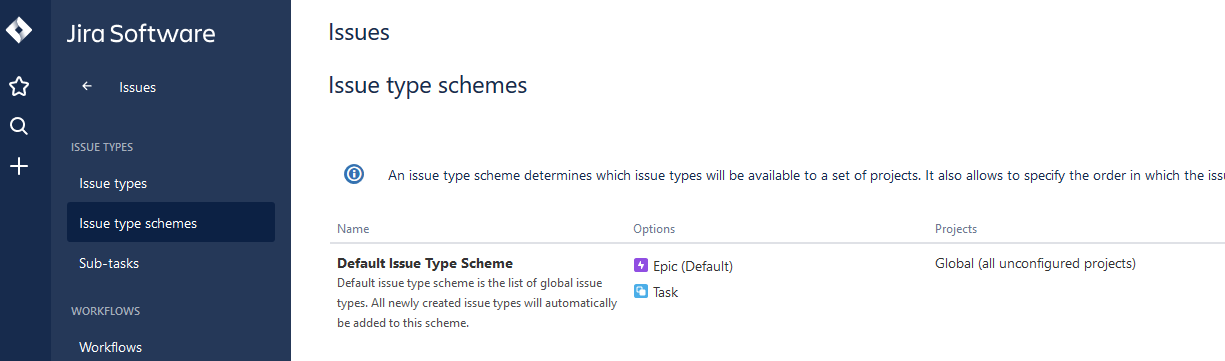
I have defined some issue types, and also the sub-task (just called Task), and it does appear in the schemes. Attached are pics showing what I have configured.
Although my "Story" issue does not show up in the Schemes, I don't quite understand the Schemes screen, I can't add or remove and issues from the list if I try to edit, it only allows me to drag them for ordering.