I updated Jira Software today. From version 7.4.3 to 7.11.0.
The requirements were fulfilled: Windows Server 2008 SP1, 64bit system, 4 GB RAM and 2x 2.20 GHz CPUs. Java version 8.0 and later.
I stopped the JIRA process and then started the installation. Everything went smoothly.
But when I wanted to restart JIRA I just got the following error.
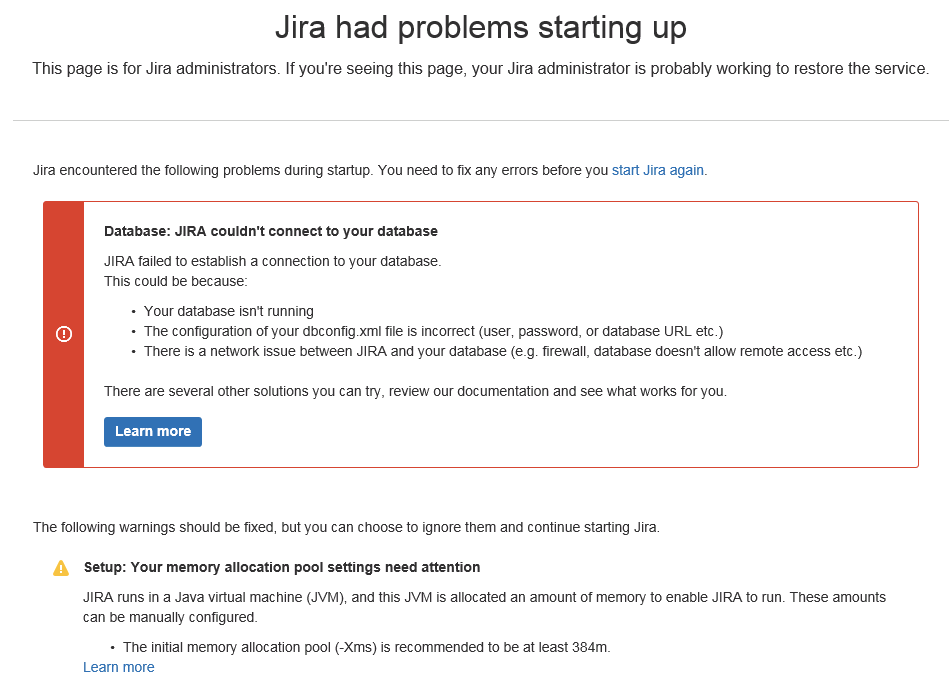
So I followed the instructions and suggestions and checked the database.
This has also been restarted, reset the password and is fully functional.
With other programs, I can connect to the database, so I rule out this problem before.
Then I checked the configuration.
I edited the config.xml via config.bat.
Both the user, password and the database URL correspond to the original information. For safety's sake, I even consulted the old settings. They are identical except for a different spelling.
This is the old spelling:
<url>jdbc:jtds:sqlserver://SERVERNAME:1433;instance=INSTANCE/jira</url>
<driver-class>net.sourceforge.jtds.jdbc.Driver</driver-class>
And that's the new spelling:
<url>jdbc:sqlserver://;serverName=SERVERNAME;portNumber=1433</url>
<driver-class>com.microsoft.sqlserver.jdbc.SQLServerDriver</driver-class>
But I always get the following error when trying to connect:
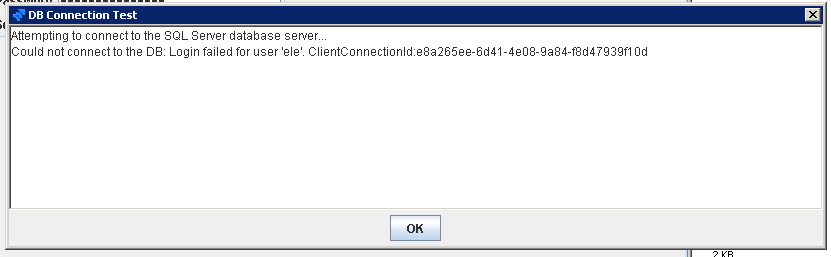
It can't be a network error either, because I run JIRA as a local server.
The user has access rights and the port is free.
And it should be a JIRA database since it's the same one used in version 7.4.3.
Do I have to change anything in the SQL database, which was not explicitly stated in the instructions?
Has anyone had a similar problem and how to solve this?


