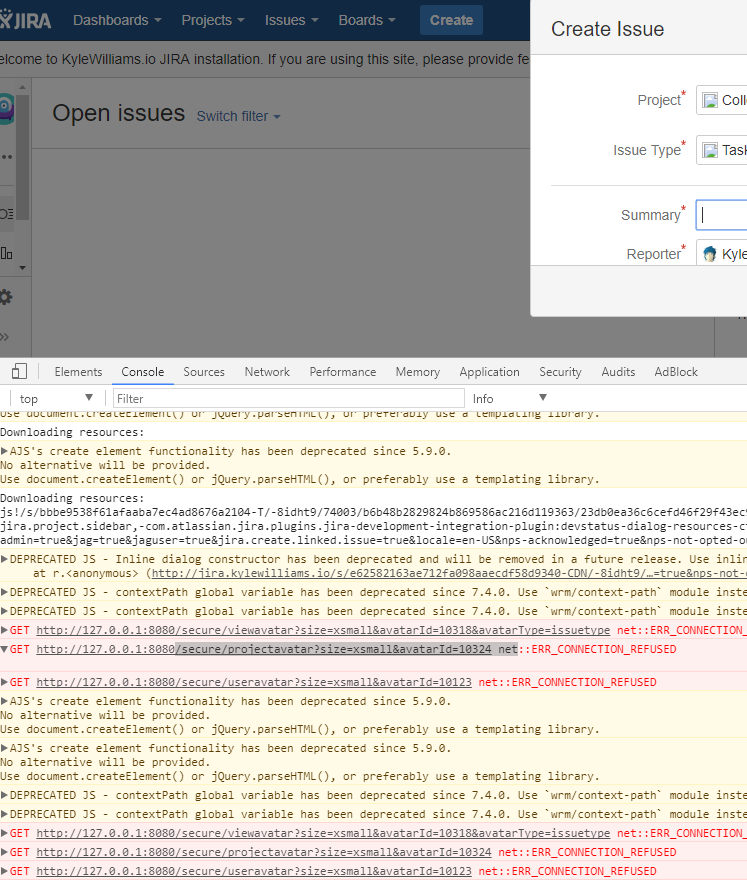
So bear with me, this is my first time installing Jira, so perhaps I screwed up somewhere. But it seems I am having some issues with JIRA trying to grab resources on the browser from 127.0.0.1 which is not where my installation lives.
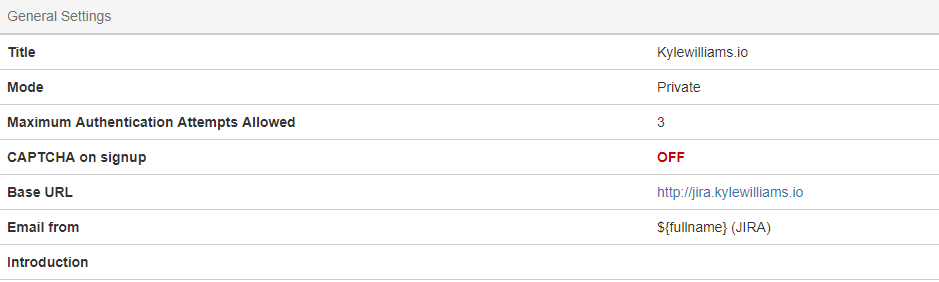
The base URL of my jira is set to jira.kylewilliams.io and for the most part Jira is working great. However, I've noticed two things broken, and both relate to it trying to grab resources from 127.0.0.1:8080. Maybe there is a config I missed but I looked around and couldn't find anything.
The first is issue icons. It tries to grab them from 127.0.0.1 instead of my base url.
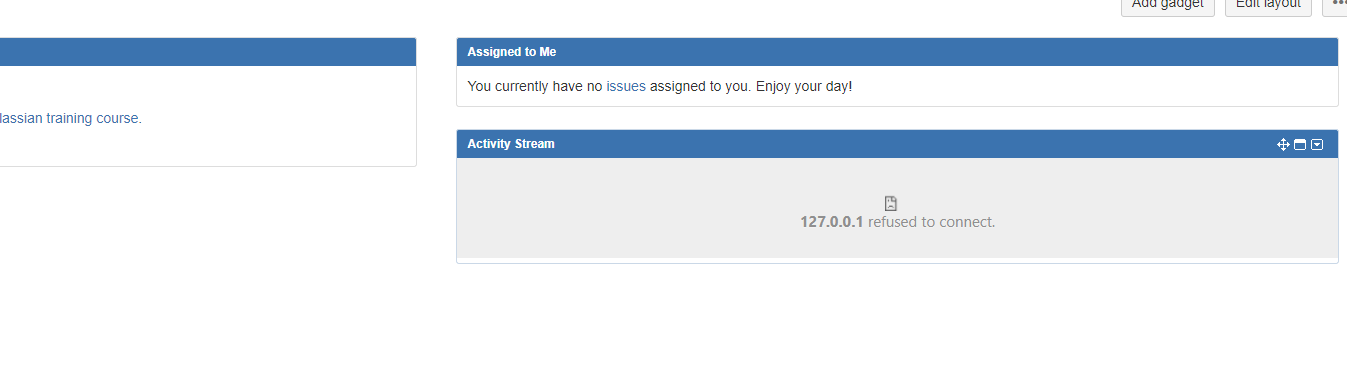
The second is my activity stream widget on my dashboard seems to be trying to connect to 127.0.0.1 as well.
I'm running the Linux version of JIRA on Ubuntu 15, the errors you are seeing are from Windows 10 Google Chrome.