It's Monday morning. Someone on the support team tries to create a work item and Jira says a user "does not exist". Nobody touched the space. What changed? On Friday, the account of someone who left a month ago was deleted.
Deleting leavers on a schedule is a good habit. The delete is rarely the problem. The problem is everything in Jira that still points at that person.
The 7 surprises
1. Boards go blank
Their shared filters keep working, but a board built on one of their private filters stops. Their dashboards go to the trash (an admin can restore them for 60 days).
Before the delete: Settings > System > Shared items, search by owner, and use Change Owner.
2. Automation rules stop running
Rules that run as them fail. And here's the catch: Transfer user can't find people once they're deactivated (AUTO-1878).
Before you deactivate: Settings > System > Global automation > Transfer user.
3. Nobody can create work items in their space
If they were the space lead and the lead is the default assignee, new work items can't be created.
Before the delete: Space settings > Details, and pick a new Space owner.
4. Create screens throw an error
A user field with them as the default value makes creating work items fail with "One or more of the selected users do not exist or are not valid for this user picker".
Before the delete: Settings > Work items > Fields, open the field, then its contexts and default value.
5. Their filter subscriptions go quiet
They stop running, and no admin can see or move them.
Before the delete: ask someone who stays to set them up again.
6. Open work items belong to "Former user"
Before the delete: find them with assignee in inactiveUsers() and reassign the open ones.
7. Their name disappears
After the delete they're "Former user" everywhere, even in the audit log.
Before the delete: write down their name and account ID.
The safe order: hand over, deactivate, delete
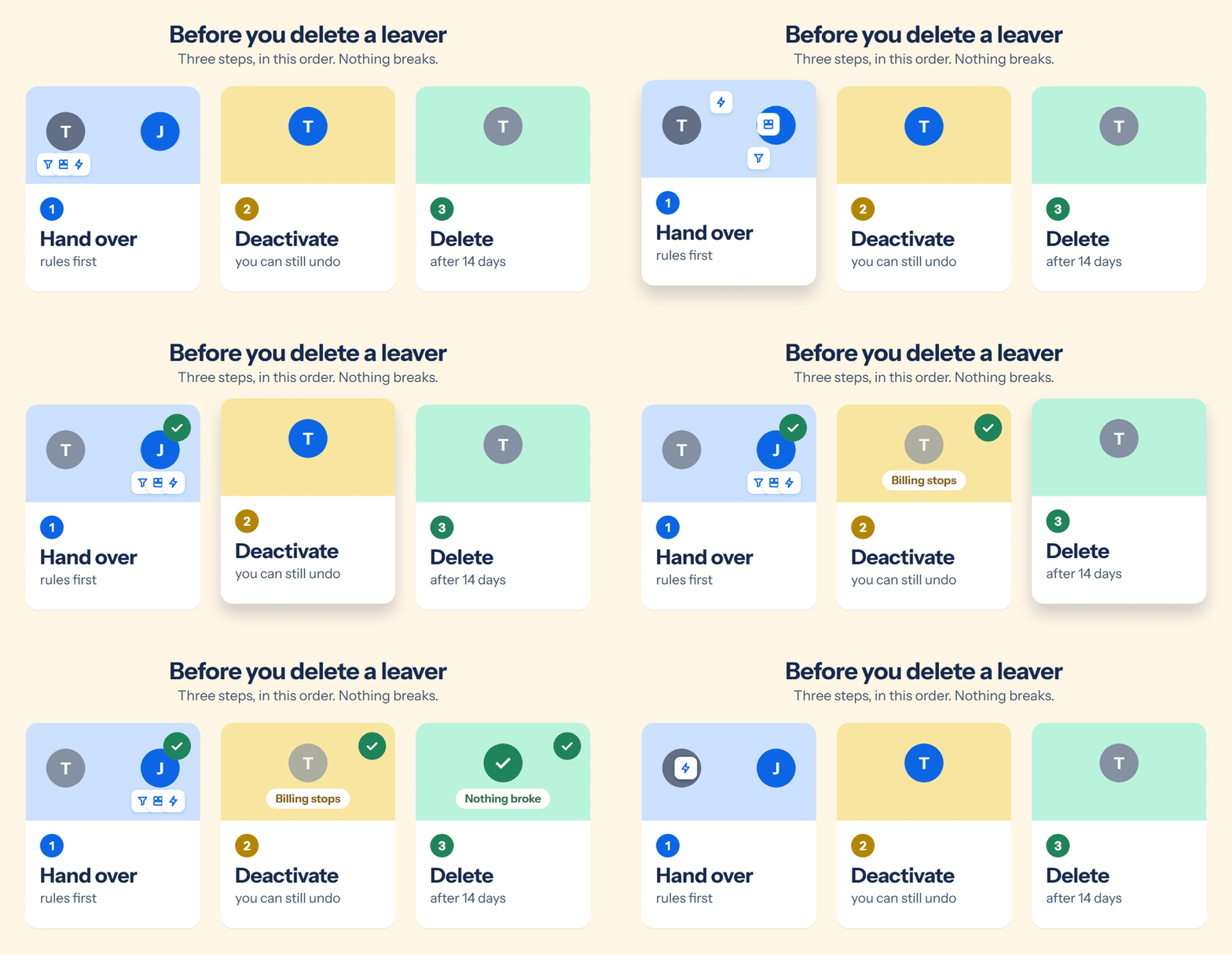
- Hand over what they own. Automation rules first, while they're still active.
- Deactivate. Billing stops, and you can still undo it if you missed something.
- Delete. Atlassian keeps the account deactivated for 14 more days before the delete completes.
Finding it all without an app
- Filters and dashboards: Settings > System > Shared items, search by owner (do it before you deactivate, or use their account ID).
- Open work items:
assignee = <accountId> AND resolution = EMPTY
- Spaces they lead: Settings > Spaces > Manage spaces, Lead column.
- Permission schemes that name them: Settings > Work items > Permission schemes, look for "Single user".
- Approvals waiting on them (Jira Service Management):
approval = pendingBy("<accountId>")
It works. It just takes a while per person, and it's easy to miss one.
Two things stay manual whatever you use: Atlassian doesn't let apps change automation rules or filter subscriptions.
Where Seatwise fits
I built Seatwise for this hand-over (disclosure: I'm the developer). For each person who left, it shows everything that still points at them and hands it to a new owner in one go: filters (private ones too), dashboards, spaces and components they lead, user field defaults, and their open work items, without an email for each one.
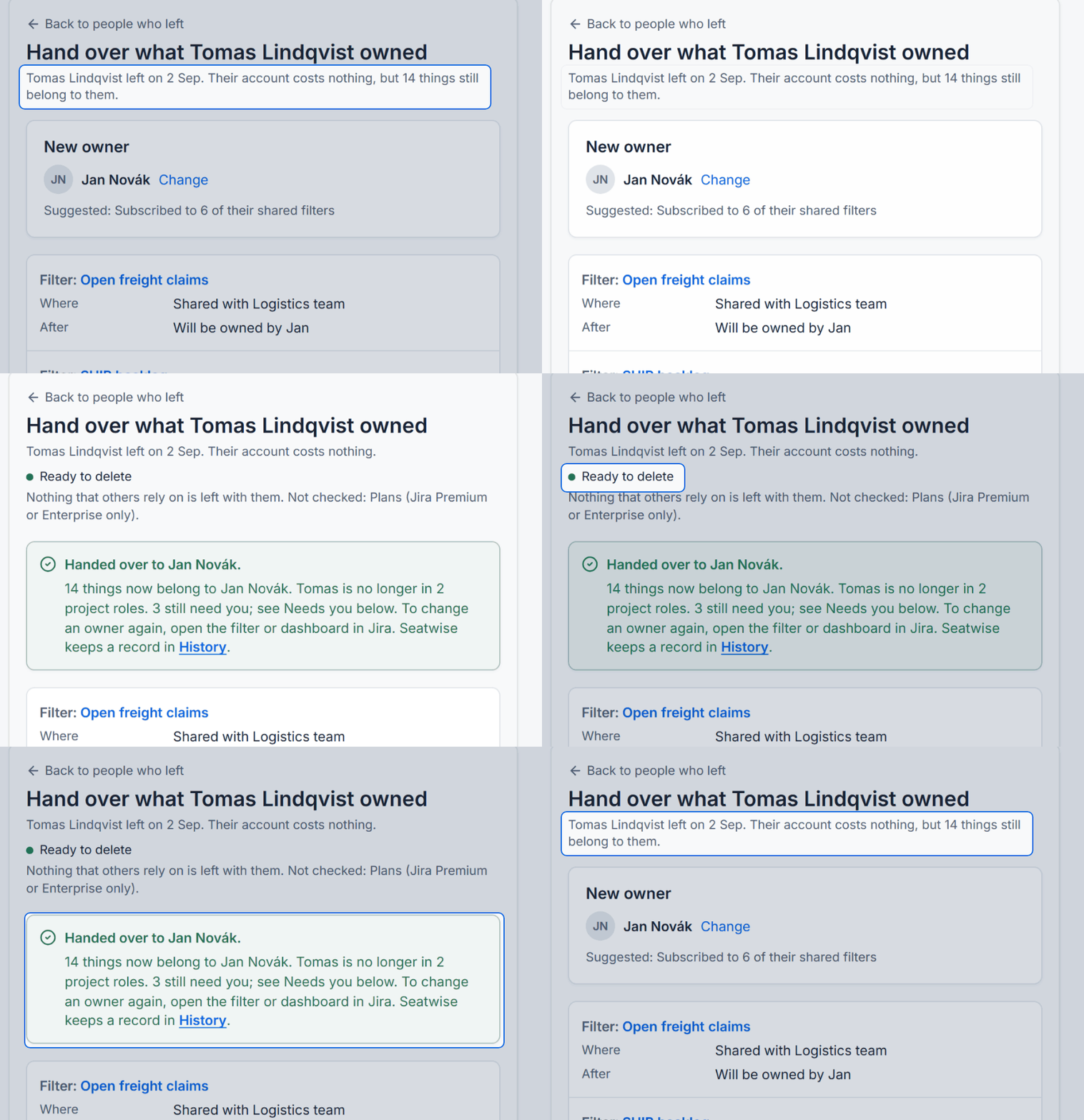
14 things still belong to a leaver. One click later: ready to delete. Sample data.
What it can't change, it lists with the step to take in Jira, like permission schemes that name the person or approvals waiting on them. When nothing others rely on is left, it says "Ready to delete", and you can download a record with their account ID first.
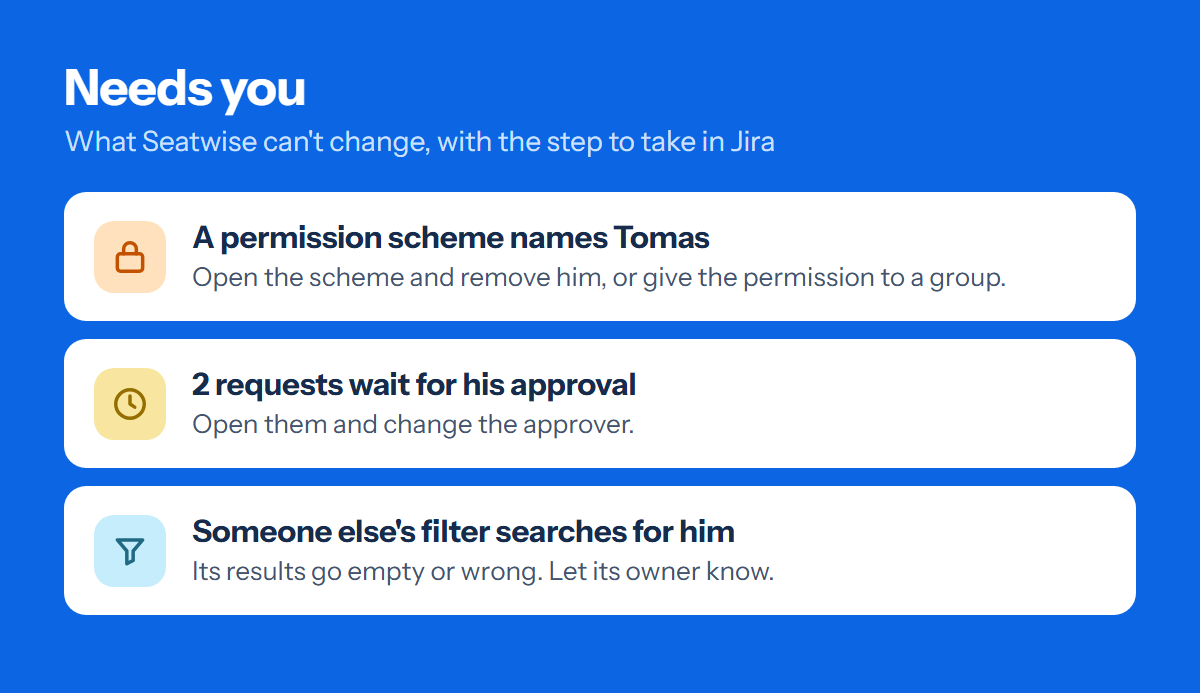
What an app can't change, with the step to take. Simplified view, sample data.
Copy this checklist
☐ Automation rules transferred (before deactivating)
☐ Filters and dashboards have a new owner
☐ Spaces and components have a new lead
☐ User field defaults no longer point at them
☐ Open work items reassigned
☐ Filter subscriptions recreated by someone who stays
☐ Name and account ID written down
☐ Deactivated, then deleted
Sources
