Written by Clearlane, the publisher of Clearlane CRA.
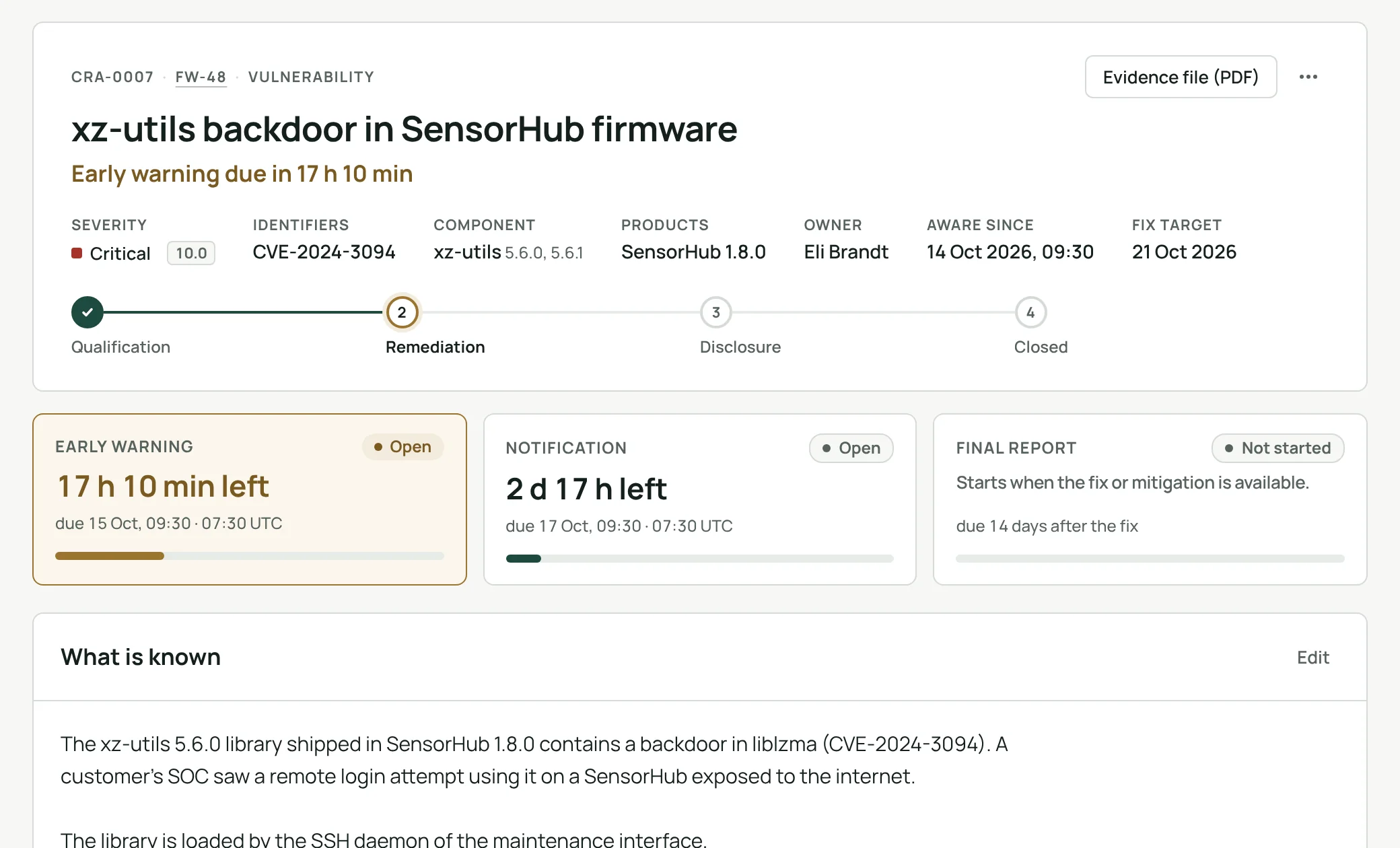
Since 11 September 2026, manufacturers of products with digital elements sold in the EU must report actively exploited vulnerabilities and severe incidents under Article 14 of the Cyber Resilience Act (Regulation (EU) 2024/2847). The reports go to the national CSIRT and ENISA through ENISA's Single Reporting Platform. This also covers products already on the market.
Most software teams already track vulnerabilities in Jira. The question is whether that tracking shows the CRA reporting deadlines were kept.
The three clocks
All three start when you become aware of the event:
- Early warning: within 24 hours.
- Notification: within 72 hours, with what you know, the severity and the first measures.
- Final report: for a vulnerability, at the latest 14 days after a fix or mitigation is available. For a severe incident, one month after the notification.
You must also inform the users of the product and publish a security advisory once a fix exists.
What Jira already covers, and what it does not
Scanners create Jira work items with the package, the CVE and a severity. That is detection. It does not tell you whether the case is reportable, when the 24-hour clock started, which of your products and versions ship the component, or what you sent to ENISA and when.
A few habits close most of the gap, with or without an app:
- Write down the moment of awareness. Without it, nobody can show a deadline was met.
- Hold a software bill of materials (SBOM) per released version. Then "which products contain this library?" has a quick answer.
- Write reports from the record, not from memory, and keep the reference ENISA gives you.
- Keep evidence in one place. Technical documentation, reports included, must be kept for at least ten years.
How Clearlane CRA does it
- Open the CRA panel on a scanner's work item. Package, CVSS and fixed version are read for you. A signed, dated qualification records whether the vulnerability is actively exploited, or the incident severe, and when you became aware. The app then counts down each report.
- ENISA's platform has no API. For each report, the app prepares every field with the platform's own label and length limit and marks what is required. You copy the fields one by one or all at once. Clearlane CRA never submits anything on your behalf.
- Import a CycloneDX or SPDX JSON file per version. Search a component name, version range or package URL across every SBOM, and open one case for all the versions found.
- Record the fix, inform users with a notice prefilled from the case, and publish an advisory with a CSAF 2.0 file built from the record.
- Keep a list of products with their CRA class and support periods (five years by default, with a recorded reason when shorter). The register shows what is reportable, late or due within 24 hours. A signed PDF evidence file stays on the work item even without the app.
It is designed to help manufacturers meet the reporting and vulnerability handling requirements of Article 14 and Annex I Part II. Your own assessment still applies.
Take a recent scanner finding, qualify it, and check the deadlines and fields the app prepares.
Part of Clearlane for Quality.
Clearlane CRA on the Atlassian Marketplace:
https://marketplace.atlassian.com/apps/1921641504
