Written by Clearlane, the publisher of Clearlane Tests.
A release review often comes down to one question: which requirements have been tested, and did those tests pass on this version? If your stories live in Jira and your tests live in a spreadsheet, the answer takes a day to build and is out of date by the evening. Good test management in Jira really comes down to traceability: each requirement linked to its test cases and their latest runs.
For teams that write software for regulated products, there is a second question. Can you show who ran each test, on which version of the test case, and who signed off the campaign?
What good test records look like
Whatever tool you use, these habits pay off:
- Link every test case to the requirements it covers. Coverage is then a fact you can read, not a guess.
- Record results step by step. "Failed" on a whole test says little. The failing step, with a comment and a screenshot, says what to fix.
- Keep the version that was run. Test cases change. A result should point to the exact steps that were executed at the time.
- Turn failures into bugs at once, with the steps to reproduce, and link them to the same requirements.
- Group runs into a campaign per version or sprint, so you know who runs what and when it is done.
- Close the campaign with proof if your quality system asks for it: a signature and a report that cannot change later.
What you can do with Jira alone
You can create a work item type for test cases, link them to stories and track results in a field or a comment. This gives you links, but not much else. You will not get a step-by-step run, a snapshot of the case as executed, or a sealed report. Adding new work item types and screens also takes admin time.
How Clearlane Tests does it
- Test cases hold steps, test data, expected results and preconditions, in folders, with labels and a priority. Every change makes a new version. Test cases are kept by the app, so there are no work item types to create, and your requirements and bugs stay ordinary Jira work items.
- Run tests step by step and mark each step passed, failed, blocked or not applicable, with a comment and screenshots. The run keeps a snapshot of the exact test case version. A failed step becomes a Jira bug in one click, with steps to reproduce, linked to the requirements the test covers. Test execution stays simple: your QA team sees the latest test run result right next to each requirement.
- Choose which work items are your requirements, such as stories or epics. Each one shows the test cases that cover it and their latest result: not covered, not run, failed or passed. testCoverage and testCount work in JQL, filters and dashboards.
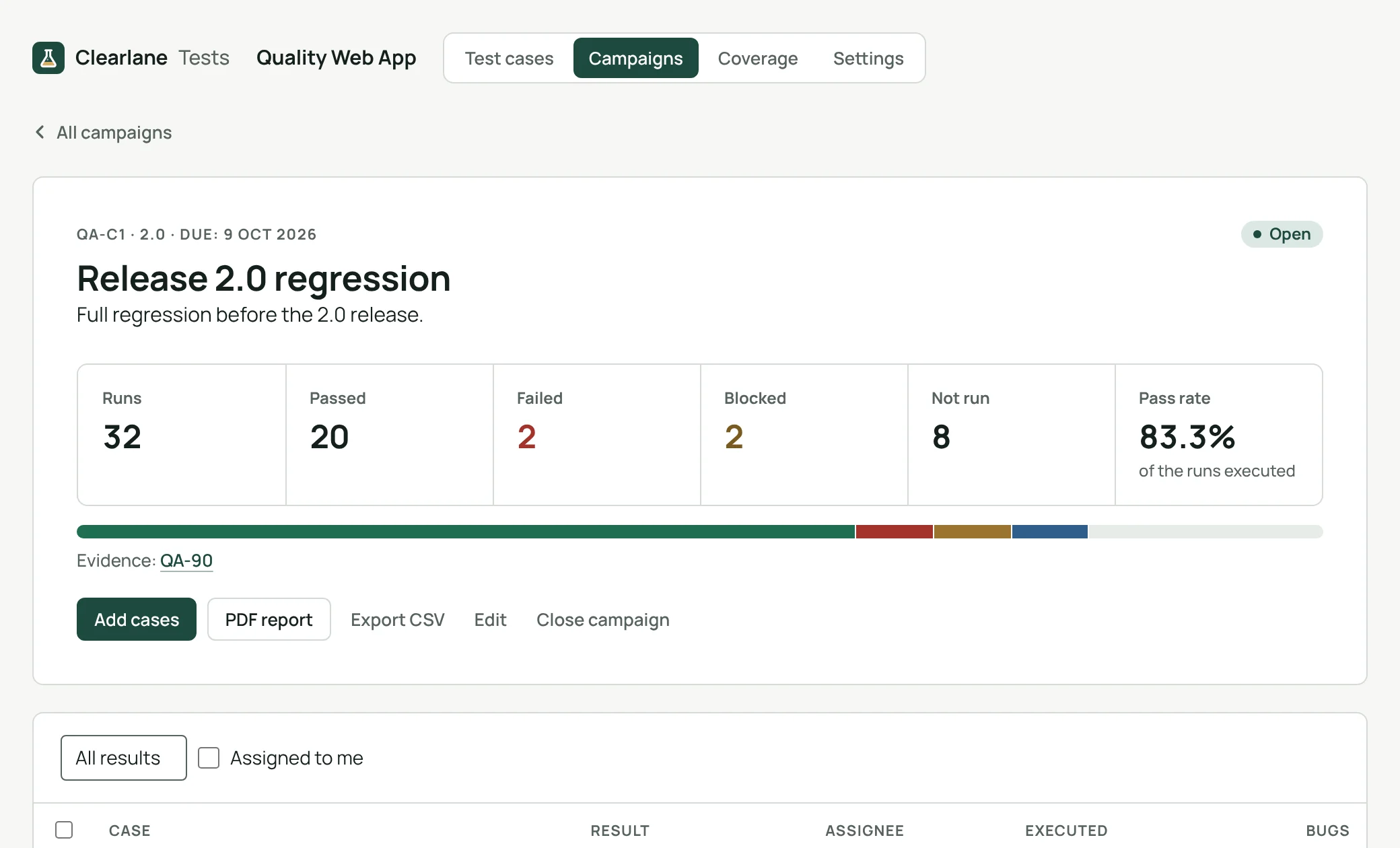
- Plan a campaign per version or sprint, assign cases and follow who runs what. Each project chooses its level of proof: no signature, one at the end of a campaign, or one for every run. Closing a campaign seals it with a SHA-256 fingerprint, and the PDF report holds the summary, coverage, results, signatures and history.
- Import test cases from CSV exports of other test management tools, with multi-line steps and requirements linked by key. Export cases and results to CSV at any time.
It is designed to help teams keep verification records, for example under IEC 62304, ISO 13485 §7.3.6 or FDA 21 CFR Part 11. Validating it for your own intended use remains your responsibility.
Import the test cases of one feature, run a small campaign, and read the coverage it shows.
Part of Clearlane for Quality.
Clearlane Tests on the Atlassian Marketplace:
https://marketplace.atlassian.com/apps/1664225636
