Written by Clearlane, the publisher of Clearlane Fresh.
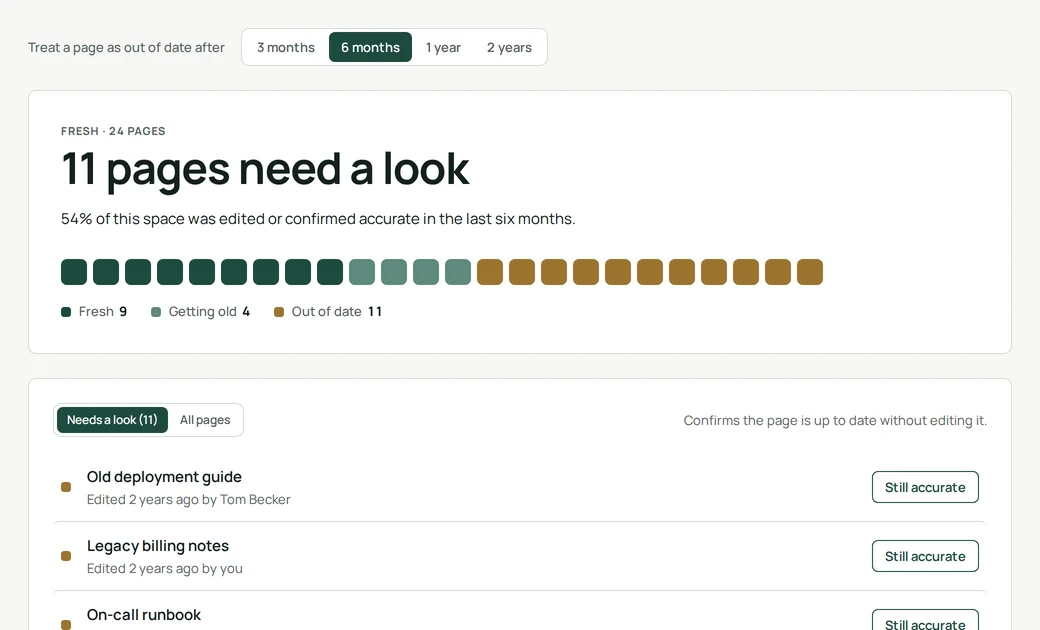
Every Confluence space ends up with pages that look official but are no longer right. A setup guide for a tool that changed last spring. An onboarding page that names a team that no longer exists. The problem is not that pages age. It is that readers cannot tell which ones still hold, so they stop trusting all of them. A quick content audit of your stale pages gives that trust back.
Decide what "out of date" means
Pages do not age at the same speed. Instructions for software that ships updates every few weeks can be wrong within a quarter, while an HR policy can stay valid for years. Pick one review window per space, such as three months, six months, one year or two years, and tell everyone. One shared rule beats a debate about each page.
Find the pages past their window
Confluence shows when each page was last edited. That is a good start, but it misses one case: a page that is old and still correct. Editing it just to update the date adds noise to the history and notifies watchers for nothing. What you really want to record is "someone checked this, and it still holds", without touching the content.
A routine that takes minutes
You can run this with or without an app:
- Once a month, list the pages past the window, oldest first.
- For each one, the owner confirms it is still accurate, updates it, or archives it.
- Archive first the pages nobody can vouch for.
- Begin with the most visited pages: a wrong page that many people read causes the most damage.
- Prefer archiving to deleting, so the old content can still be found if needed.
How Clearlane Fresh does it
- Open a space and choose Clearlane Fresh among the space's apps. Every page is shown by how fresh it is, with the out-of-date pages listed first.
- A page is fresh when someone edited it or confirmed it recently. Pages in the second half of the window are marked as getting old. Pages beyond it are out of date.
- A "Still accurate" button records that someone checked the page. It creates no new version, does not notify followers and leaves the content and history untouched. A confirmed page turns fresh at once.
- Only people allowed to edit a page can confirm it, and everyone sees who confirmed it and when.
- Space admins set the window, from three months to two years, and it is shared by everyone in the space.
Fresh reads page titles and edit dates with the permissions of the person looking. It keeps only the confirmations and the space's window, in Atlassian's storage for your site. It works in English, French and German. Bonus: good documentation hygiene makes Rovo and search smarter too, since they answer from your pages.
Open your busiest space, sort out the first ten out-of-date pages, and see how much of it you still trust.
Part of Clearlane for Quality. Clearlane Fresh on the Atlassian Marketplace:
https://marketplace.atlassian.com/apps/3829462350
