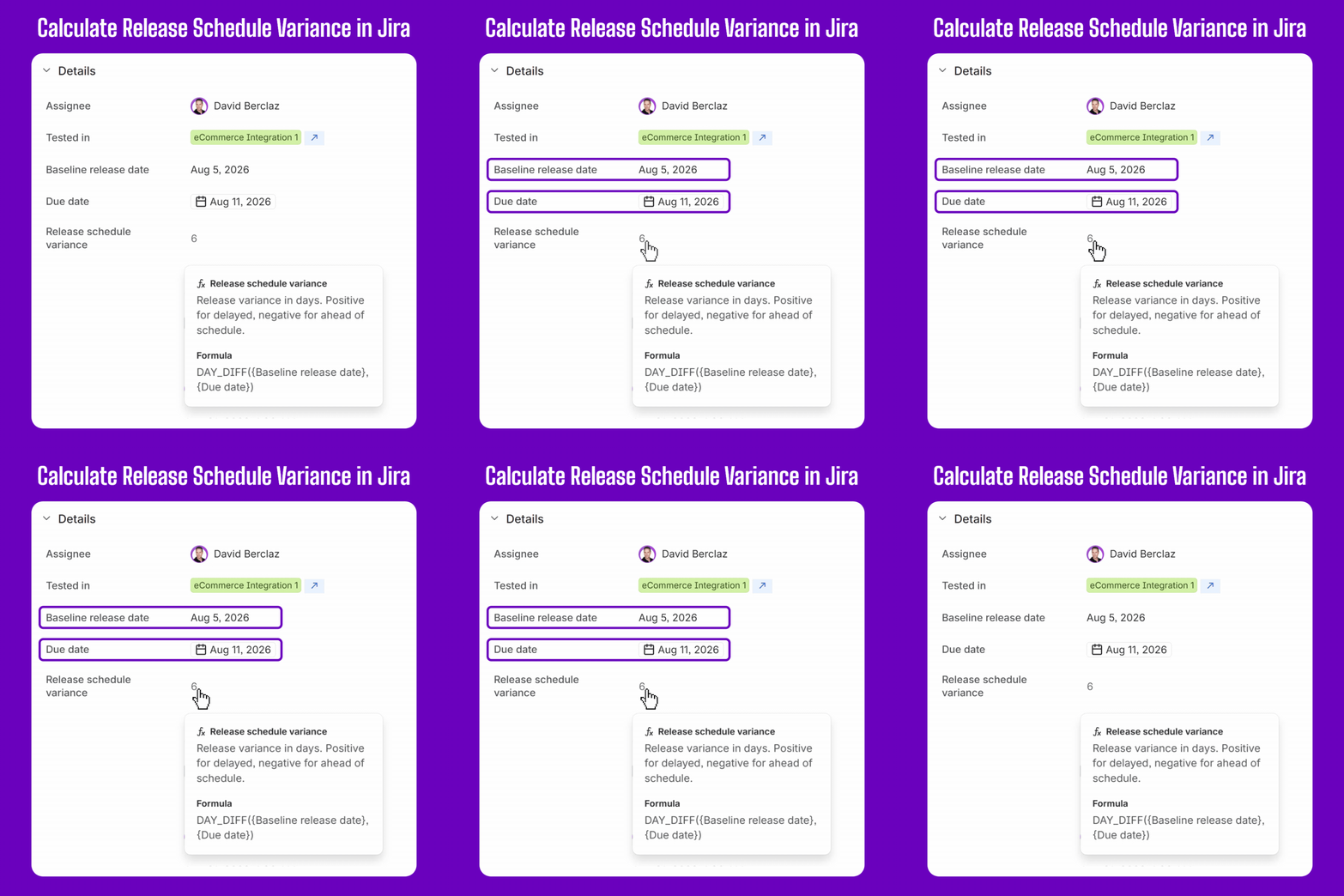
Release schedule variance shows how far the current forecast release date has moved from the original committed date.
With Jira Formula Fields, this KPI can now be calculated automatically inside Jira and used in views, filters, dashboards, JQL, and automation rules.
This tutorial shows how to configure it using one custom date field, Jira’s standard Due date, and a simple formula.
What you will calculate
The calculation compares:
- Baseline release date: the originally committed release date
- Due date: the latest forecast release date
- Release schedule variance: the difference between those dates
The result is interpreted as follows:
| Result |
Meaning |
|---|
0 |
On schedule |
| Positive number |
Delayed |
| Negative number |
Ahead of schedule |
For example, if the baseline release date is August 5 and the Due date is August 11, the schedule variance is 6.
Before you start
This setup assumes that each release is represented by a Jira work item.
You will need:
- A custom Date field named Baseline release date
- Jira’s standard Due date field
- Permission to create custom fields
In this example, Due date represents the latest forecast release date.
When Due date already has another meaning in your Jira configuration, create a dedicated Forecast release date field instead.
Step 1: Create the baseline release date field
Create a custom Date field named:
Baseline release date
Use this field to store the original release date approved or committed by the team.
Once the baseline is agreed, this date should normally remain unchanged. When the release forecast moves, update the Due date instead.
This preserves both the original commitment and the current forecast.
Step 2: Create the Formula Field
Create a new Formula Field with the following configuration.
Field name
Release schedule variance
Release
Description
Release variance in days. Positive for delayed, negative for ahead of schedule.
Output type
Number
Formula
<span>DAY_DIFF({Baseline release date},{Due date})</span>
The value is recalculated automatically whenever either date changes.
<strong>DAY_DIFF</strong> returns the variance in calendar days, including weekends.
Step 3: Use the result in Jira
Once created, the field can be displayed alongside the other information used to manage the release.
For example, you can use it to:
- Identify releases that have moved beyond their baseline
- Sort releases by the size of the delay
- Display schedule variance in dashboards
- Trigger automation when a delay exceeds an agreed threshold
- Review schedule changes during release governance meetings
To find all delayed releases, use:
<span>"Release schedule variance" > 0</span>
To identify releases delayed by more than seven days:
<span>"Release schedule variance" > 7</span>
You can combine these conditions with your project, work type, release status, application, or other Release Management fields.
Current limitations
The calculation works within a single Jira work item. The baseline and forecast dates must therefore be stored on the same work item representing the release.
Formula Fields do not currently provide cross-work-item rollups. This means they cannot, for example, calculate overall release readiness by aggregating every work item associated with a Jira version.
You should also choose the output type carefully. In this example, the output is a Number. The output type cannot be changed after the Formula Field has been created.
About native Formula Fields
Native Formula Fields are enabled by default across all Jira Cloud editions, including Jira Free.
They support Number, Text, Date, and Duration outputs. Their results can be used in JQL, dashboards, filters, and automation rules.
Rovo can also help generate formulas from natural-language prompts and suggest corrections when the syntax is invalid.
This is simple way for Release Managers to calculate operational KPIs directly in Jira without maintaining spreadsheet formulas or automation rules solely to keep calculated values updated.
How do you measure release variance?
Do you measure release schedule variance in calendar days or working days?
And do you use Jira’s Due date as the current forecast, or do you maintain a dedicated forecast release date field?


