Jira DC + ProForma Forms + Automation
This was a work around that I came up with that is related to this question: Solved: Getting Text of ProForma Multiple Choice Values vi... and I didn't need something as robust as this response might have been for my use case - Getting Text of ProForma multiple choice Values vi....
Problem Statement:
When you put the smart value of a ProForma multi-select field into the description field via automation, you can only get the ID of the option (choice), not the label.
Solution:
Use If/Else statements to key off of the option (choice) ID.
ProForma Form
(modified to conceal confidential info)
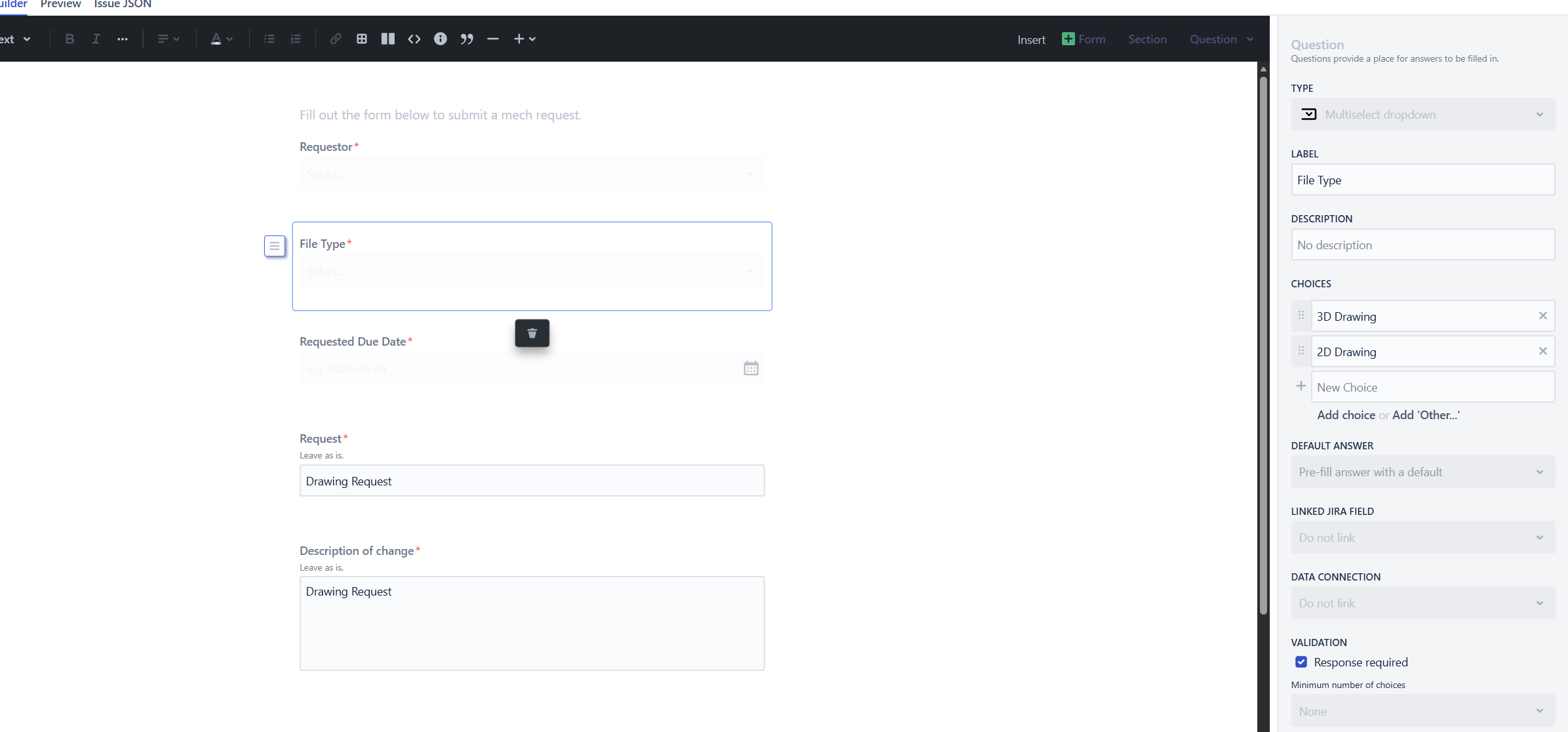
Automation
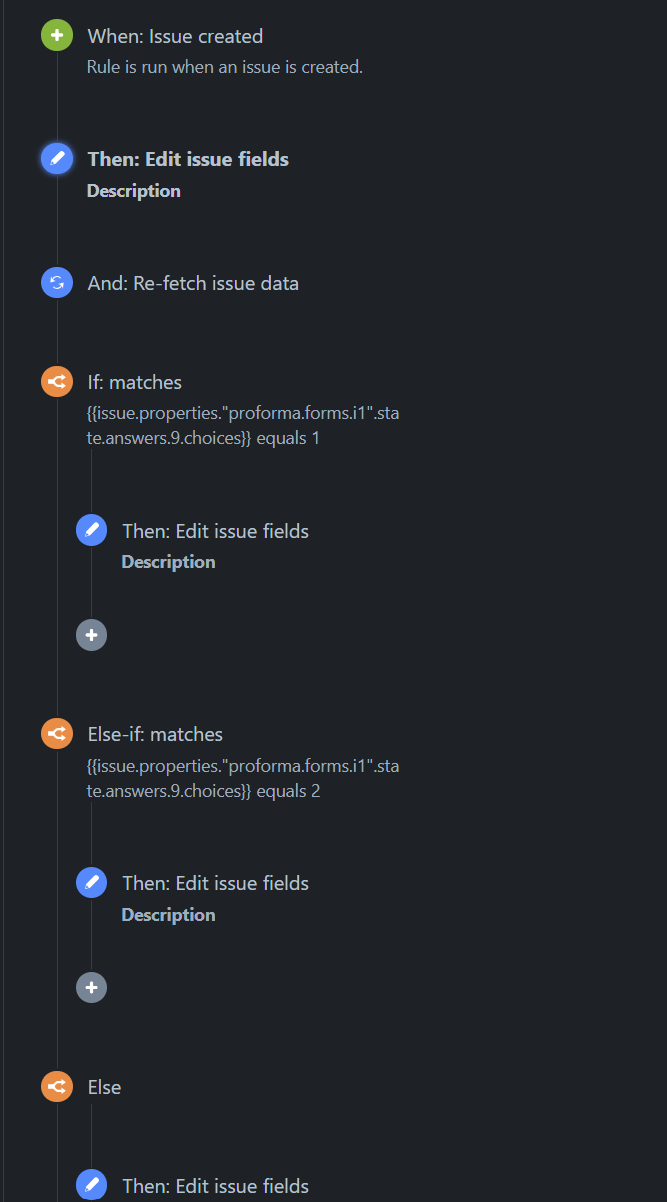
- Creating an issue
- Putting another field in the Description
- Re-Fetching data so I can use {{issue.description}} again in the edit of the description in IF/Else statements to keep the update from #3.
- If/Else statements
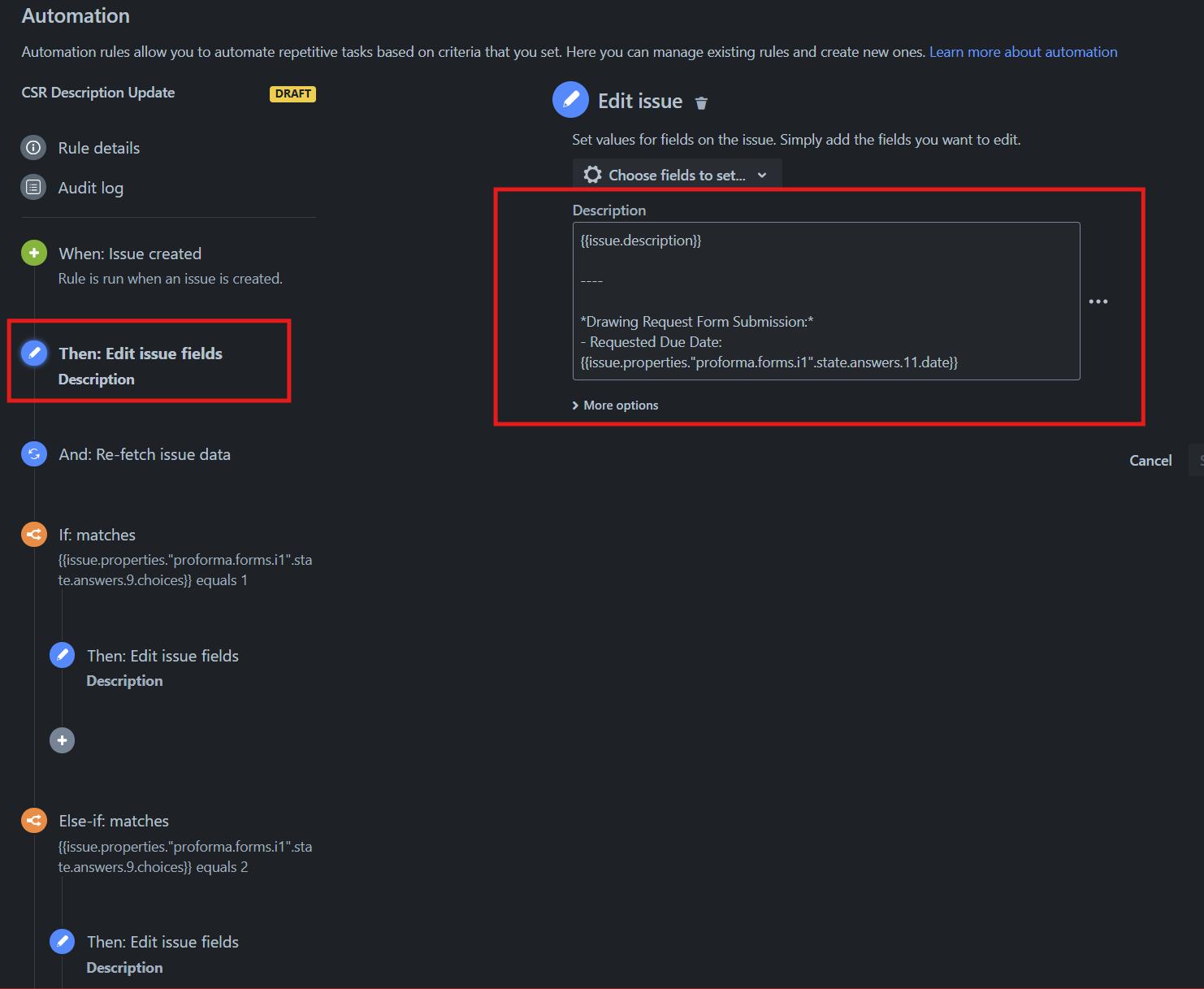
Check the JSON of the form to make sure you have the correct field ID's needed for the smart values.
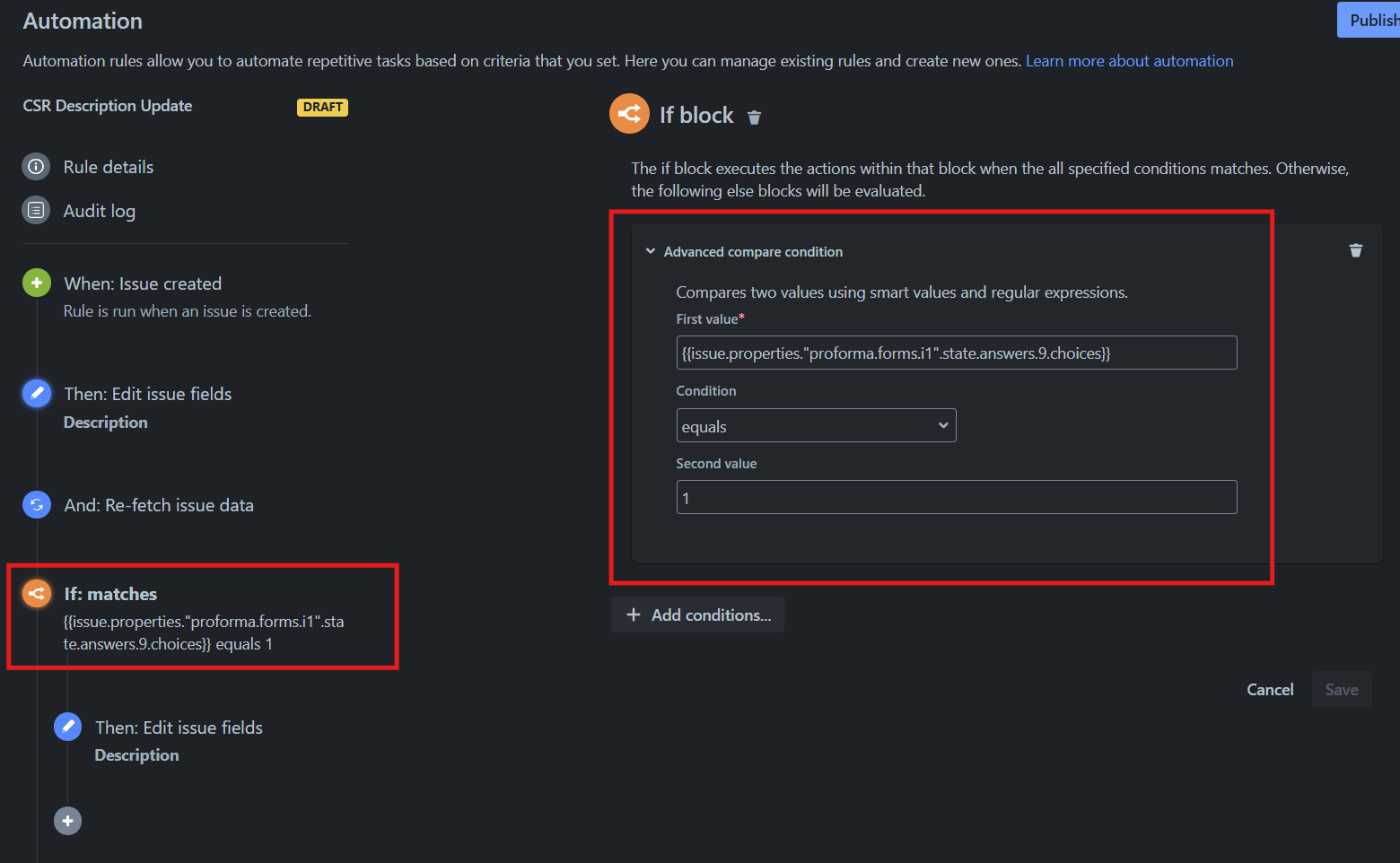
Check the JSON to verify the ID of the choice as well as the ID of the field.
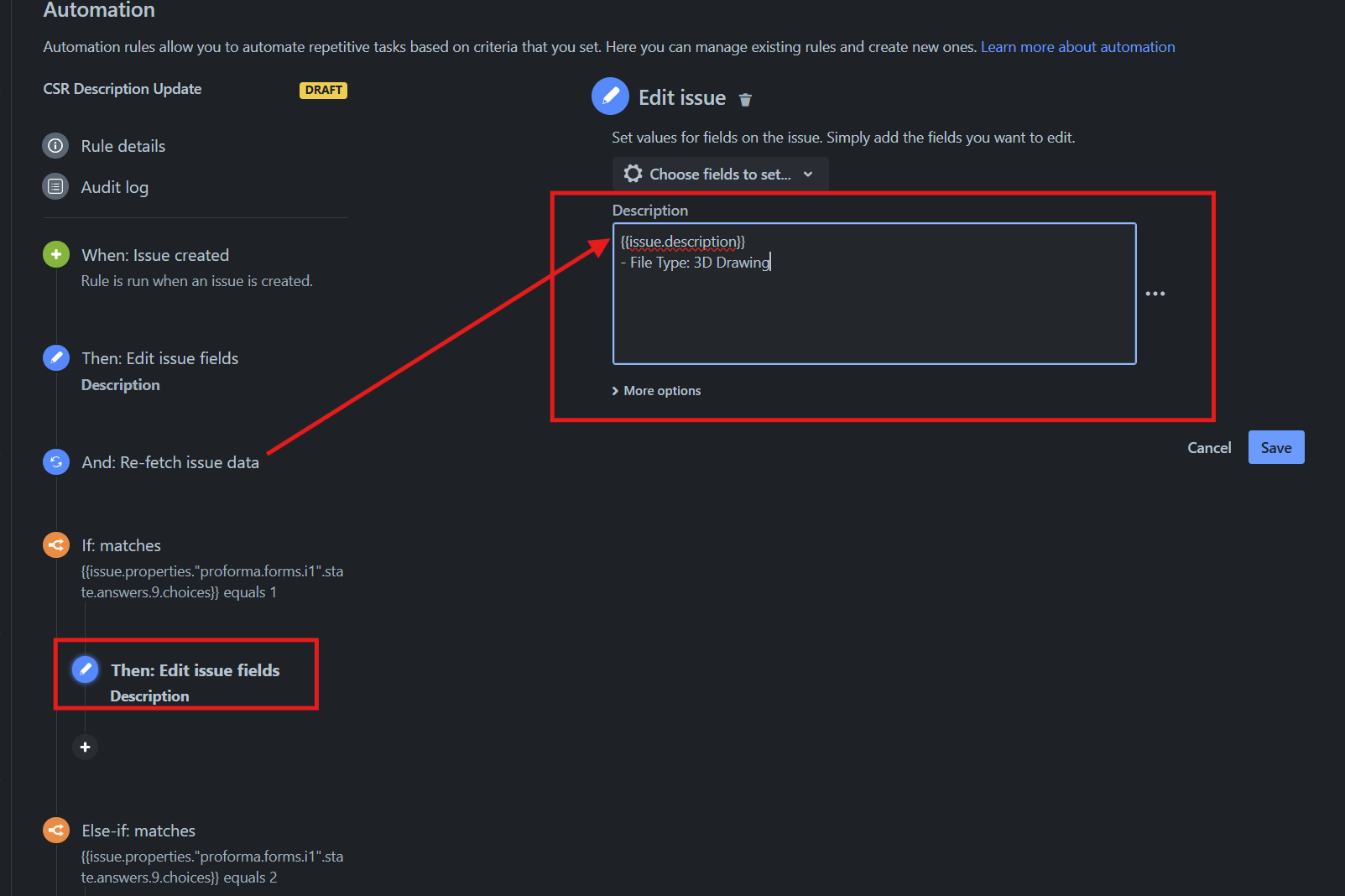
Because of the re-fetch, the addition to the description in step 2 is included in this edit.
If covers option 1, else if covers option 2, else covers both options 1 & 2.
Disclaimer 1 -
I know my use case is pretty straightforward with one multi-select field with 2 options, so complexity is lower than multiple multi-select with several options.
Disclaimer 2 -
Best option would probably be to just link to Jira custom field, but in my case, that is not an option w/o a mile of red tape.
