Hey Jira community! 👋
I'm Mehak, a Product Manager on the Jira team, and I'm excited to share an update on our revamped filtering experience
We’ve been hearing your feedback on how various types of filtering across Jira is confusing and inconsistent so we’ve revamped our current filter panel in List view and have plans to bring is across more views!
What we just shipped: a bundled release of filter improvements
We've been on a long journey to make filtering in Jira more powerful and more consistent across every view. We've just shipped four improvements to the filter panel in one bundled release, now rolling out to List view, Board (Software space), and Backlog (Software space).
Here's what's new:
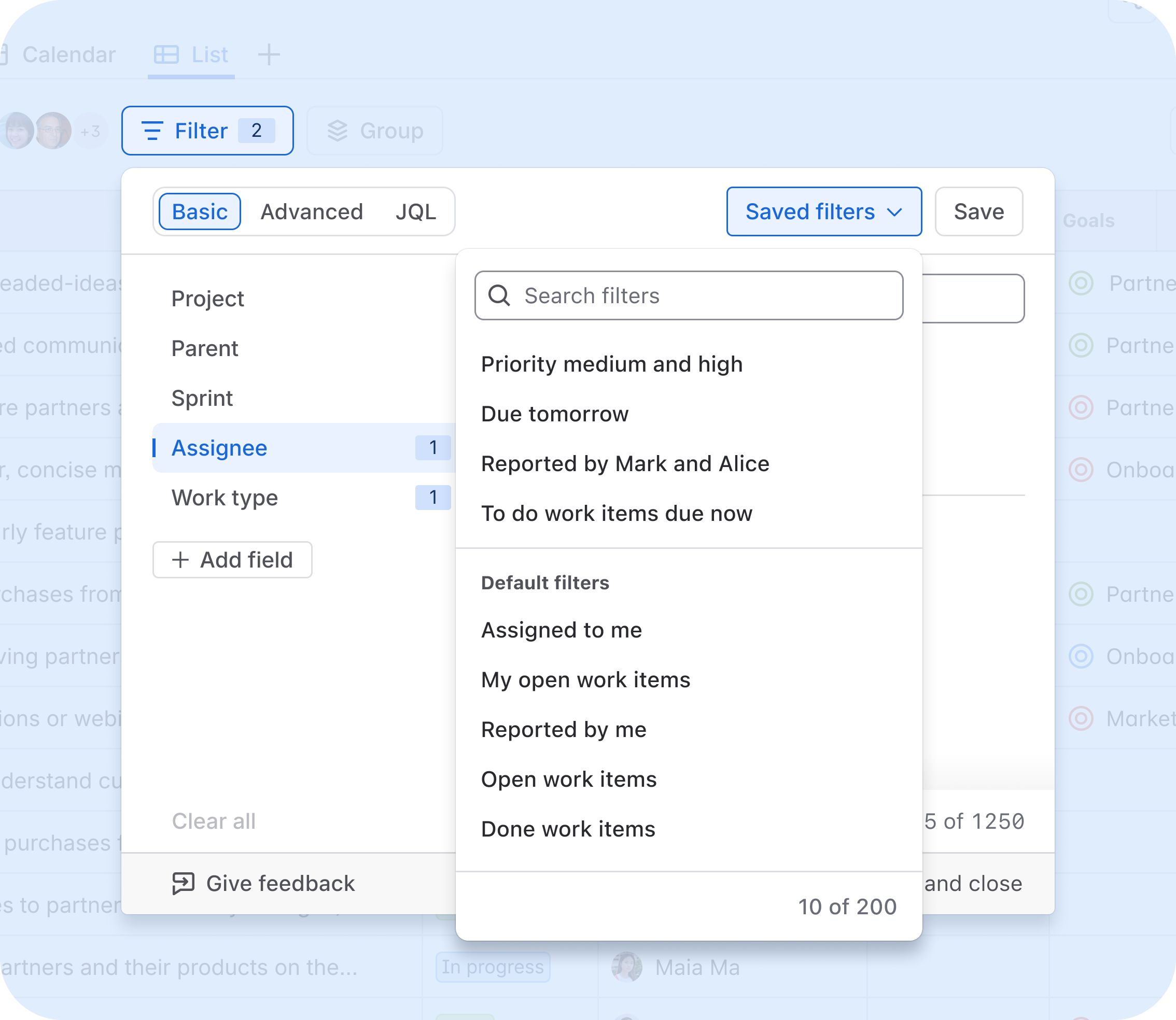
Saved filters - now inside the filter panel
Previously, saved filters lived in a disconnected dropdown that was easy to miss. We've moved them directly into the filter panel in List view, so you can create, save, find, edit, star, and delete saved filters right where you're already working. No more hunting around.
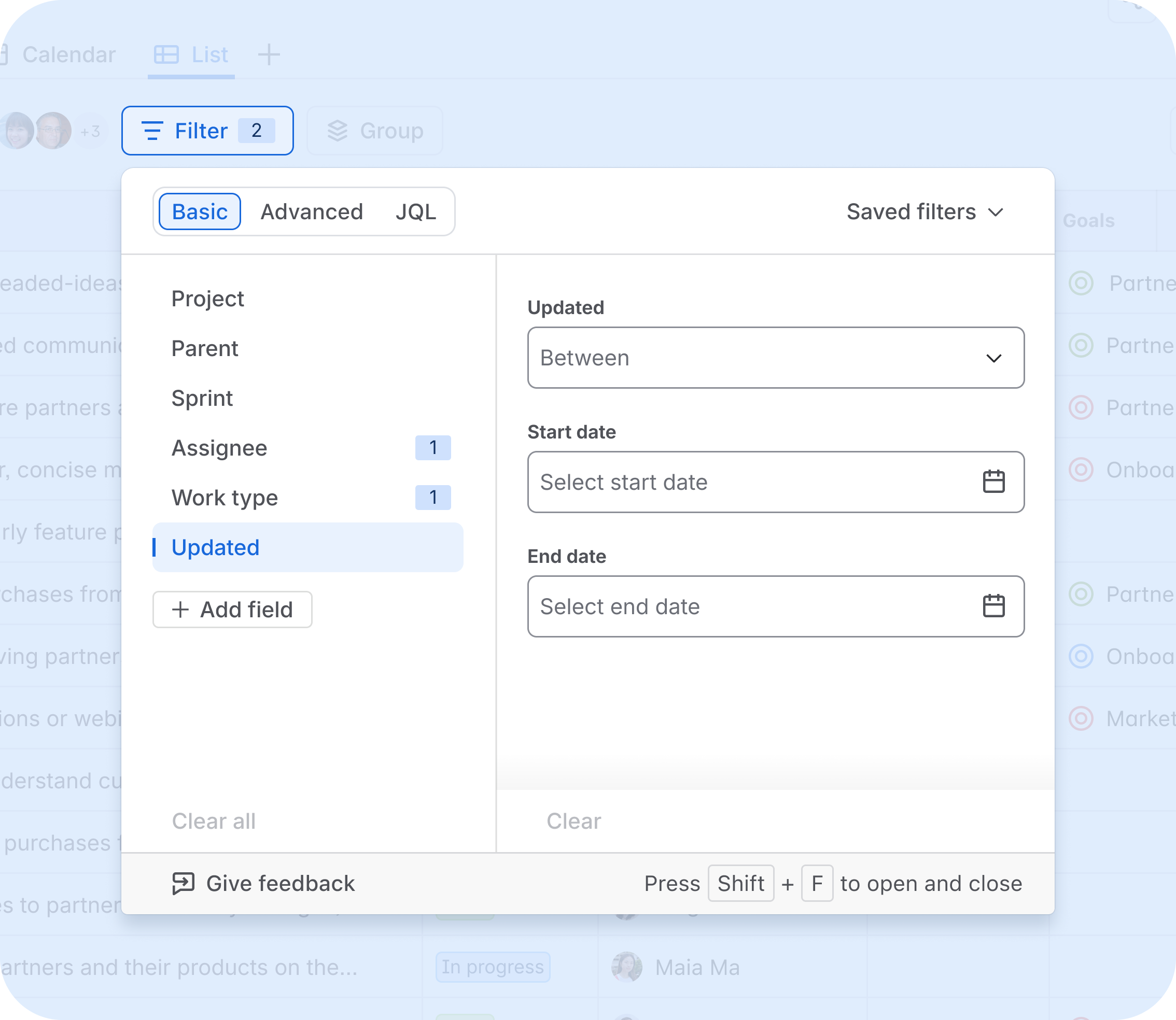
Date fields - no JQL needed
You can now filter by Created, Updated, Resolved, Start Date, and Due Date directly from the filter panel in basic mode. A simple date range picker, no query language required.
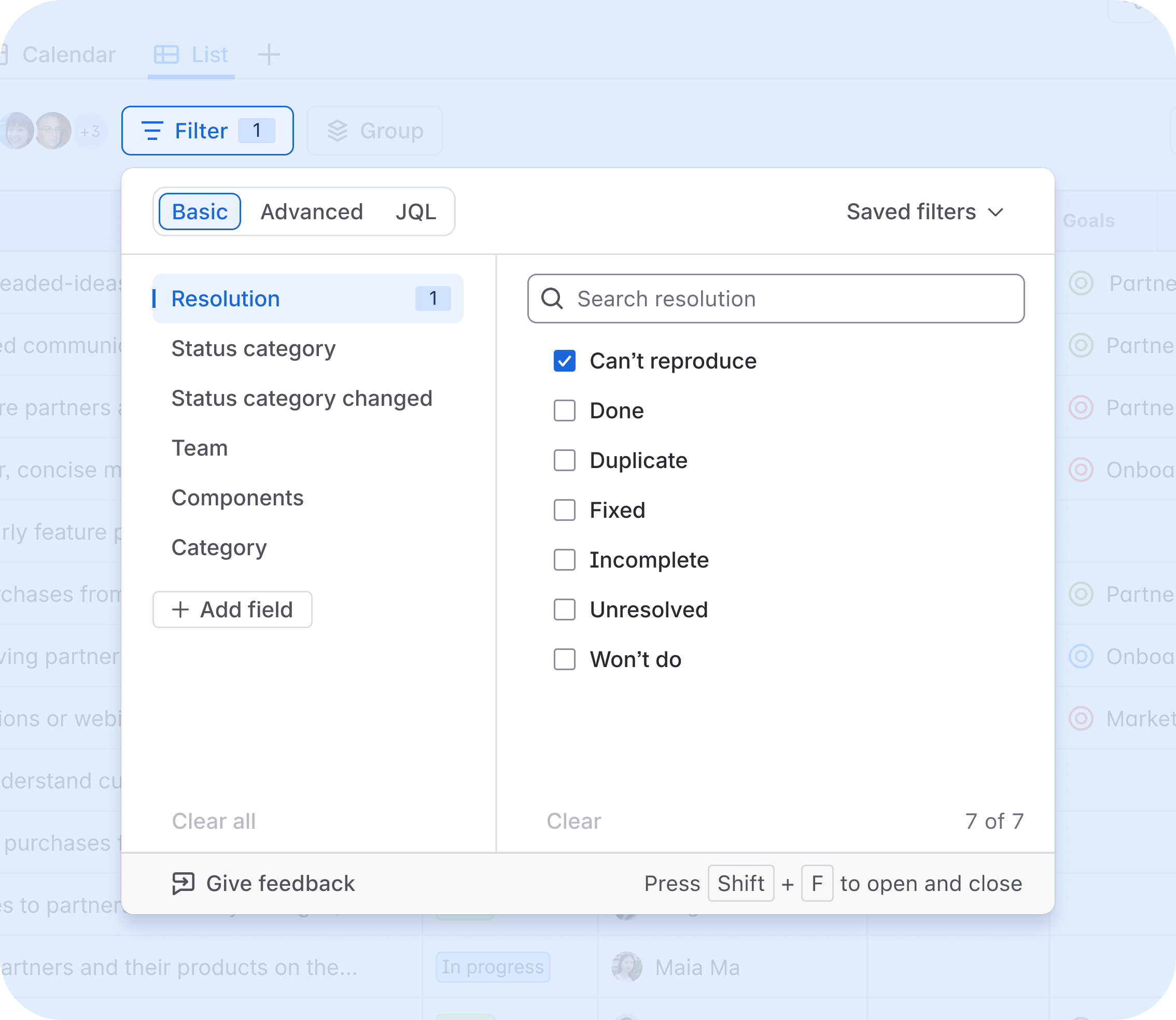
Additional fields, more flexibility
We've expanded the set of fields available in basic mode beyond the default set. You can now filter by custom fields (single/multi-select, user pickers), Team, Resolution, Components, Category, and more
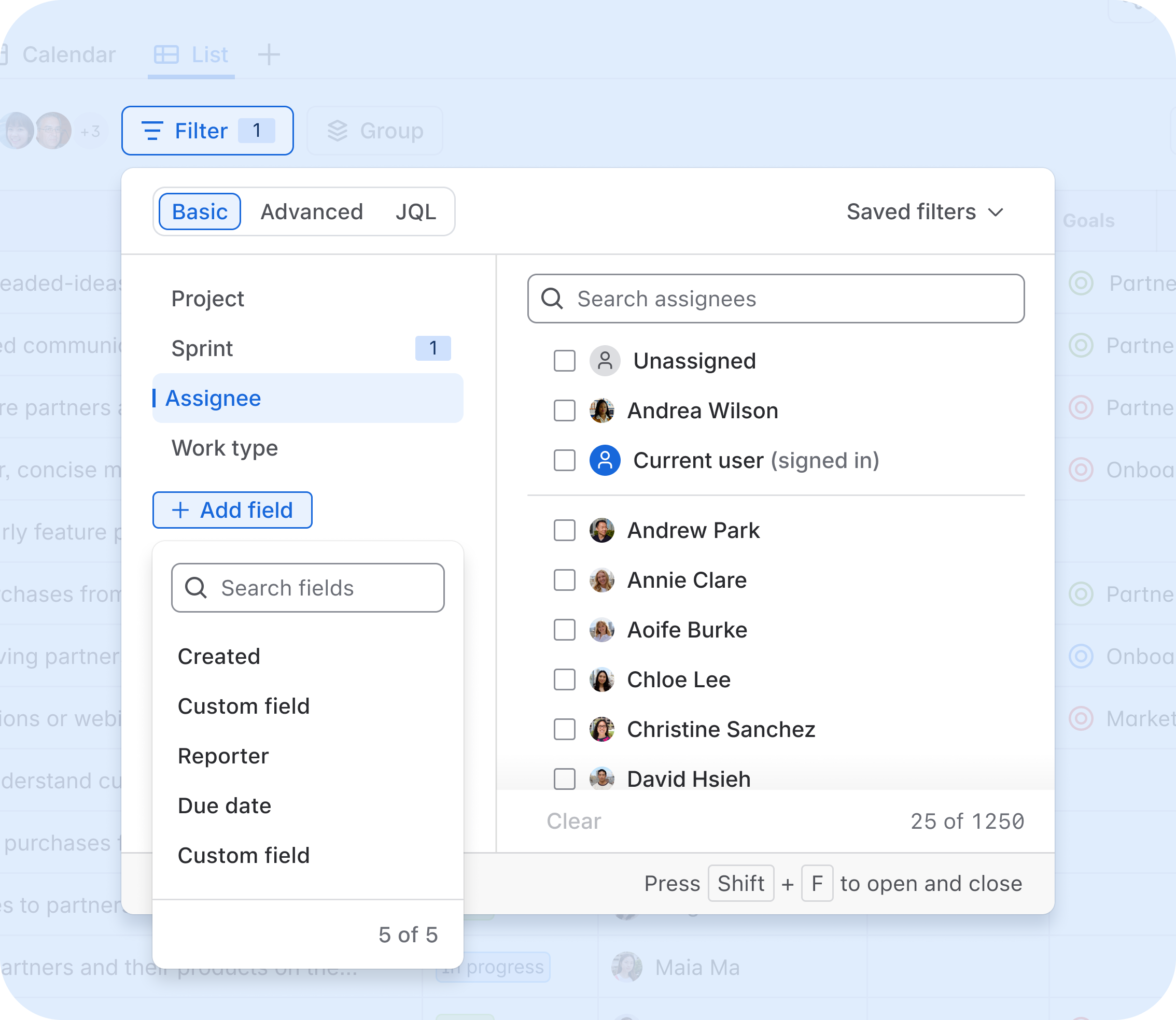
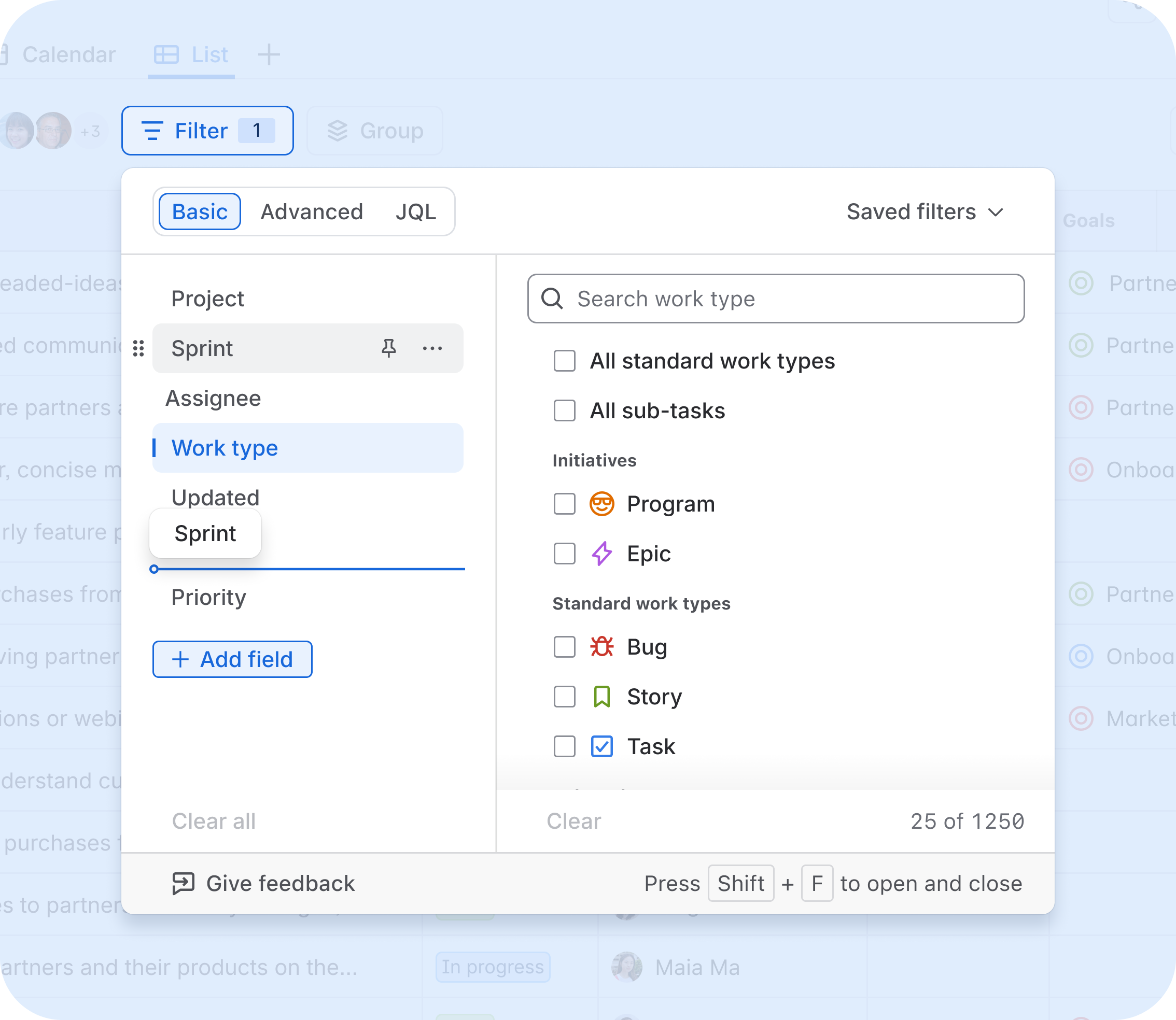
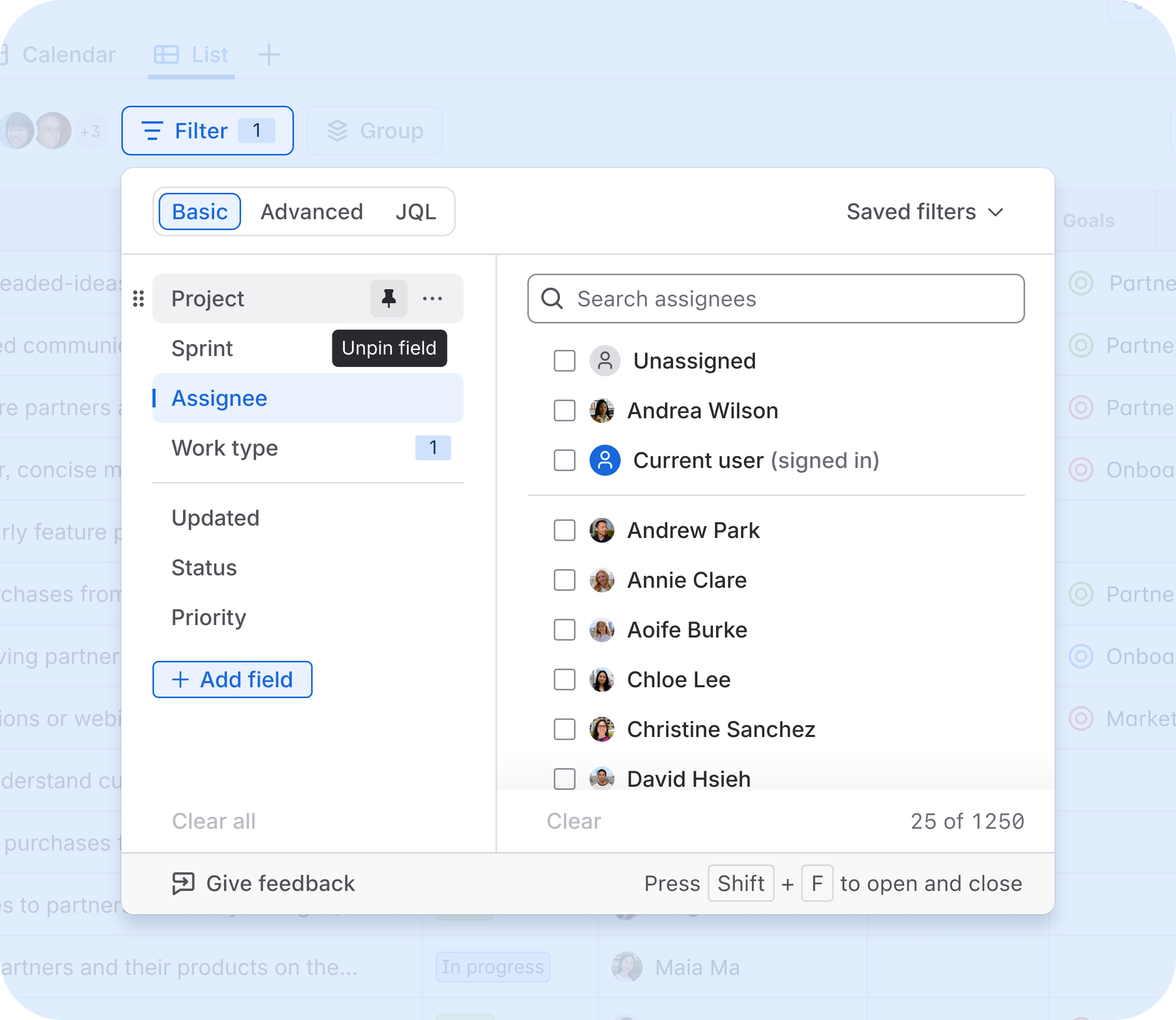
Add, remove, reorder, and pin your filters
Your filter panel is now yours to configure. Add the fields you use, remove the ones you don't, reorder them however makes sense for your workflow, and pin the most important ones so they're always at the top. Your preferences are saved per view, so everything is right where you left it next time.
What's next: bringing this cross view
To keep filtering a consistent experience we are bringing this revamped filter panel to the following view:
As each surface comes online, a Changeboarding Tour will guide you through what's new.
Looking further ahead: the future of AI Filtering
Beyond bringing this new filtering experience, we are looking into AI filtering: the ability to describe what you're looking for in words and have Jira generate the right filter for you. Some of our early thoughts are to make AI filtering easier to find, seamless to use with quick and accurate results.
We're still early in shaping this work, and your feedback will directly influence what we build. We’re running 30-minute customer interviews to better understand how you search for and filter work in Jira and what would make AI Filtering efficient and reliable.
We'd love to hear from you if:
-
You use the "Ask AI" / AI Filtering feature regularly (or tried it and stopped)
-
You rely heavily on filters and saved filters to do your work
-
You've ever wished Jira could just understand what you were looking for
To sign up, book in a time to chat here.
As always, if you have questions, feedback, or run into anything unexpected with the new filter panel, drop it in the comments.


