A Situation Many Teams Know
It’s Monday morning. Sprint planning is about to start.
The team joins the call. Everyone is ready.
You open Jira. The backlog is prepared. Priorities are clear.
Everything looks fine - until someone asks:
“Wait… is Anna available next week?”
There’s a short pause. No one is sure.
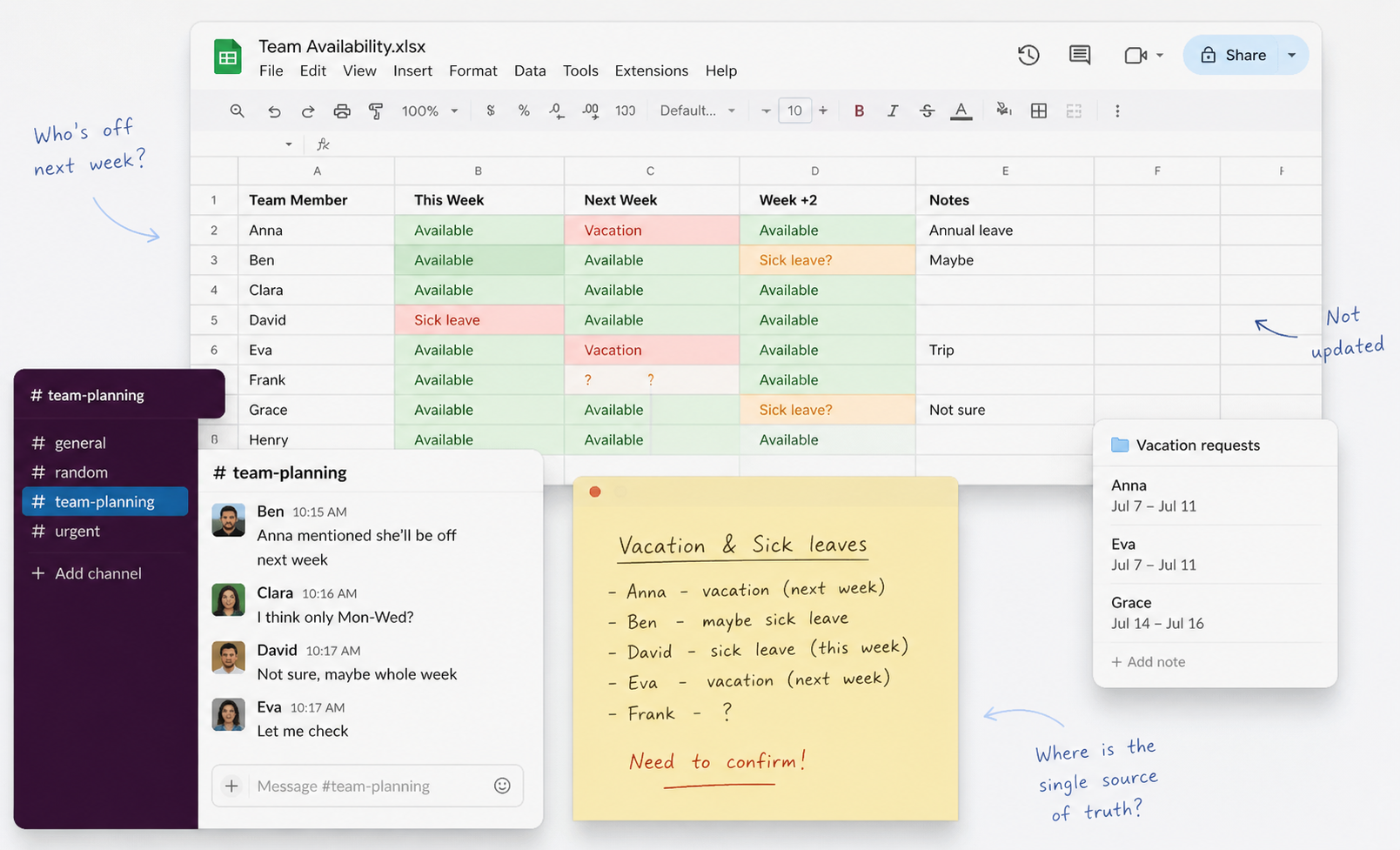
One teammate opens a spreadsheet.
Another checks Slack messages.
Someone says: “I think she mentioned a vacation…”
A few minutes later, the picture becomes clearer:
Two people are off next week
One more might take sick leave
And your sprint plan is already wrong
So you adjust:
Move tasks
Reduce scope
Reassign work
What should take 30 minutes now takes an hour. And even then, you’re not 100% sure everything is correct.
If this sounds familiar, you’re not alone.
Many Jira teams still track vacations and sick leaves using:
Excel or Google Sheets
Chat messages
Personal notes
It works… until it doesn’t.
As teams grow, this leads to:
Why Jira Alone Is Not Enough
Jira is great for managing work. But it wasn’t built for tracking time off.
So teams try to adapt it.
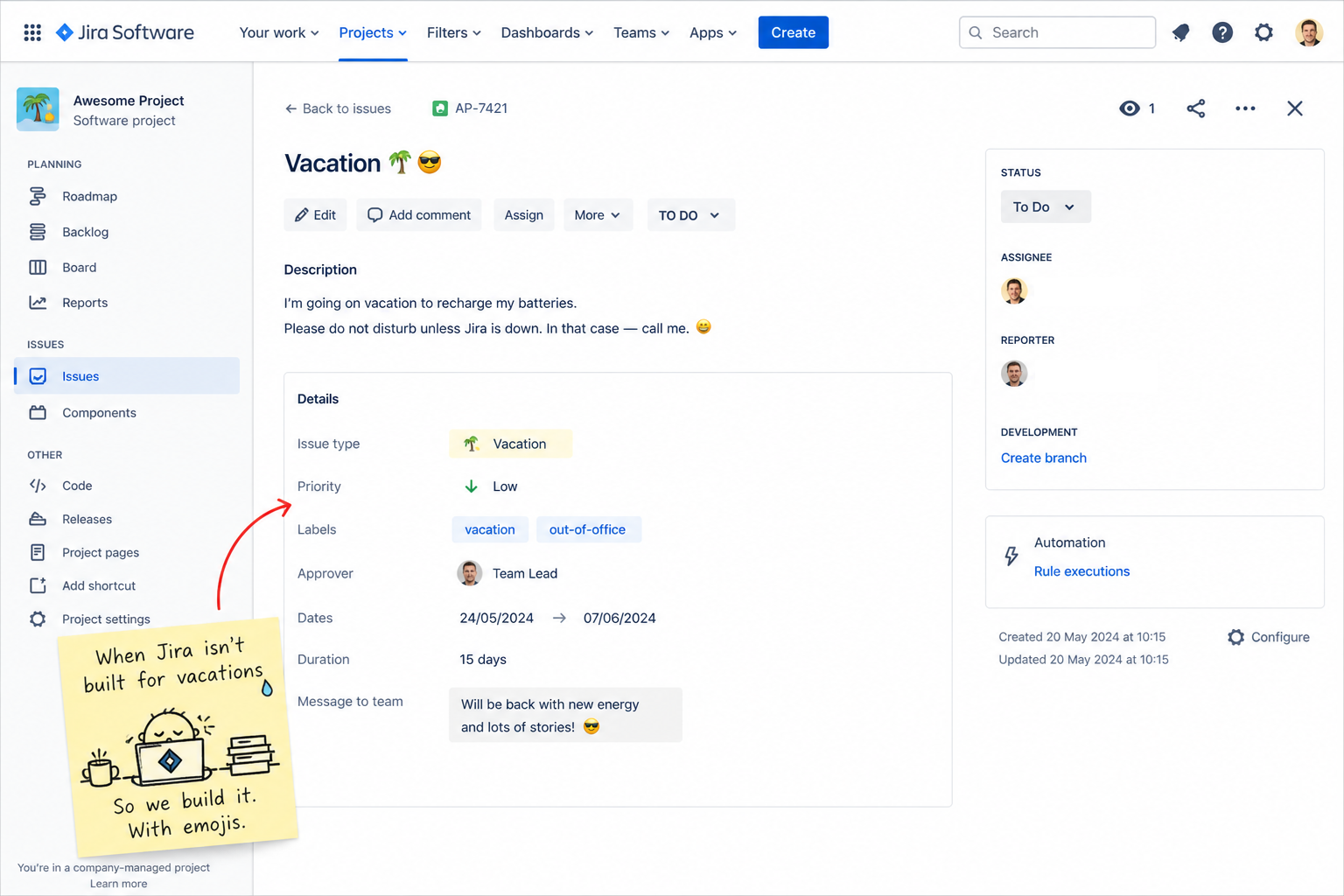
Some create custom issue types like “Vacation” or “Sick Leave”.
Others build workflows or separate projects.
It works - but only to a point:
At the same time, many teams rely on spreadsheets.
But over time:
Data becomes outdated
Multiple versions appear
Trust in the data drops
Some companies use HR tools, but then:
A Better Way: Manage Time Off Directly in Jira
Now imagine a different approach.
With Teamployees, time off becomes part of your Jira workflow - not something separate.
Employees create leave requests directly in Jira
Requests are regular Jira issues with full details
You can require manager approval
Everything stays transparent and traceable inside Jira.
It also supports real-world flexibility:
Full-day, half-day, and hourly leaves
Leave schemes with rules, carryover, and accrual settings
Holiday schemes for different countries and teams
For managers, it means better visibility:
What You Can Do with Teamployees
Let’s go step by step and see how this works in everyday situations.
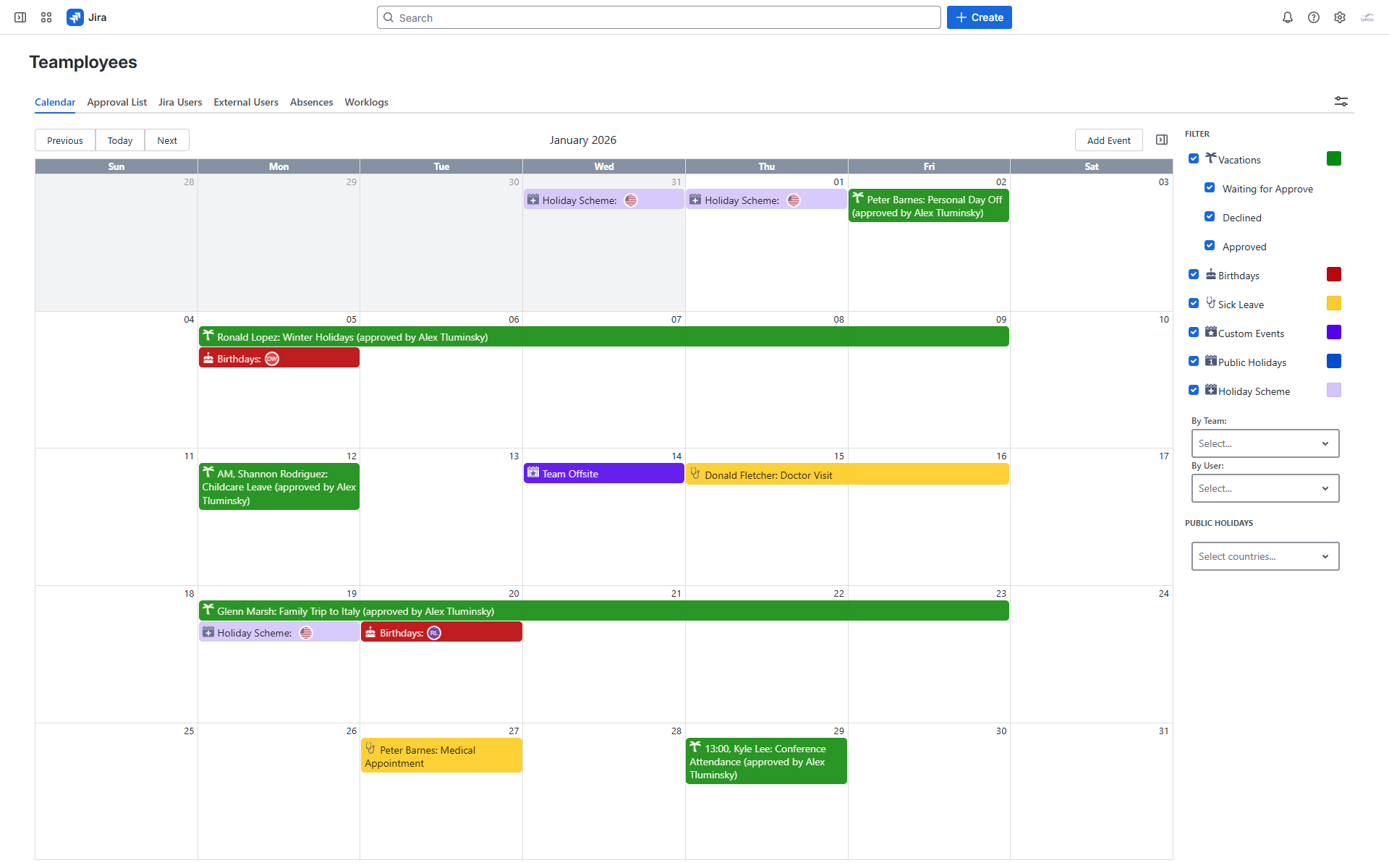
📅 A Clear Team Calendar
Instead of guessing or checking different tools, you get a shared calendar inside Jira.
You can instantly see:
Example:
You’re planning a release and want to schedule testing.
You open the calendar and immediately see that two QA engineers are off next Thursday.
Instead of finding out later, you adjust the plan right away.
No need to ask around or double-check data.
🏖️ Flexible Leave Types
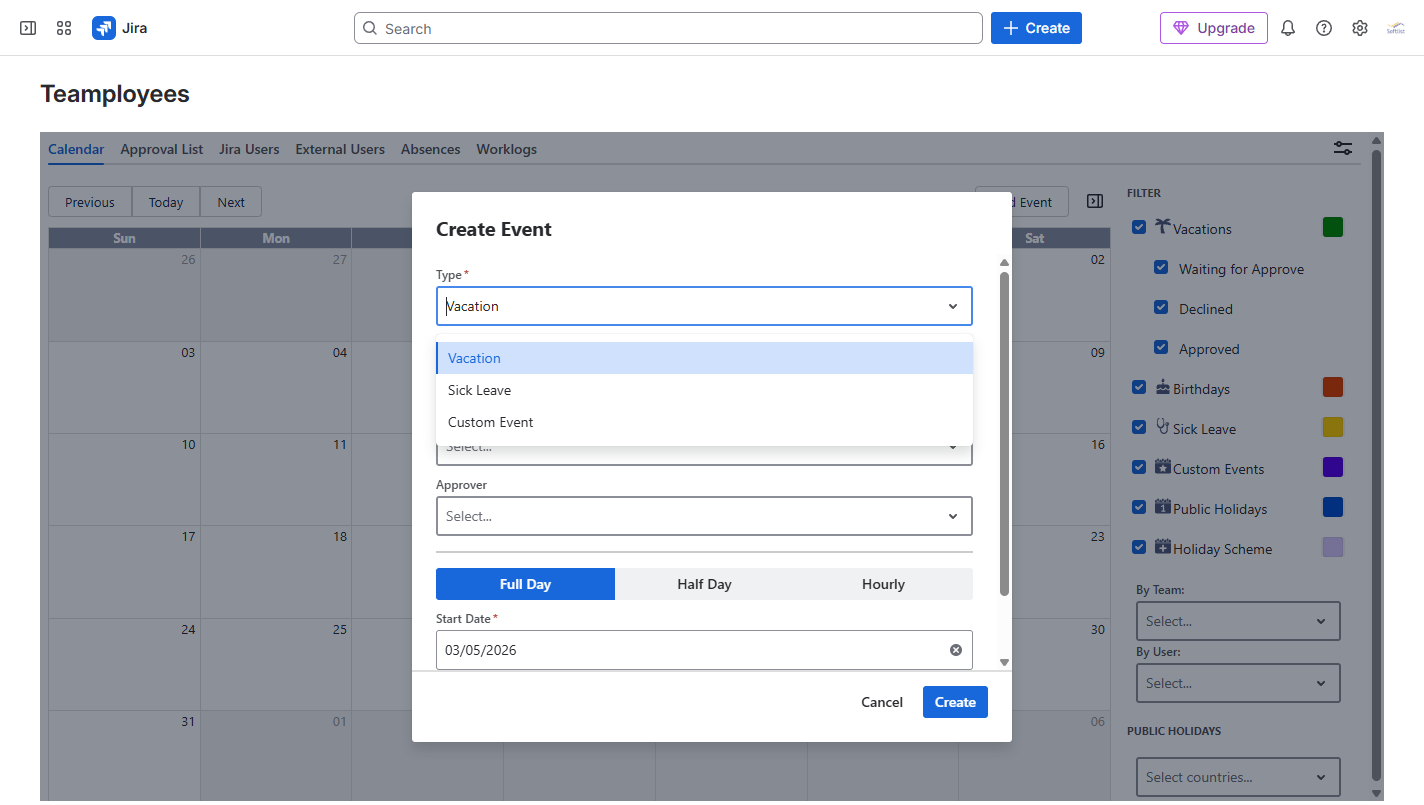
In real life, people don’t always take full days off. With Teamployees, employees can request time off, such as vacation and sick leave:
Full days
Half days
Even hourly time off
Example:
A developer needs to visit a doctor in the morning.
Instead of marking a full day off or sending a message in chat, they simply request a half-day leave.
The team still knows they are available in the afternoon.
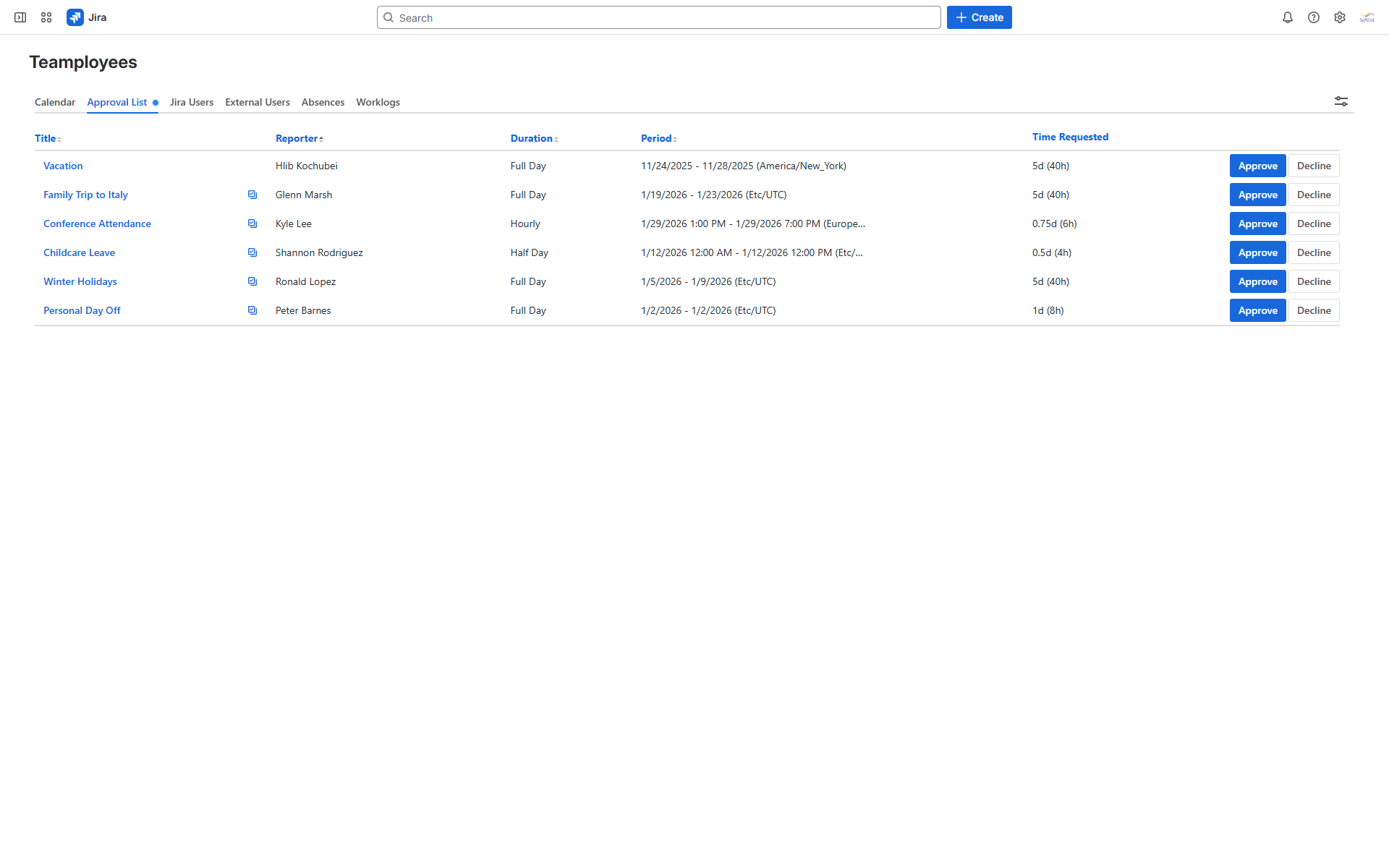
✅ Structured Requests & Approvals
Instead of informal messages like “Hey, I’ll be off tomorrow”, you can introduce a clear process.
Employees can:
Create a leave request
Select an approver
And these requests:
Are created as regular Jira issues
Include all important details (dates, duration, type of leave)
Can be reviewed and approved like any other Jira task
Example:
An employee submits a vacation request for next month.
The team lead gets it as a Jira issue, checks the calendar, and sees that another teammate already planned time off for the same period.
They discuss it and adjust dates before approving - no surprises later!
![[TLR-67] Vacation_ A trip to the mountains.png](https://us.v-cdn.net/6038660/uploads/images/431132iFF22AE62DFFAB634/%5BTLR-67%5D%20Vacation_%20A%20trip%20to%20the%20mountains.png "[TLR-67] Vacation_ A trip to the mountains.png")
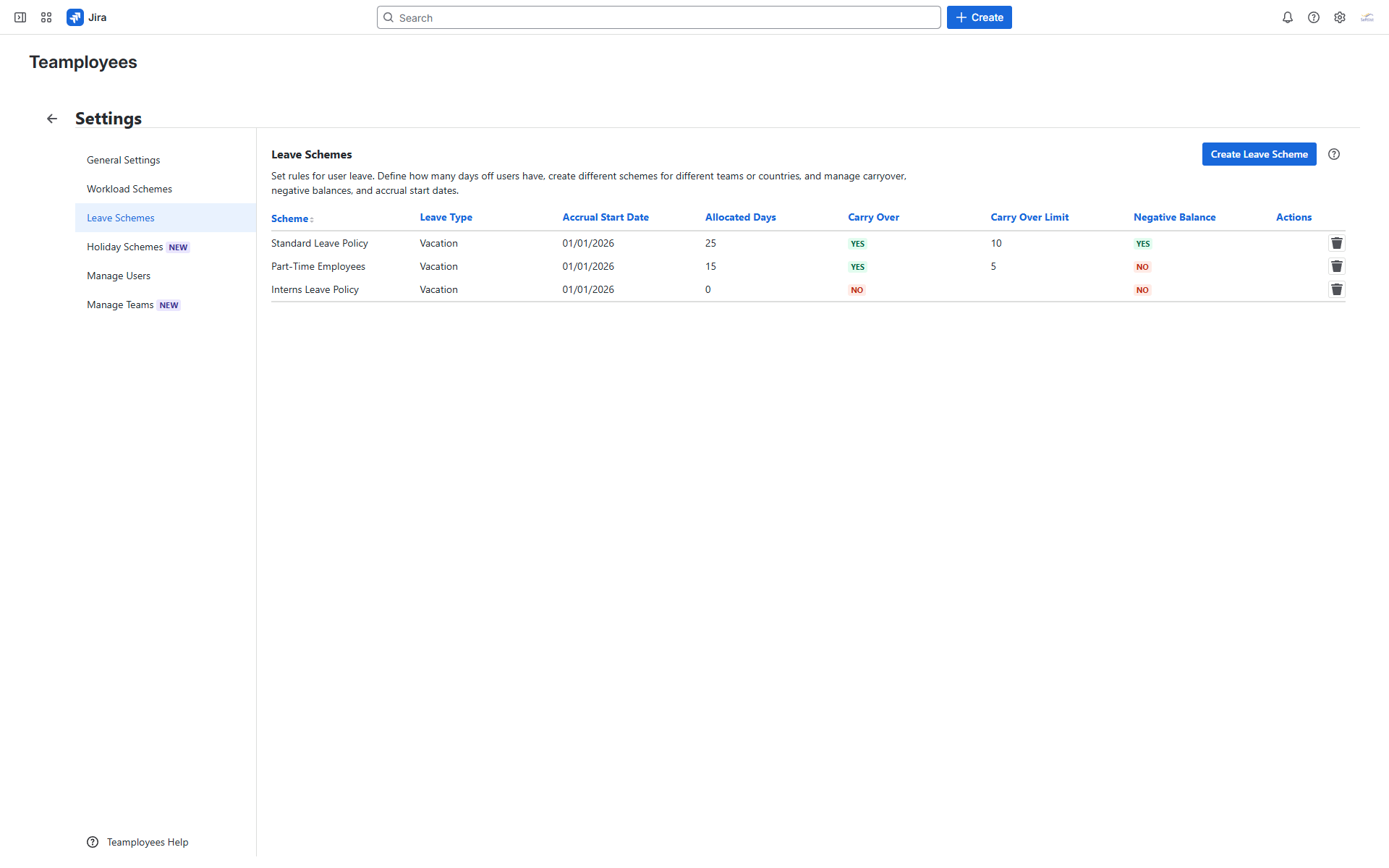
⚙️ Leave Schemes
Different teams often have different rules. Teamployees lets you configure leave schemes where you can:
Define how many days off users have
Set different rules for teams or individual users
Configure carryover
Allow negative balances if needed
Define accrual start dates
Example:
Your company has teams in two countries with different vacation policies.
Instead of tracking this manually, you assign different leave schemes - and the system handles the rest.
🌍 Holiday Schemes
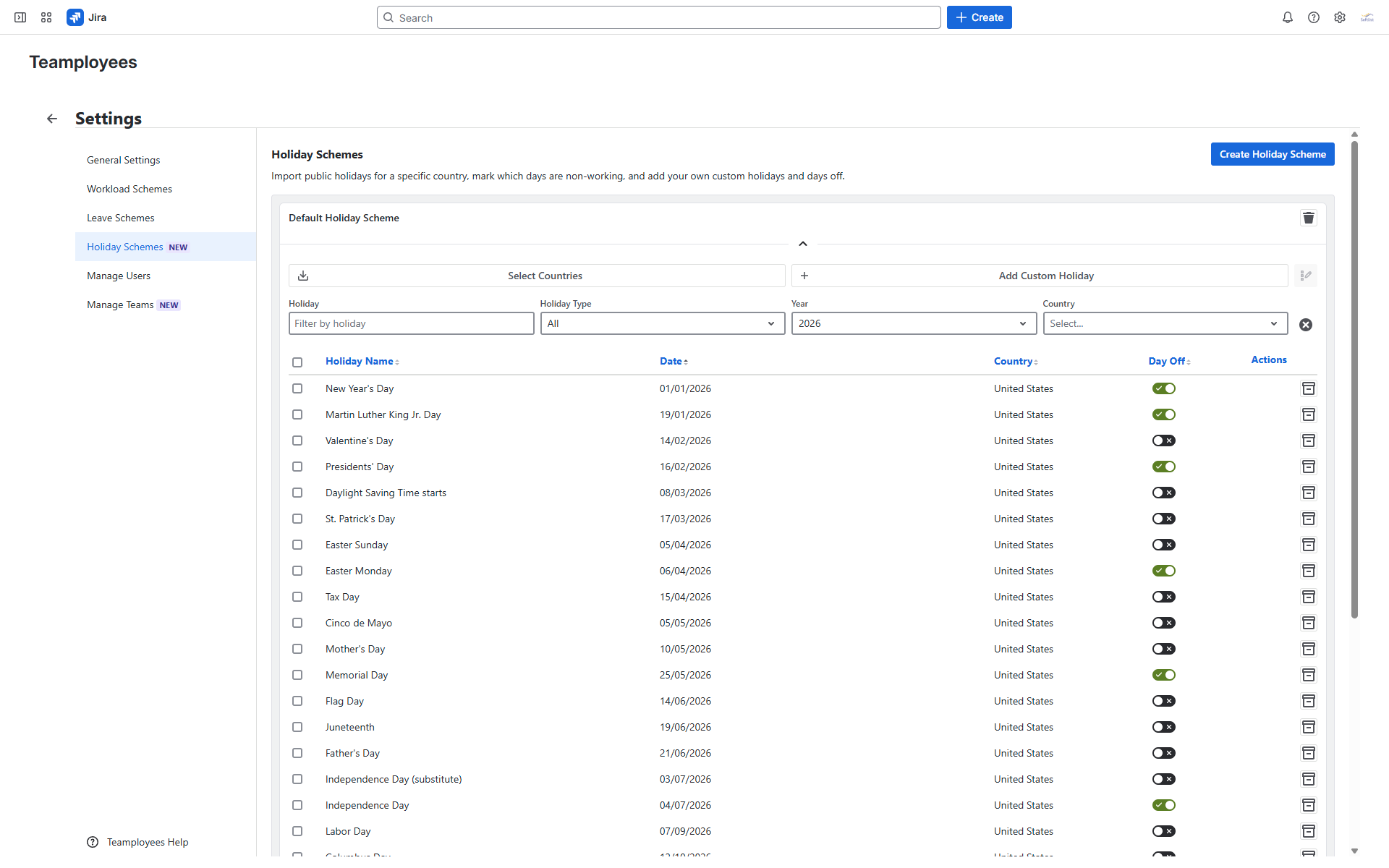
If your team is distributed, holidays can vary a lot. With holiday schemes, you can:
Example:
Your team is split between Germany and the US.
A US team member schedules work on a day that is a public holiday in Germany.
With holiday schemes in place, this is visible in advance - and planning becomes more realistic.
📊 Reports & Analytics
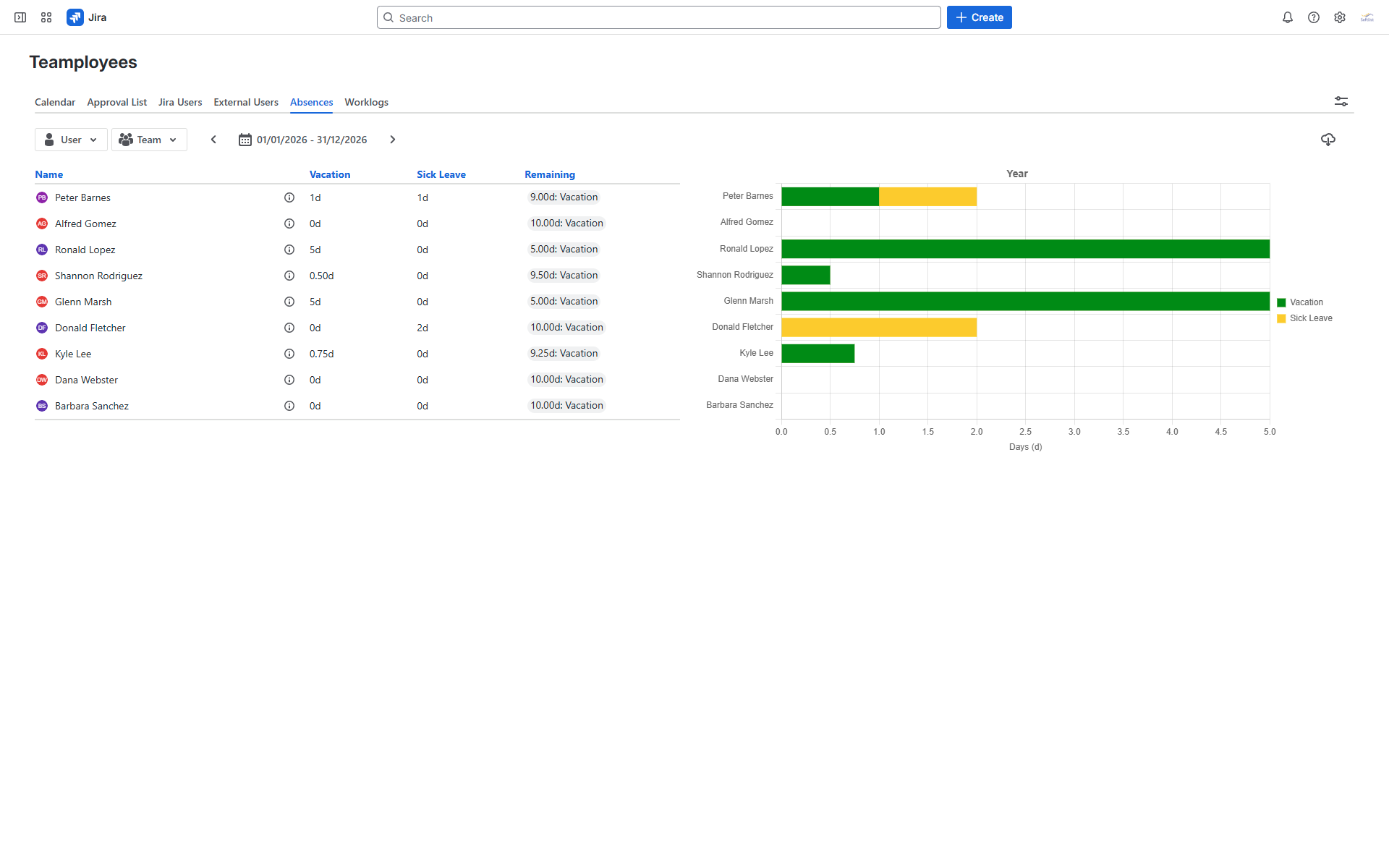
Managers often need more than just a calendar. In the Absences section, you can:
View vacation and sick leave statistics
Filter by individual users or entire teams
Analyze data for different periods (monthly, quarterly, yearly)
See both aggregated and detailed records
Export to Excel
Example:
At the end of the quarter, a manager wants to understand how time off affected delivery.
They generate a report, export it to Excel, and quickly see patterns - like peak vacation periods or frequent sick leaves.
Final Thoughts
Time-off tracking may seem like a small thing - but it has a big impact on planning, workload, and team confidence.
When you don’t have clear visibility, planning becomes guesswork.
When everything is in one place, decisions become much easier.
If your team is still using spreadsheets or ad-hoc solutions, it might be time to try a different approach. You can check out Teamployees on the Atlassian Marketplace.
And I’m curious - how does your team handle time-off tracking today?
