Hi everyone,
I’m facing a UI / layout issue in Jira Cloud regarding the display of a custom long text field in the backlog issue preview panel.
Context
I created a custom field (multi-line text) called Acceptance Criteria, which contains a lot of text (functional details, rules, examples, etc.).
However, in the backlog view, when I select a user story and the issue details panel opens on the right, this field is displayed in a very compact layout:
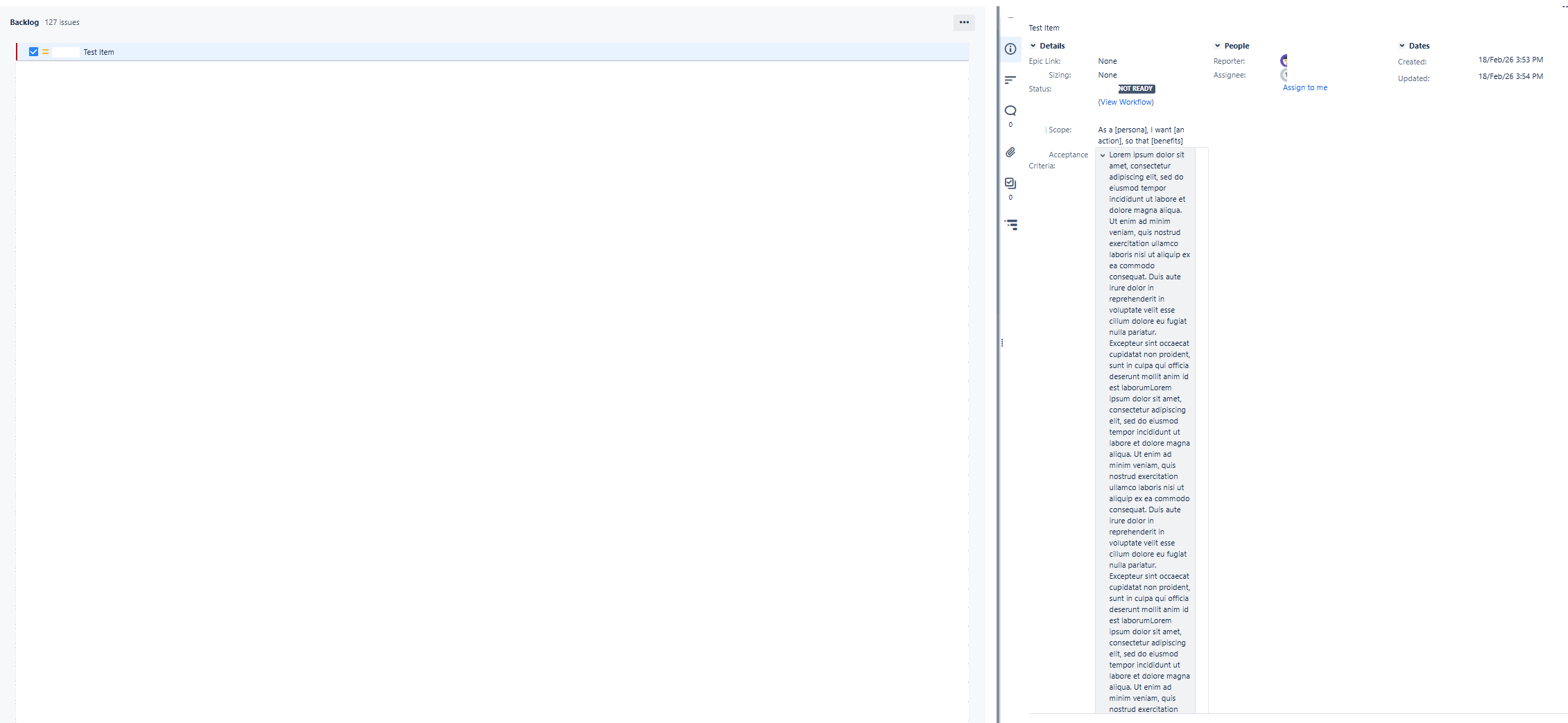
See screenshot #1 attached – current broken / unreadable layout.
What I would like
I would like this custom field to be displayed exactly like the native Description field, meaning:
When I put the same content inside Description, it displays perfectly.
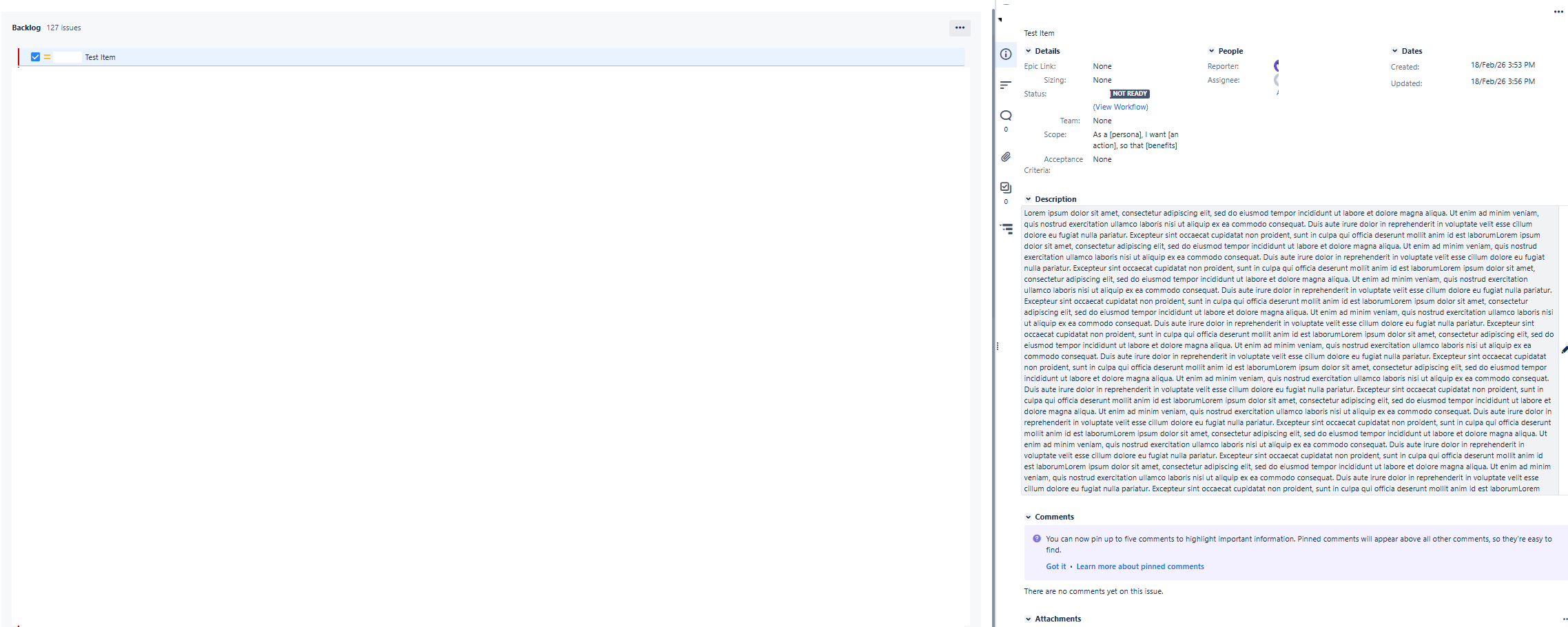
See screenshot #2 attached – expected layout using Description field.
My question
Is there a way to:
so that my custom long text field behaves exactly like the Description field in the backlog issue preview?
Ideally, I want it to appear in the main content area, not in the compact right-side fields column.
Thank you very much in advance


