MCP is easy. Running it in production (especially at scale) isn't.
Which is unfortunate because MCP truly unleashes the potential of AI, allowing systems to work with external data and tools.
However, having worked with MCP since March 2025, I can give you some tips & best practices for making MCP work in production. 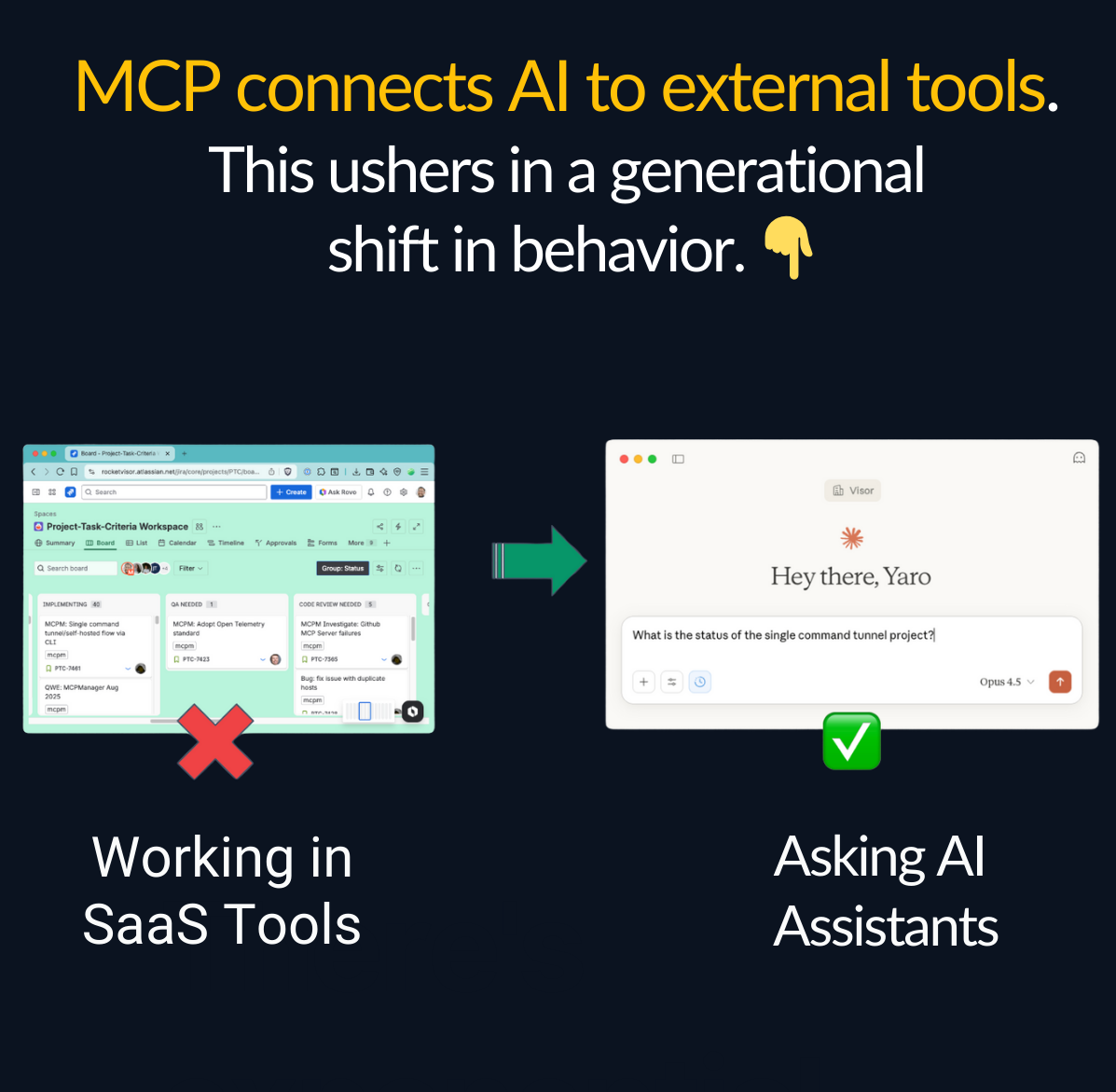
Best Practice #1: Use an MCP Gateway Architecture
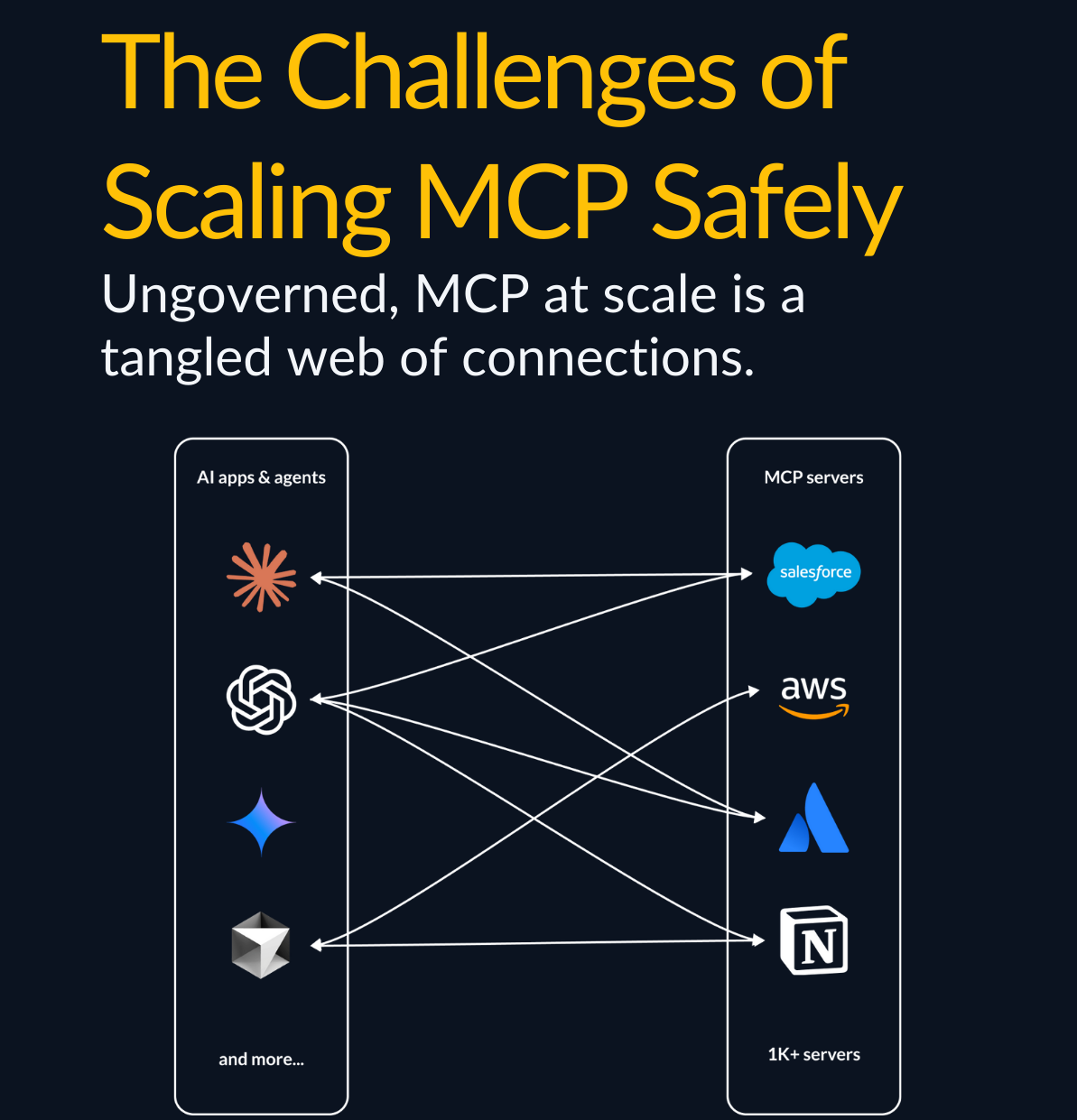
The Problem: When you connect your MCP client (e.g., Claude or Cursor) directly to multiple MCP servers (e.g., Atlassian, GitHub, Notion), you're managing:
- 3+ separate authentication flows
- No unified security policy
- No central audit trail
- Each connection is a potential attack surface
In essence, most teams roll out MCP like this:
The Solution: MCP Gateway
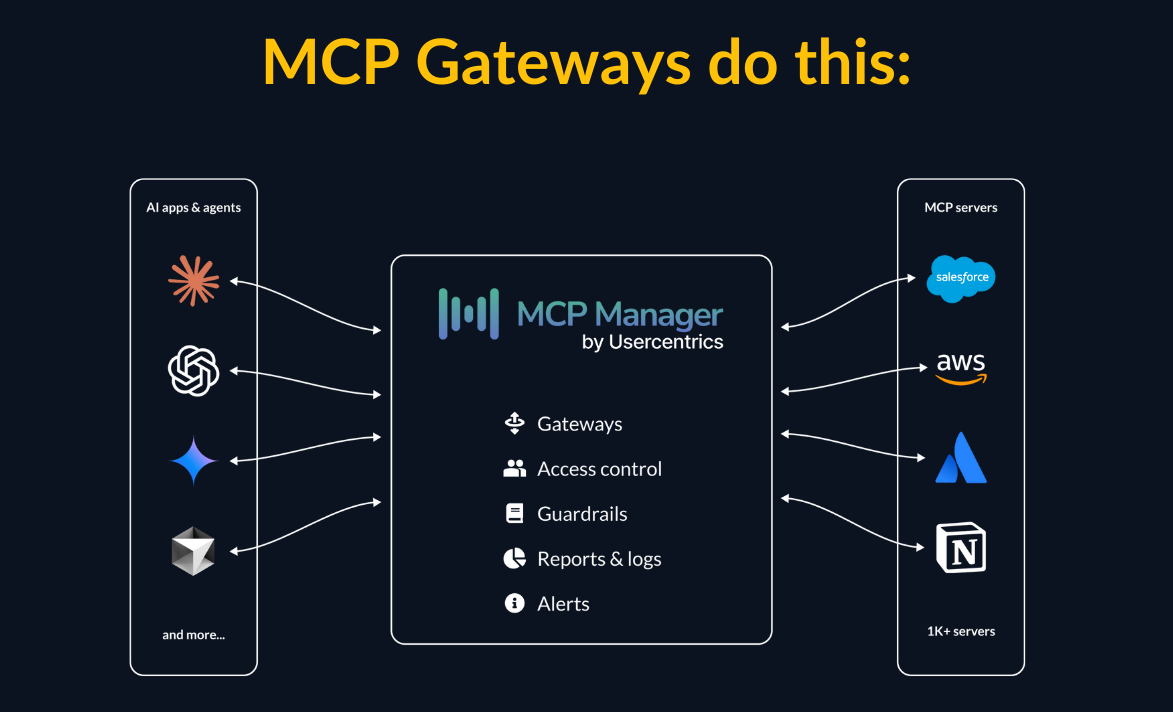
Instead of this tangled web of data flows, you want an MCP gateway.
What this gives you:
- Centralized monitoring & policies - PII detection, RBAC, guardrails applied everywhere
- Single authentication point - manage all credentials in one place
- Unified audit logs - see all AI-to-data interactions across servers
- Tool-level provisioning - stop context bloat and overly provisioned agents by controlling what tools servers can call
- Security threat prevention - the ability to stop MCP rug pull attacks, tool poisoning, data exfiltration, and more
- Easier troubleshooting - one dashboard instead of hunting through multiple systems
Best Practice #2: Implement Audit Logging from Day One
The Problem: When your security team asks "who accessed customer data through AI?" or "what Jira tickets were modified?", can you answer?
Without audit logs:
- No compliance trail
- Can't debug when things go wrong
- No visibility into usage patterns
- Impossible to investigate incidents
Audit logs and MCP governance are especially important when connecting multiple servers to AI systems. Check out the video below to see a secure setup in action. 👇
 https://www.youtube.com/watch?v=MJvdzirRzCA
Best Practice #3: Limit Tool Access with Granular Controls
The Problem: The Atlassian MCP Server exposes dozens of tools:
jira_get_issue ✅ jira_delete_issue ⚠️ confluence_create_page ✅ confluence_delete_space 🚨
By default, AI gets access to ALL of them. Do you really want Claude deleting Jira tickets or Confluence spaces?
The Solution: Tool-Level Provisioning
Not every use case needs full write access. Think about:
- Read-only analysts - Only need
get and search tools
- Support teams - Need to create/update tickets, but not delete
- Documentation writers - Confluence access only, no Jira
How to implement:
With MCP Gateway: Configure which tools are enabled per gateway. In addition, using an MCP gateway ensures that users only enable the permissions to AI that they themselves have. See the demo below. 👇
 https://www.youtube.com/watch?v=bgreXPgt43g
Best Practice #4: Implement PII Detection and Guardrails
The Problem: Your Jira tickets might contain:
- Customer email addresses, names, or details
- API keys or tokens
- Internal employee data
When AI pulls this data, it gets sent to Claude's API. Even if Anthropic doesn't train on your data, that's still exposure you might not want.
The Solution: Runtime PII Detection
Before data leaves your infrastructure, scan for:
- Email addresses
- Phone numbers
- Credit card numbers
- Social Security Numbers
- Custom patterns (API keys, internal IDs)
How to implement:
With MCP Gateway: Enable PII detection in your gateway configuration:
- Automatic scanning of all MCP responses
- Block or redact sensitive data before it reaches AI
- Alert security team on detection
- Configure custom PII patterns for your org
 https://www.youtube.com/watch?v=aSI_cfvF3Ks
I hope this helps! I will likely write future articles about more nuts + bolts of MCP implementation, like OAuth flows, internal MCP registries, and more.

