Hey Community 👋
Happy to announce that you can now use Atlassian Teams natively in automation rules to keep your workflows scalable and accurate.
What's new?
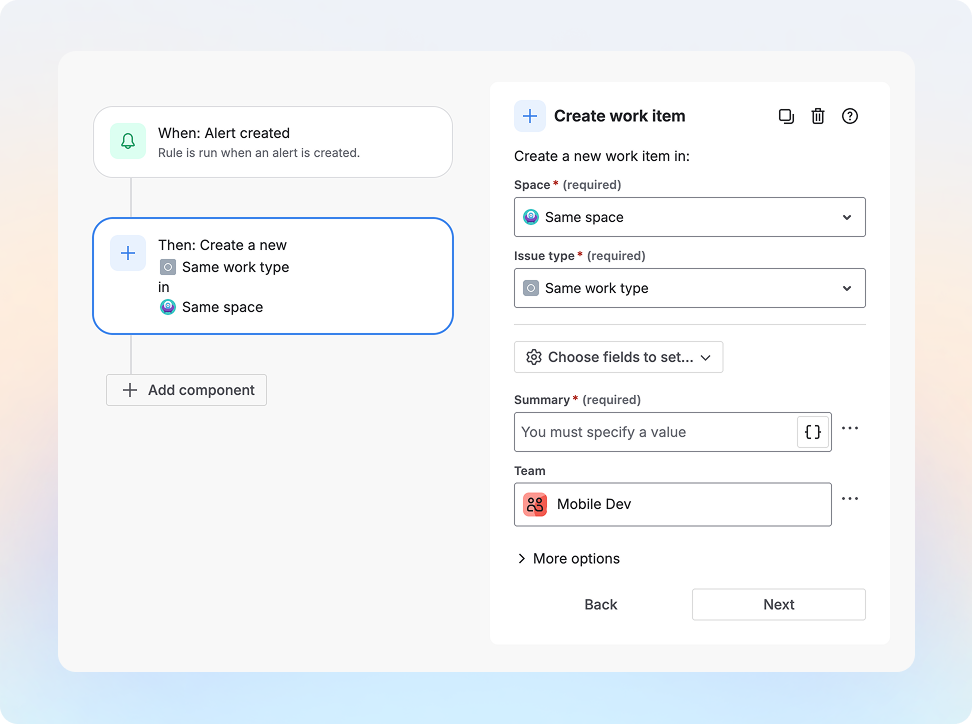
Easily route issues and assign work to the right team with:
New automation actions
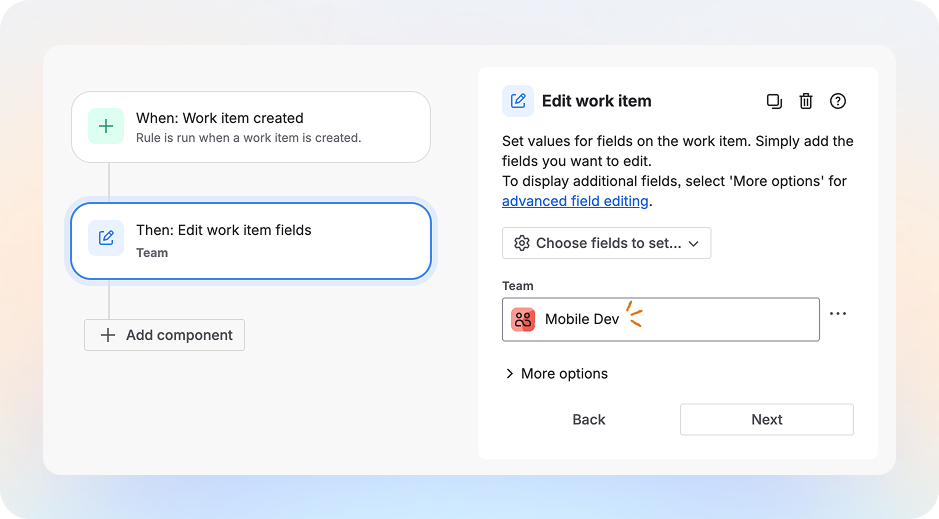
- Edit work item: When a work item is created in Team Mobile's board, set Team Mobile so work is tracked accurately.
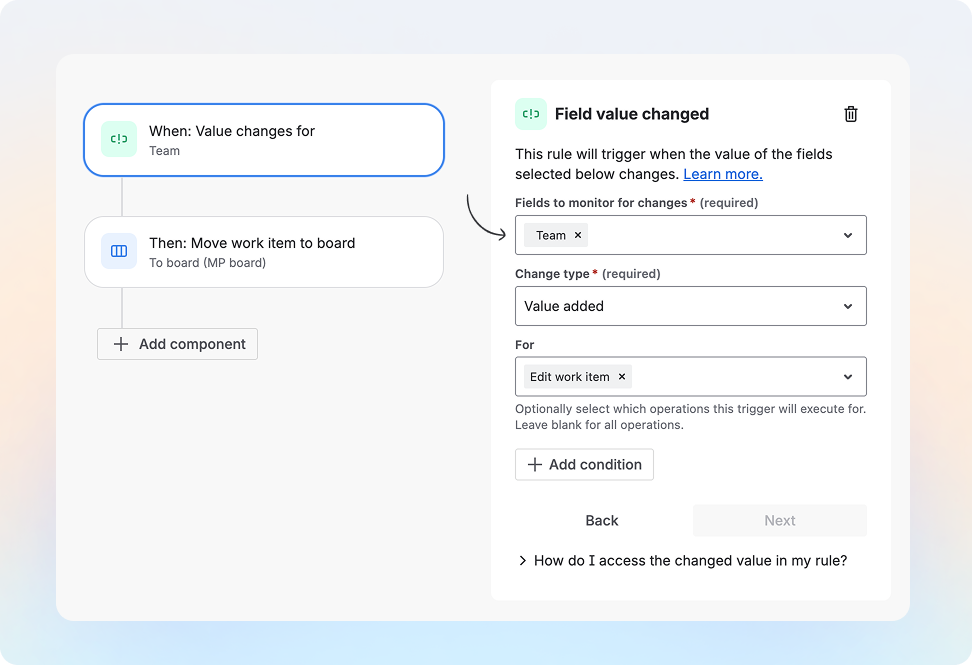
- Field value changed: When a Team is set for a work item, move work item to that team’s board and notify them.
New automation conditions
- Work item fields condition: If team field is Team Mobile, then add a comment mentioning the Team Mobile engineering lead.
New automation triggers
-
Field value changed: When Team field value is changed, move it to the newly assigned Team’s board.
-
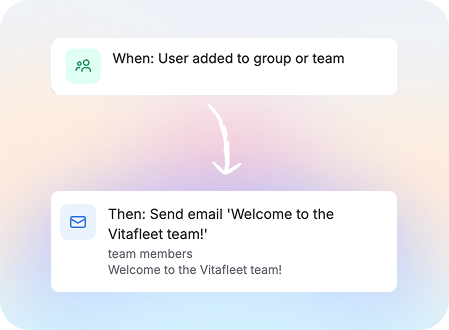
Member added or removed: When a member is added to the team, send them a welcome email with all onboarding materials. **currently only available in Confluence Cloud, Jira Cloud coming in March
How do I use it?
-
Go to Project settings → Automation (or Global automation).
-
Create a rule - select one of the trigger or actions shared above to use Teams in automations!
What's next?
-
Assign work item to user in a team: If work item is assigned to Team Mobile, then assign this ticket to David who is in Team Mobile.
-
User condition: For work item assigned to Team Mobile, ensure the assignee is in Team Mobile.
Tell us what you think
We’d love to see how you use this:
Share your examples and feedback in the comments so we can keep improving this experience!


![Photo of Susan Hauth [Jira Queen]](https://avatar-management--avatars.us-west-2.prod.public.atl-paas.net/initials/SH-3.png)


