Searching Jira comments across many issues is harder than it looks. Native search and JQL can handle some scenarios, but combining comment text, author, dates, and issue fields usually requires complex queries that are difficult to build and maintain.
There is a more practical approach: load the relevant issues using structured criteria, then apply powerful filters on both issue fields and comment fields — without writing JQL.
Advanced Comment Search for Jira is built by our team around this workflow.
It gives you:
-
versatile ways to load issue data
-
structured filtering across issue and comment fields
-
sortable table visualization
-
CSV export
All without requiring query syntax.
Marketplace link: Advanced Comment Search for Jira
Load Issue Data Using Structured Criteria (No JQL Required)
The first step is selecting how to load the raw issue dataset. Instead of starting with a query, you can load issues using structured controls.
Issues can be loaded by:
-
assignee
-
creation date
-
saved Jira filter
-
issue key
-
issue type
-
label
-
project
-
priority
-
reporter
-
sprint
-
summary
-
version
This allows you to define the working dataset precisely before applying any comment search conditions.
Typical examples:
-
load all issues from a project and version
-
load issues created within a date range
-
load issues with a specific label
-
load issues assigned to a particular user
-
load issues from an existing Jira filter
In many cases, this replaces the need to write JQL just to define scope.

Load issues using structured criteria instead of writing queries
Apply Advanced Structured Filters on Issue and Comment Fields
After loading the dataset, you can refine it using structured filters that target both issue attributes and comment attributes — within the same filtering workflow.
Issue field filters
You can filter by:
-
issue type
-
issue key
-
summary contains
-
summary does not contain
-
creation date from / to
-
priority
-
version
-
status
-
reporter
-
assignee
Comment field filters
You can filter by:
Because these are structured filters, you can combine conditions without query syntax and adjust them quickly.
Example scenarios:
-
find issues where comments contain a keyword within a date range
-
find issues with comments written by a specific author
-
include one phrase and exclude another
-
restrict results to certain issue types or priorities
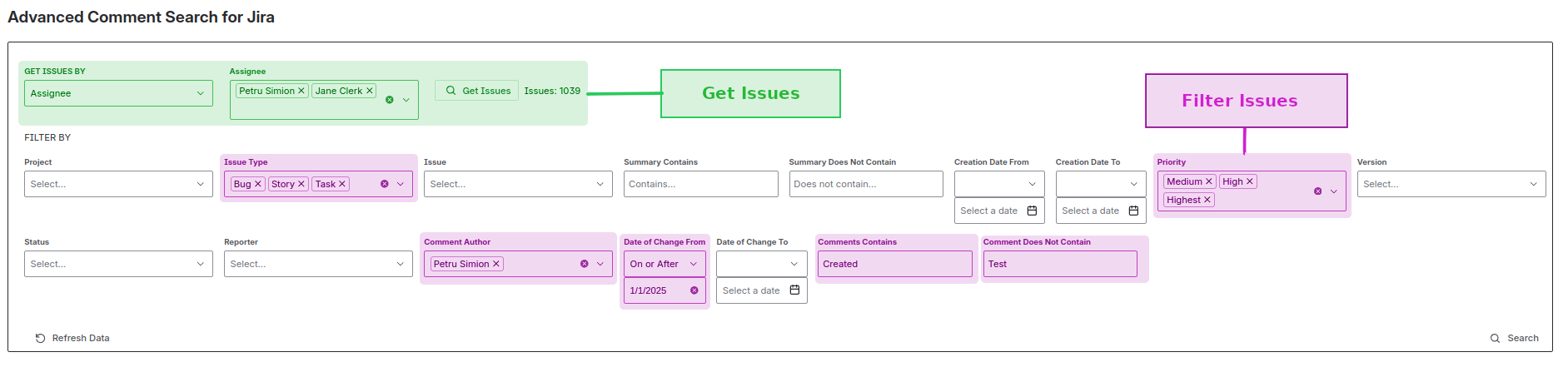
Filter by issue fields and comment fields using structured controls — no JQL required
Review Results in a Sortable Table
Results are displayed in a table where each row represents an issue with its related details and comment data fields.
You can sort the table by columns such as:
-
issue
-
author
-
dates
-
and other visible fields
This makes it easy to review and analyze results visually before exporting.
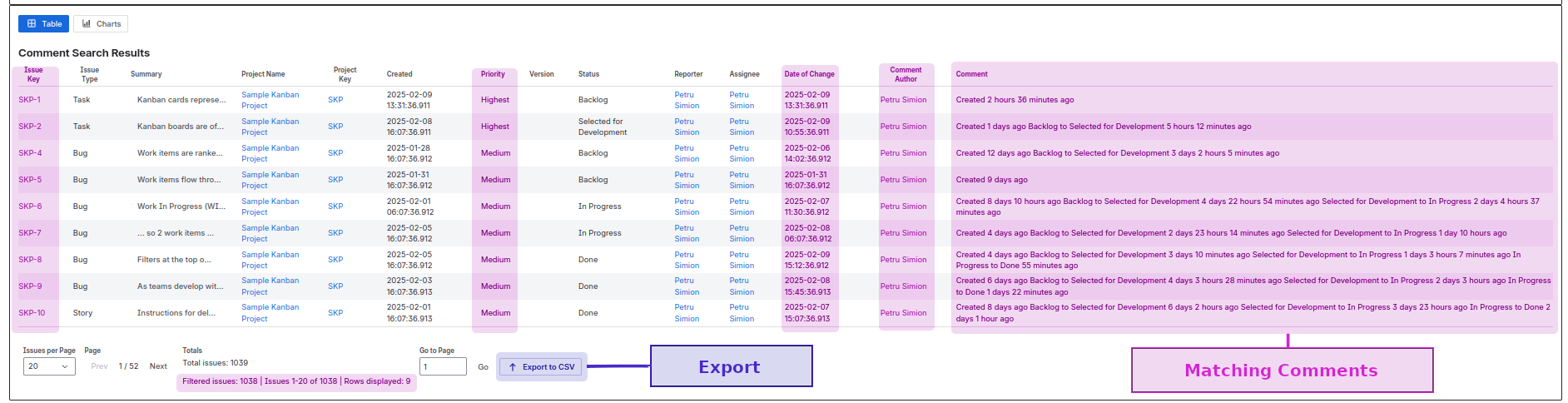
Sort and review results directly in the table view
Export Results to CSV
Filtered results can be exported to CSV, including comment text and related issue fields.
CSV export is useful for:
-
audits
-
investigations
-
reporting
-
offline analysis
-
follow-up processing
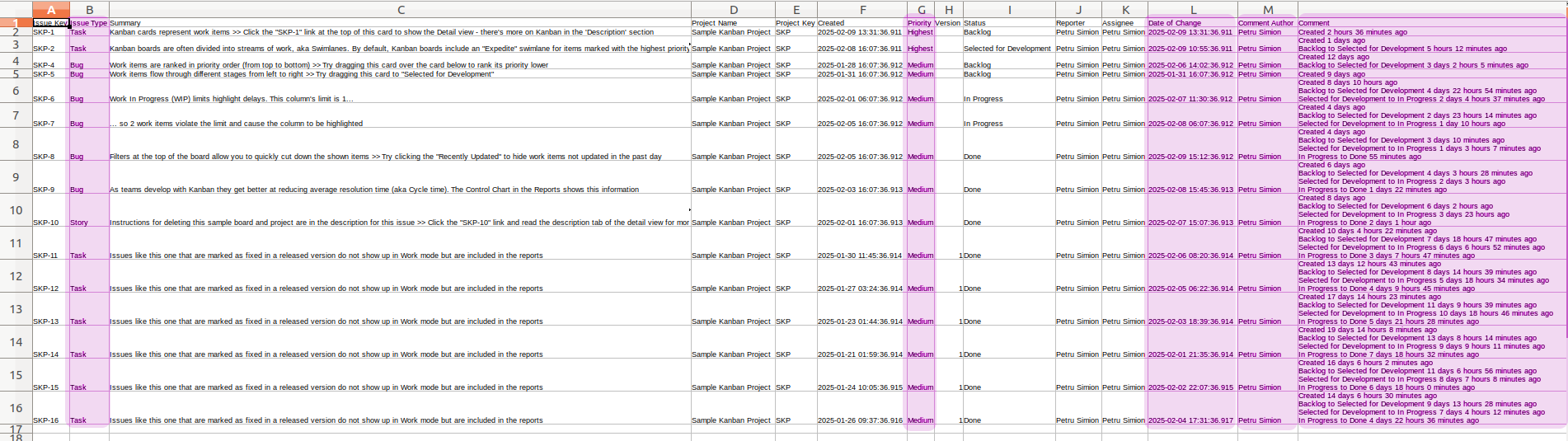
Export filtered comment data to CSV
JQL Is Optional — Still Supported
JQL is not required for most comment search scenarios in the app — but it is still supported if you prefer to use it.
If you want to use JQL:
After loading that filter result set, you can still apply the app’s structured filters and table sorting on top of it.
This means you can combine:
JQL scope selection
plus
additional filtering, sorting, and visualization inside the app.
Use JQL when you want — not because you are forced to.
![Photo of Petru Simion [Simitech Ltd.]](https://us.v-cdn.net/6038660/uploads/avatars/c7/df/nc7dfc3cdcefb50b8aef7269c429d3d29.png)