We’re excited to announce a highly requested feature: the ability to add cover images to your work items. This will start rolling out in January 2026.
What’s changing
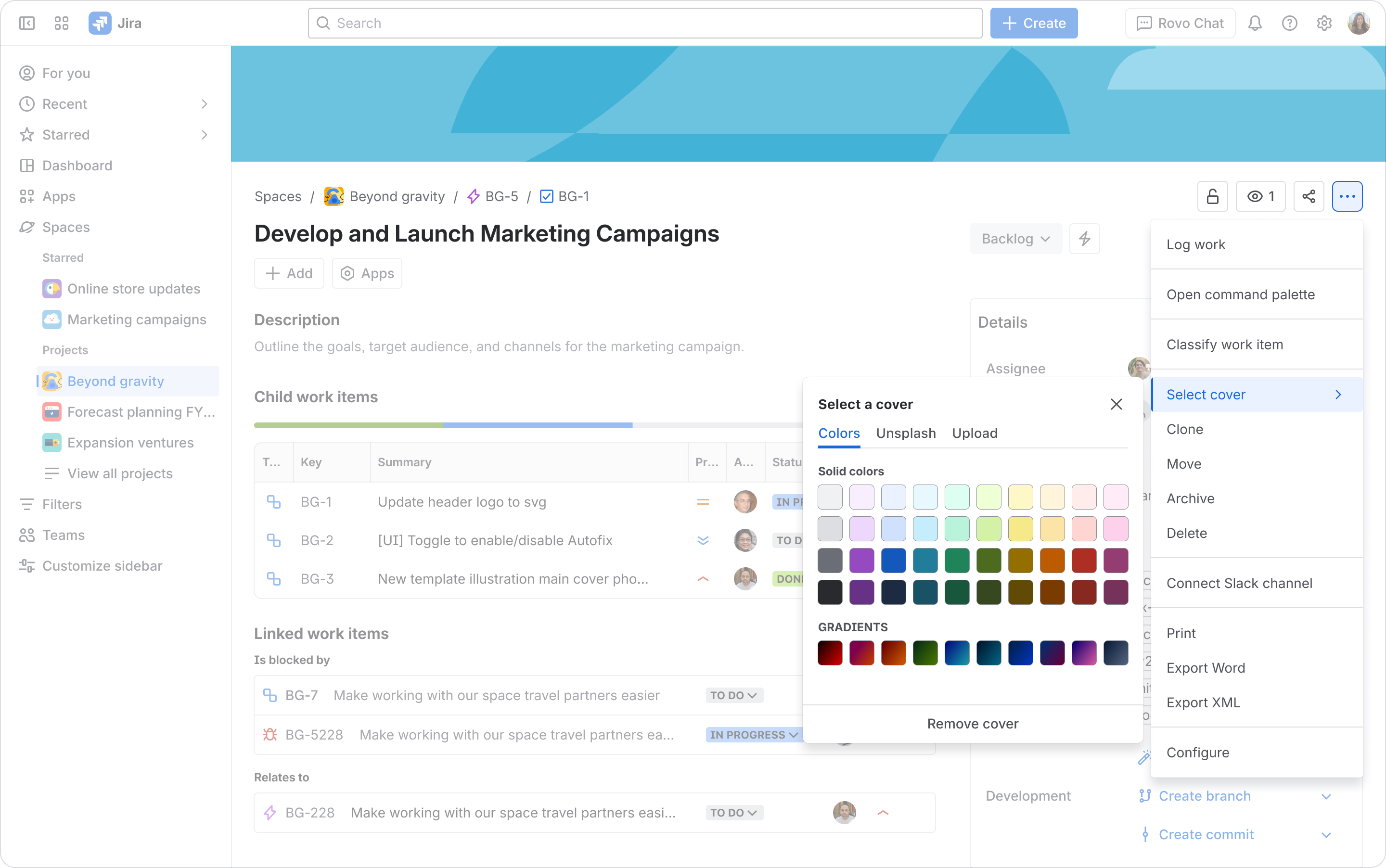
Now you can personalize your work items by adding a cover image that reflects your team’s identity, highlights important work, or simply adds a bit of fun and visual flair to your workspace. Whether it’s your team logo, a product icon, or a memorable photo, cover images help make your boards and work items more engaging and easier to scan.
How does it work?
- Add a cover image to any work item from More actions (…) in the work item, or from the More actions (…) menu on a card in the board view.
- Once added, your cover image will appear on both the board card and at the top of the work item itself.
Our goal is to make managing projects in Jira a seamless and enjoyable experience. Stay tuned for more updates, and let us know your feedback.
— The Jira Product Team


![Photo of Susan Hauth [Jira Queen]](https://avatar-management--avatars.us-west-2.prod.public.atl-paas.net/initials/SH-3.png)


